CHARGING THE SYSTEM
CHARGING THE SYSTEM
..................................................................................................................................................................................................................................
CHARGING INSTRUCTIONS
1
2
3 4
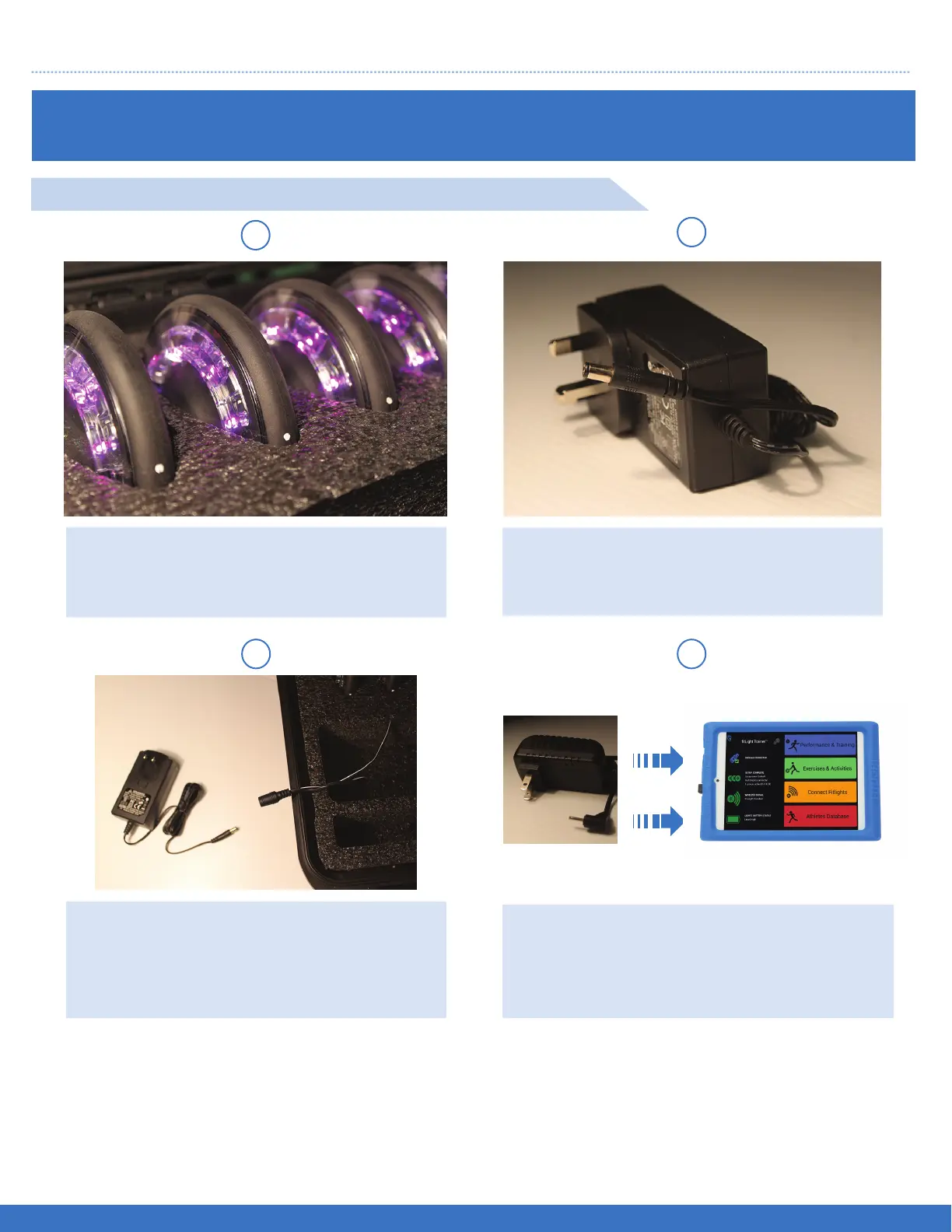
Lights properly nested in charger case.
White dots visible.
Insert the Power Supply jack into the free
end of the input jack from the Charger
case.
Insert the Charger Power Supply into the
dual jack as shown. Dual jack can be
found attached to the inside of the
Charger Case.
It is recommended that the FITLIGHTS™ and Tablet Controller are charged for at least 3 hours to
fully charge the batteries as this will ensure an uninterrupted operation of the system from the begin-
ning of its use.
To fully charge the FITLIGHTS™ and Tablet Controller, place them into the charging case and
connect the power supply adaptor to the charging case. Connect to a 110/220V outlet. Charge the
Tablet Controller with the supplied Power Supply, plug into120/220 V electrical outlet.
Connect the Tablet Controller Power Supply
to an electrical outlet. Once completed, insert
the other end into the Tablet Controller.
4 EASY STEPS TO CHARGE THE FITLIGHT TRAINER™
11


 To Next Page