SYSTEM OPERATION - DATA / RESULTS
..................................................................................................................................................................................................................................
SYSTEM OPERATION - DATA / RESULTS
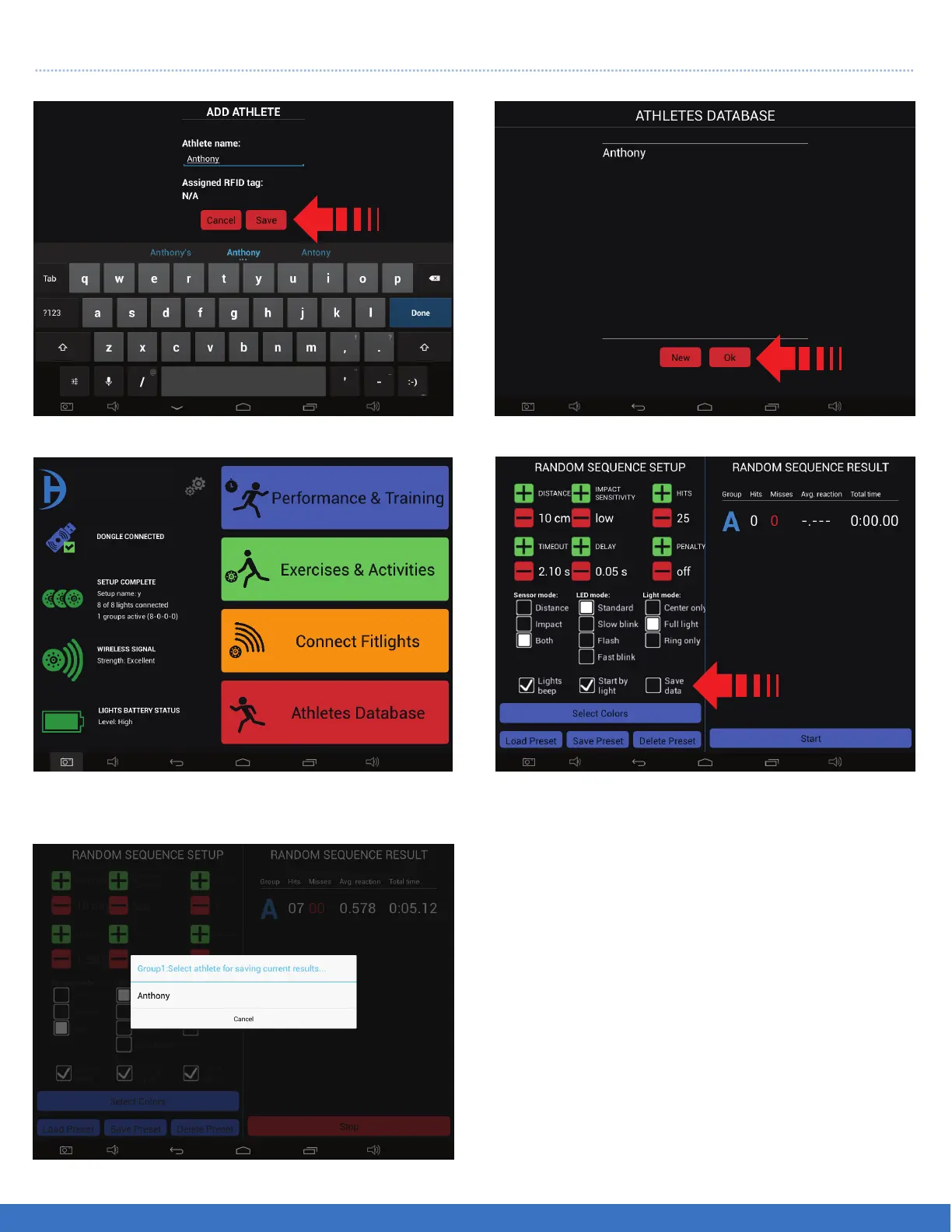
1. Type name(s) then select “Save”. 2. Name(s) appears in the database. Select “Ok”.
3. Select “Performance & Training”.
5. Select the name.
1
2
4
4. Ensure that the “Save Data” box is selected
prior to starting the particular routine.
Note: In the step #5, you can still continue doing
the routine. At the end of your session or when you
are finished you can then go to back to the
Performance and Training menu and select
“Export Training Data”.
Repeat the these steps for Split Time, Hand eye,
and Running the Programmed Sequence.
44
FITLIGHT Trainer™


 To Next Page