SYSTEM OPERATION - DATA / RESULTS
SYSTEM OPERATION - DATA / RESULTS
..................................................................................................................................................................................................................................
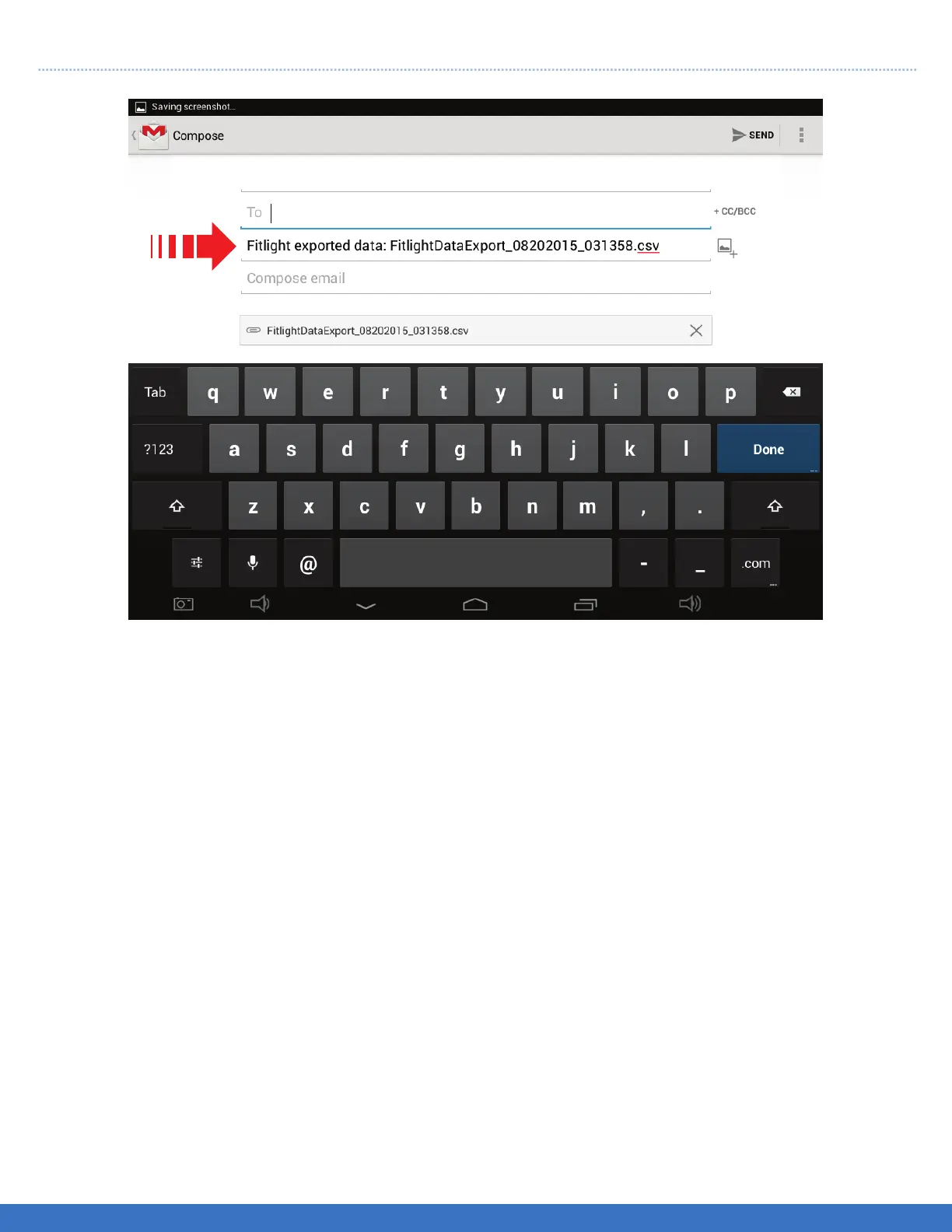
Enter Email address and send data.
47
1. Distance: Indicates the deactivation range from the center of the Light.
2. Impact Sensitivity: This setting is not relevant for Split Time testing.
3. Colour: Choose from 6 different colours.
4. Sensor Mode: For Split Time testing, it’s suggested you only use the “Distance” setting.
5. Start by Light: Allows the athlete to start on their own readiness.
6. Retrigger: This feature will automatically restart the routine.
7. Save Data: Allows the user to save the split times.
8. Load Preset: Only used if the user has saved the preffered settings.
9. Save Preset: Allows the user to save the current settings.
10. Delete Preset: Allows the user to remove the previously saved settings.
TIPS
- When using the Split Time Test, you will get better performance if the athlete wears light coloured clothing,
black or dark clothing is none preferred attire as dark colours are not reflective.
- To enable a wider deactivation range lights can be placed opposite each other 120 cms. apart.
- Make sure that the lights are in sequential order, from 1 to 8 in the split segments. It can be checked by
cycling the Lights and observing the sequence in which they activate.Once the Lights are set up continue
to the training menu.


 To Next Page