Need help?
Do you have a question about the FJDynamics Trion and is the answer not in the manual?
Recommended environmental conditions for optimal performance and to avoid interference.
Additional safety measures and warnings for product usage and maintenance.
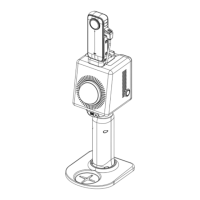
General introduction to the FJD Trion GNSS Receiver and its capabilities.
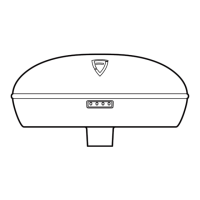
Detailed description of the GNSS receiver's interfaces and indicators.
Identification and description of the controller's physical parts and features.
Instructions for installing SIM and SD cards into the device.
Main workflow for initial setup and configuration of the product.
Procedure for setting up the external radio for base station communication.
Procedure for setting up the internal radio for communication.
Procedure for setting up the rover unit for field operations.
 General
| Data Update Rate | Up to 20 Hz |
|---|---|
| Waterproof/Dustproof | IP67 |
| Signal Tracking | GPS |
| Positioning Accuracy (RTK) | Horizontal: 8 mm + 1 ppm RMS; Vertical: 15 mm + 1 ppm RMS |
| Data Format | RTCM 3.2, RTCM 3.3, CMR |
| IMU | Yes |
| Connectivity | Bluetooth, Wi-Fi, 4G LTE Cellular |
| Frequency Range | L-Band |
| Modulation | BPSK, QPSK |
| Output Signal | Bluetooth, Wi-Fi |

 To Next Page