16
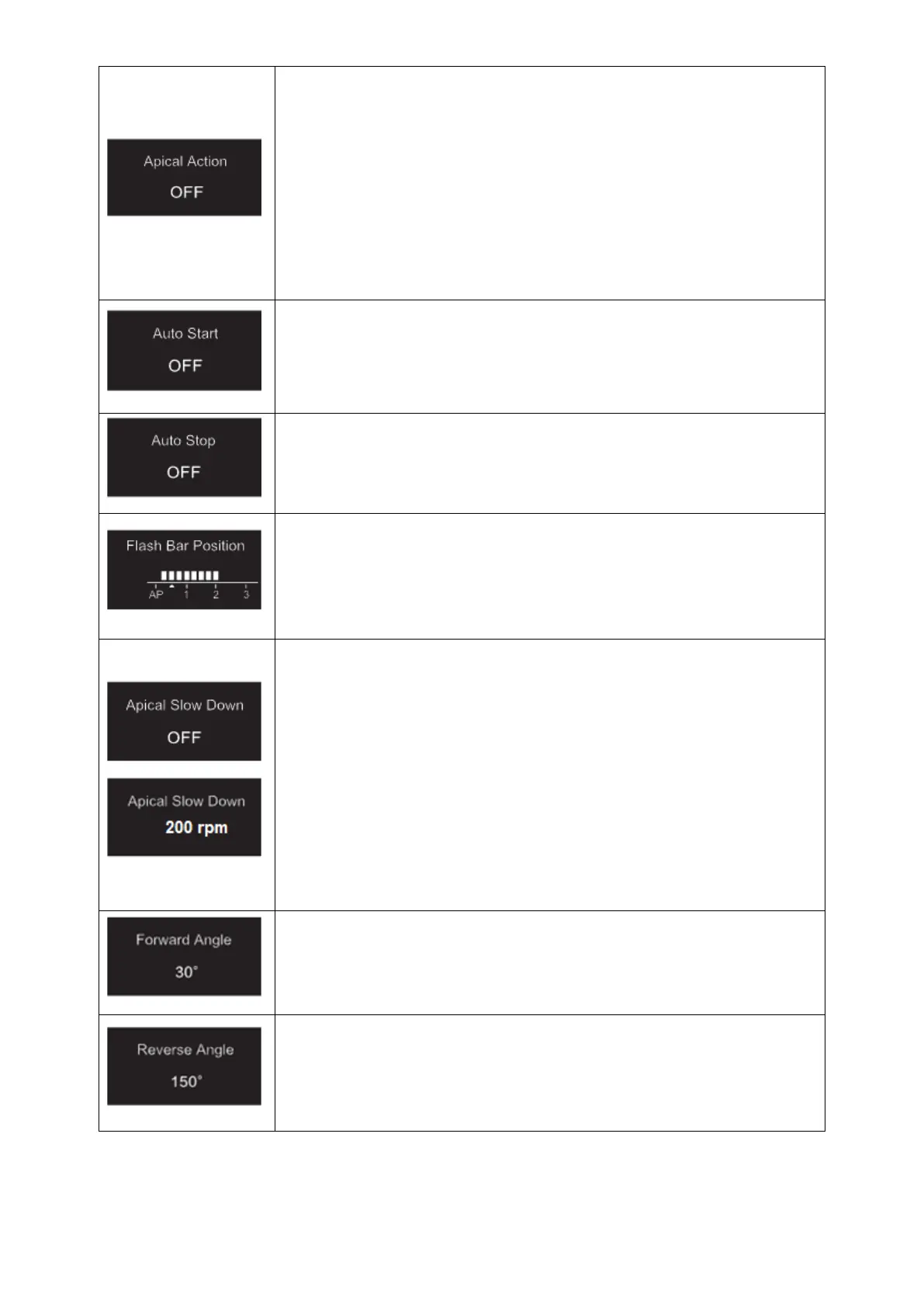
The Apical action applies when the file reaches the set apical reference point (refer
to Flash Bar Position)
OFF: Disable Apical Action
STOP: The motor stops automatically when the file reaches the reference point. The
motor restarts automatically when the file is pulled away from the reference point.
REVERSE: The motor automatically reverses the rotation direction when the file
reaches the reference point. The motor goes back automatically to initial rotation
direction when the file is pulled away from the reference point.
OFF: Disable Auto Start (the Main button is needed to start the motor handpiece).
ON: The motor starts automatically when the file is inserted into the canal (from when
the file progression indicator shows 2 bars).
Set Auto Stop
OFF: Disable Auto Stop (the Main button is needed to stop the motor handpiece).
ON: The motor stops automatically when the file is taken out the canal.
Set Flash Bar Position (Apical reference point)
The apical reference point (flash bar) can be set from 2 to AP (Apical foramen).
(0.5 indicates that the file tip is located very near the physiological apical foramen)
Apical Action and Apical Slow Down are triggered by the apical reference point.
When the Apical Slow Down is activated, the motor slows down to a set final speed
as the file tips approaches the apical reference point. The motor speed decreases
starting from the position “3.0” of the file progression indication bar .
OFF: Disable Apical Slow Down
In CW continuous rotation mode, the final speed can be adjusted from 100rpm to the
current set speed (50rpm increments).
The Apical Slow Down function is available for CW & CCW continuous rotation mode
only.
The final speed must be lower than the nominal speed.
In REC mode, the Forward Angle can be adjusted from 20° to 400° (10° increments)
In ATR mode, the Forward Angle can be adjusted from 60° to 400° (10° increments).
In REC mode, the Reverse Angle can be adjusted from 20° to 400° (10° increments)
In ATR mode, the Reverse Angle can be adjusted from 20° to the Forward Angle (10°
increments).


 To Next Page