49FläktGroup DC_9355GB 20180119_R0 We reserve the right to make changes without prior notice
Web interface
Web browser
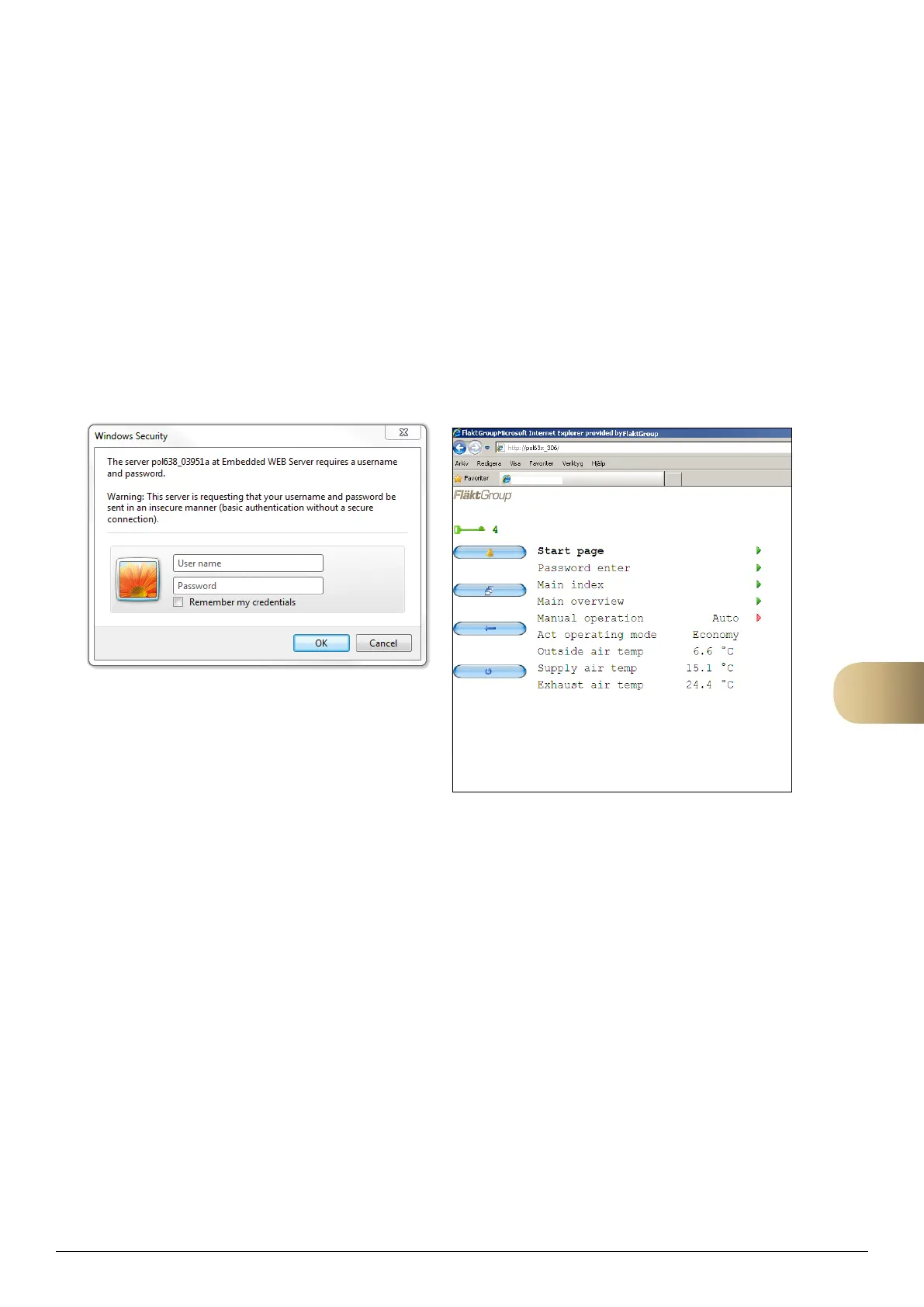
1. Open the web browser and enter address
(Target name or IP address).
2. Enter user name [ADMIN].
3. Enter password [SBTAdmin!].
4. Confirm with OK.
The web browser will open and is now ready to use. The
interface layout is similar to that of the handheld terminal.
To open a sub-menu, click the green arrow at the right side
of the row.
To change parameters, click the red arrow at the right side
of the row. An editing field will open at the bottom edge of
the page. To confirm the change, click save (floppy disk
symbol). To abandon the change, click the return arrow.
11
FlaktGroup



 To Next Page