14
www.FlameBoss.com
USING FLAME BOSS
®
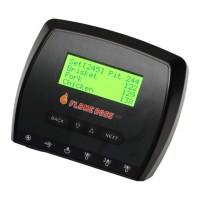
Home Screen
Set [225] Pit 223
Meat 1 ---
Meat 2 ---
Meat 3 ---
The home screen shows the set temperature, pit temperature,
and meat temperatures.
The set temperature is the desired cooking temperature for your smoker or grill.
To change the set temperature, press the q or p buttons.
Pressing BACK several times will bring you back to the home screen. The
controller will also go back to the home screen after 15 seconds of inactivity.


 To Next Page