SELECTING YOUR CUP
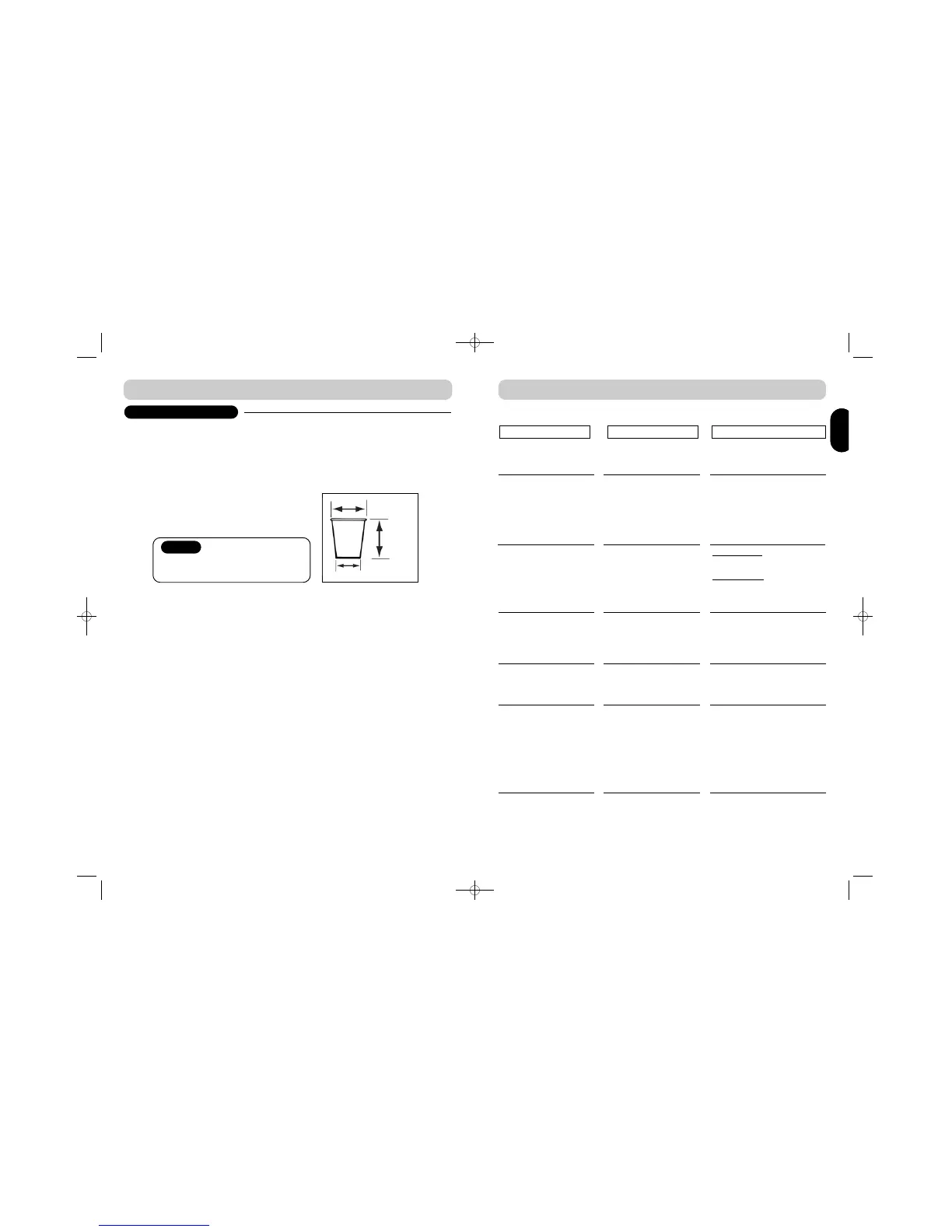
The use of FLAVIA® paper cups is
recommended. Alternative cups may be used
providing they are of similar proportions and
weigh a minimum of 5g
Minimum weight 5g
(80mm)
(90mm)
(55mm)
1. The use of FLAVIA® paper cups is recommended. Alternative cups may be used providing they
are of similar proportions to ref. H and weigh a minimum of 5g
2. Crockery may be used providing it is of similar shape and proportions to ref. H
3. Use of cups that do not meet the recommended criteria may result in overflow or mess creation
4. For further advice on cups and crockery suitable for use with your brewer please contact
customer service or your local FLAVIA® supplier
Caution
Please be aware that the minimum cup size
for use with a large drink to avoid overflow is
200ml (7floz UK)
(Ref. H)
ENGENG
10
T R O U B L E S H O O T I N G
The sophisticated design of your FLAVIA® brewer makes it very unlikely that anything will go
wrong. However, if faults do develop, you can resolve many of them yourself.
“EMPTY BIN” message
flashes
“CHECK BIN” message
flashes
“ADD WATER” message
flashes
“WATER HEATING”
message flashes
Spillage around the brewer
Cups do not fit
Filterpack door will not
close
Filterpack bin is full
Bin has not been returned
properly
Brewer needs to be filled
The water is heating
The drip tray may have
overflowed.
Wrong height cup stand
Filterpack door not re-
assembled properly
Pull out and empty the filterpack
bin. Clean bin if necessary.
Replace bin
Make sure filterpack bin is
returned
If message still stays on, contact
customer service or your local
FLAVIA® supplier
MANUAL FILL
Ref. pages 2 / 3
PLUMBED FILL
Check water supply is turned on,
and that delivery pipe is not
kinked. Ref. pages 2 / 3
If message stays on for more
than 20 minutes, please switch
off brewer and call customer
service or your local FLAVIA®
supplier
Remove, empty and replace drip
tray ref. page 5. CAUTION –
WATER MAY BE HOT
Two cup stands are provided with
the brewer. Ref. page 4
Remove and replace filterpack
door (check under Weekly Care –
Cleaning Filterpack door for how
to do this)
PROBLEM
REASON
SOLUTION
5
S E T T I N G U P Y O U R B R E W E R


 To Next Page