INSTALLATION GUIDE
13
Driver View
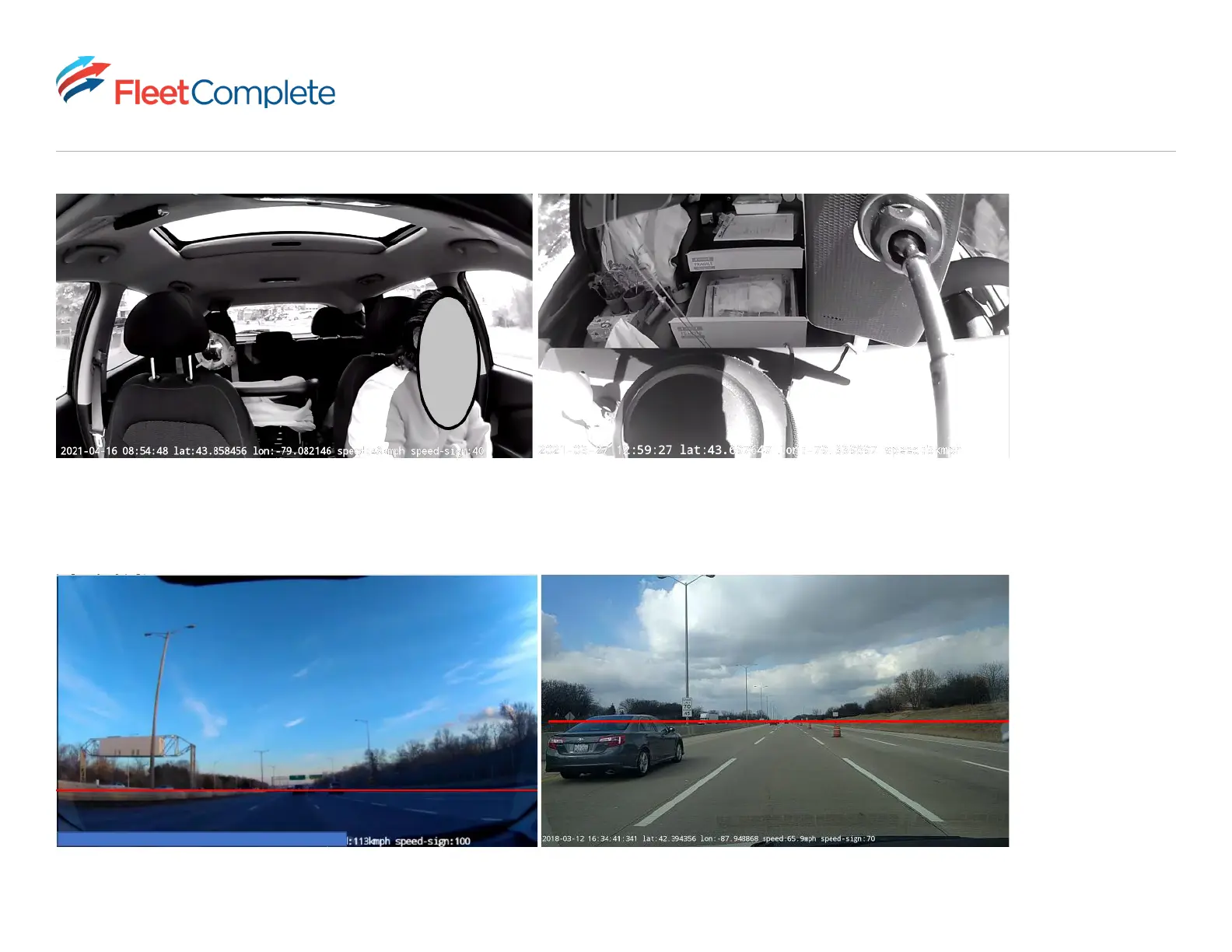
Proper mounting in a vehicle
The camera is in the center, providing a good view of the driver.
Proper mounting
The horizon line is in the middle of the frame.
Poor mounting in a vehicle
The camera is closer to the passenger than the driver.
Poor mounting in a vehicle
There is too much sky in the frame.
*The horizontal line
(denoted by red)
should be in the
middle or upper half
of the image so that
the camera sees
enough of the road
and is not looking
mostly at the sky.*
Road View



 To Next Page