EasyManua.ls Logo

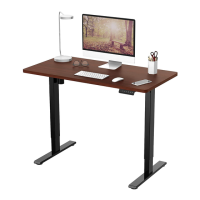
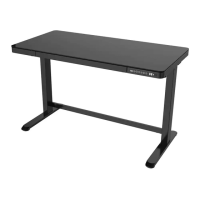
Flexispot Comhar EG8B - User Manual

Flexispot Comhar EG8B
6 pages
Print Icon
To Next Page IconTo Next Page
Loading...
Item No. EG8B/EG8W
Installation Guide

Questions and Answers

  • C
    Christina NguyenAug 16, 2025
    What to do if my Flexispot Indoor Furnishing desk displays error code E01 or E02?
    • C
      Craig MccormickAug 16, 2025
      If the Flexispot Indoor Furnishing display shows E01 or E02, allow the desk to idle for at least 18 minutes before operating it again.
  • F
    frederick69Aug 19, 2025
    What to do if other codes appear and my Flexispot Comhar EG8B Indoor Furnishing desk doesn't respond?
    • T
      tbakerAug 19, 2025
      If your Flexispot Indoor Furnishing desk isn't responding and other codes appear, make sure all cables are properly connected and undamaged.
  • D
    Destiny JacksonAug 22, 2025
    What to do if my Flexispot Comhar EG8B Indoor Furnishing is experiencing overwork?
    • C
      christopherryanAug 23, 2025
      If your Flexispot Indoor Furnishing desk is experiencing overwork, which means it has been running for more than 2 minutes, allow it to suspend for 18 minutes while still connected to a power source before restarting.
  • N
    nicolehillAug 26, 2025
    What happens when I unplug and replug my Flexispot Comhar EG8B desk?
    • M
      Michael JenkinsAug 26, 2025
      When you replug your Flexispot Indoor Furnishing desk, it should automatically enter reset mode.
  • L
    Leslie BanksAug 28, 2025
    Why is my Flexispot Comhar EG8B Indoor Furnishing rising in a low speed?
    • P
      paigethompsonAug 28, 2025
      If your Flexispot Indoor Furnishing is rising at a low speed, check if the load exceeds 110 lbs.
  • M
    Miguel VargasAug 31, 2025
    Why is my Flexispot Comhar EG8B Indoor Furnishing experiencing downward sliding?
    • B
      Bianca HodgesAug 31, 2025
      If your Flexispot Indoor Furnishing is sliding downward, check if the load exceeds 110 lbs.
  • R
    robert11Sep 3, 2025
    Why does my Flexispot Indoor Furnishing require frequent repositioning?
    • C
      Cynthia MillerSep 3, 2025
      If your Flexispot Indoor Furnishing requires frequent repositioning, check if the load exceeds 110 lbs.
  • J
    Jonathan GonzalesSep 6, 2025
    What to do if my Flexispot Comhar EG8B Indoor Furnishing goes down but not up?
    • C
      Catherine StoutSep 6, 2025
      If your Flexispot Indoor Furnishing goes down but not up, try repositioning it.
  • J
    Jacob DunnSep 9, 2025
    What to do if Flexispot Indoor Furnishing not responding while long pressing down arrow?
    • M
      Michelle WhiteSep 9, 2025
      If there is no response while long pressing the down arrow on your Flexispot Indoor Furnishing after connecting to a power supply, verify that all cables are securely connected.
  • D
    Dawn HughesSep 12, 2025
    What to do if Flexispot Comhar EG8B not responding to up/down arrows?
    • W
      William EvansSep 12, 2025
      If there is no response when pressing the up or down arrow on your Flexispot Indoor Furnishing after connecting to a power supply, ensure all cables are properly connected.

Summary

Specifications and Components

Specifications

Details product specifications like weight capacity, voltage, height range, and dimensions.

Accessory Package

Lists the included accessories, noting potential appearance variations from illustrations.

Diagram of Component

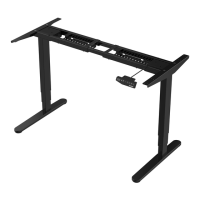
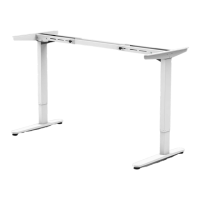
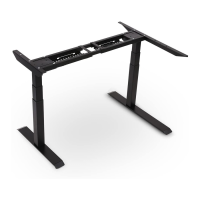
Visual representation and list of the desk's primary parts for identification.

Installation Guide

Step 1: Install Tabletop and Lifting Columns

Instructions for connecting the tabletop to lifting columns using screws and hex wrench.

Step 2: Install Desk Feet

Procedure for attaching the desk feet to the lifting columns using screws.

Step 3: Install Motor and Power Lines

Guidance on connecting the motor, adapter, and managing power lines.

Operation and Troubleshooting

Keypad Instruction

Explains how to use the keypad for height adjustment, memory presets, and child lock.

Troubleshooting

Provides solutions for common faults and error codes encountered with the desk.

Safety, Attention, and Disposal

Attention

Important notes on power supply, working environment, cleaning, and product usage.

Recycling and Disposal

Guidelines for proper disposal of the product as household waste.

FlexiSpot Limited Warranty

What is Covered?

Details the warranty coverage for different FlexiSpot product types and components.

What are your Remedies?

Outlines the options available for addressing defective products under warranty.

What is Not Covered?

Lists conditions and situations that are excluded from the limited warranty.

How to File a Claim?

Instructions on how to submit a warranty claim and required documentation.

Implied Warranties and Limitation of Damages

Legal limitations on implied warranties and liability for damages.

Governing Law

Specifies the jurisdiction and laws that govern the limited warranty.

How State Law Applies

Explains the specific legal rights granted by state law in relation to the warranty.

Flexispot Comhar EG8B Specifications

General IconGeneral
Product TypeStanding Desk
CategoryIndoor Furnishing
Desktop MaterialTempered Glass
Frame MaterialSteel
Height Adjustment Range28.3" - 47.6"
Weight Capacity110 lbs
Desktop Size48" x 24"
Control TypeElectric
DrawerYes
Motor TypeSingle Motor
Noise Level<50 dB
Desktop Color OptionsBlack, White
Warranty5 Years
ModelEG8B
ColorBlack/White
Frame ColorBlack/White

Related product manuals