2009-06-25 3/4 400-610-010-A
have an electrician verify the installation and, if necessary,
replace the thermostat.
•If the TEST button illuminates, continue to step 4.
q Switch the thermostat to Off, then back to On.
• If the TEST button light goes off, the test has passed. Set
the thermostat back to the desired temperature and ignore
the remaining steps. The test is now completed.
• If the TEST button light remains on, the test has failed.
Continue to step 5.
r Switch the circuit breaker (at the service panel) of the heating
system to off, then back to on.
s Repeat the test. If the test fails again, cut power to the heating
system at the main electrical panel, have an electrician verify
the installation and, if necessary, replace the thermostat.
.
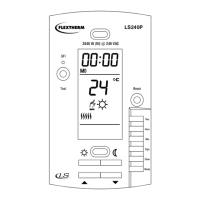
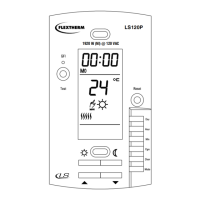
The display is lit for 12 seconds when any button or adjustment ring
is pressed.
Comfort and Economy Setpoints
These setpoints are associated with the
schedule’s programs and are
preprogrammed as follows:
Comfort: temp. control AF: 21°C (70°F)
temp. control F: 28°C (82°F)
Economy: temp. control AF: 16.5°C (62°F)
temp. control F: 20°C(68°F)
To modify a setpoint value:
n Set the temperature using the adjustment ring.
o Press and hold the setpoint button ( or or ) until the icon
is displayed on the screen. The thermostat automatically
returns to normal display after 5 seconds.
Vacation Setpoint
This preprogrammed setpoint is used when the Vacation mode is
activated. To modify this value, repeat above steps.
Default: 10°C (50°F) for all control types.
Floor minimum and maximum limits (AF only)
The floor temperature limits prevent damage to the floor and ensure
personal safety. The thermostat generally turns heating On or Off to
control the ambient temperature. However if the floor temperature
goes outside the desired limits, the thermostat will unconditionally
turn heating On or Off to maintain the floor temperature within its
limits.
Default: min 5°C (40°F) and max 28°C (82°F)
n Turn OFF the thermostat.
o Press and hold CLR and turn ON the
thermostat. Release CLR only when the
minimum setpoint is displayed.
p Select the minimum setpoint limit using the
adjustment ring.
q Press CLR to display the maximum value.
r Select the maximum setpoint limit using the
adjustment ring.
s Press MODE/RET to exit.
NOTE: For the AF temperature control (ambient with floor
limits), the setpoint will always be maintained within the
minimum and maximum floor limits.
Automatic
Executes the schedule’s programs.
Press MODE/RET until the desired program
number is displayed (1 to 4).
To temporarily bypass the current program, set a
new temperature using the adjustment ring or
press one of the predefined setpoint buttons ( or ). The program
icon will flash to indicate the bypass. The new setpoint will be main-
tained until the beginning of the next program.
Manual
Maintains a constant temperature.
n Press MODE/RET until is displayed.
o Set the temperature using the adjustment
ring or press one of the predefined setpoint
buttons ( or or ).
Vacation
Maintains the Vacation setpoint during a
prolonged absence.
There are two ways to activate this mode:
n From the thermostat: press
o The thermostat is equipped with an Econo input which allows
connection of any remote control system equipped with a dry
contact. When the contact closes, the thermostat automatically
switches from normal operating mode to the Vacation mode. In
this mode, the suitcase icon flashes and all buttons are locked.
When the contact opens, the thermostat returns to the normal
operating mode.
The schedule is executed when the Automatic mode is activated. It
controls your system by automatically switching from the Comfort
setpoint to the Economy setpoint at the preset times.
The preprogrammed schedule contains four (4) daily programs:
You can set up to four daily programs and each program can have
a different time for a total of 28 programs.
NOTE: It is sometimes easier to program the same schedule
for the entire week and then modify the exception days.
n Press PGM to access the programming mode.
BACKLIT DISPLAY
SETPOINTS
OPERATING MODE SELECTION
PREPROGRAMMED SCHEDULE
Programs MO TU WE TH FR SA SU
1
Comfort6:006:006:006:006:006:006:00
2
Economy 8:00 8:00 8:00 8:00 8:00 --:-- --:--
3
Comfort 18:00 18:00 18:00 18:00 18:00 --:-- --:--
4
Economy 22:00 22:00 22:00 22:00 22:00 22:00 22:00
SCHEDULE MODIFICATION
400-610-010-A (Flextherm FLP12 prog CAN) ENG.fm Page 3 Thursday, June 25, 2009 1:20 PM



 To Next Page
 Loading...