Be careful not to pay excessive
attention to the computer data while
riding, otherwise you might have an
accident.
NOTE;
* The all clear (AC) button is used to clear the main unit memory.
* Never disassemble the main unit, as it cannot be reassembled.
* The main unit is fully waterproofed to withstand wet weather
conditions; however, do not deliberately place it into water.
* Avoid leaving the main unit exposed to extremely hot weather
conditions.
* Handle the main unit carefully, and avoid subjecting it to any shocks.
* Do not use thinner or other solvents to clean parts such as the main
unit and sensor, as they may dissolve the part casings.
* To clean these parts, wipe them with a cloth soaked in a weak mixture
of neutral detergent and water.
* If using the SM-6501/M/MD together with an LED lamp from another
manufacturer, the speed measurement function may not work correctly.
If using an LED lamp from another manufacturer, it is recommended
that you use the SM-6500-RS.
Specifications
Meter
Bracket/Sensor unit
SC-6501 / SC-M500SC-6502
SM-6501 SM-6501-MD
STI lever
ST-7700-C
ST- 6510
ST-5500-CA
ST- 4400
ST- 3300/3303
SM-SC70
ST-7800
ST- M510
SL-M510
SM-6501-M
ST-M952 SL-M952
ST-M750 SL-M750
ST-M570 SL-M570
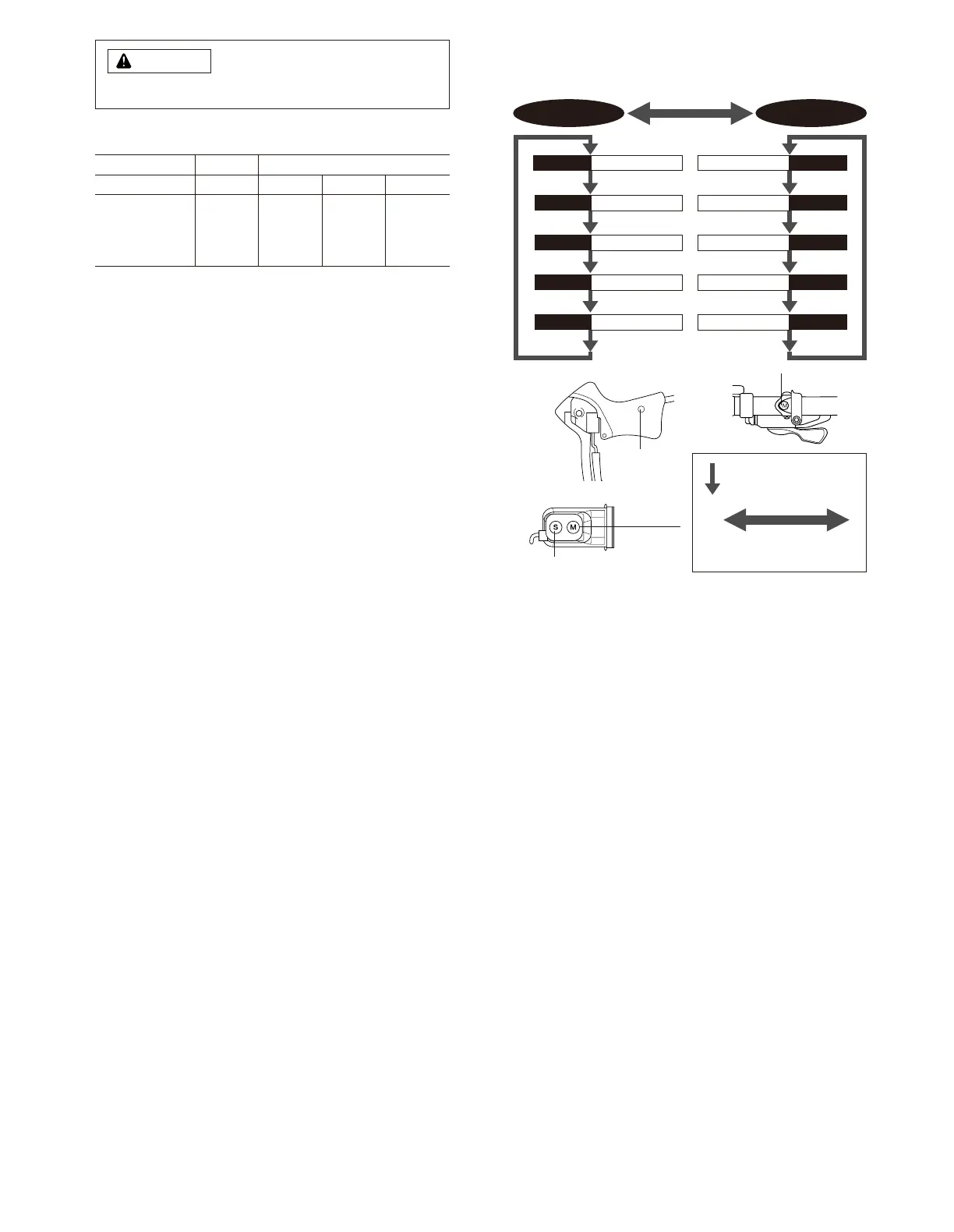
1. Display Modes
“Current speed” and “Gear indicator (bar)” are always displayed
mode 1 mode 2
TIM Trip time
DST Trip distance
ODO ODO meter
STW Stop watch
CLK Clock rpmCadence
VEL
Main display cadence
MAX
Maximum speed
AVEAverage speed
CNTLap counter
Press mode button
once
Press mode button continuously
for 2 seconds or more
Mode Button
SM-6501-MD
WARNING
Mode Button
SM-SC70
SM-6501
SM-6501-M
ST/SP button
Mode button


 To Next Page