EasyManua.ls Logo

FLIR LOREX LNB4321 Series - User Manual

FLIR LOREX LNB4321 Series
2 pages
Print Icon
To Next Page IconTo Next Page
Loading...
Contents
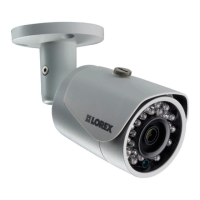
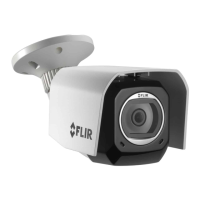
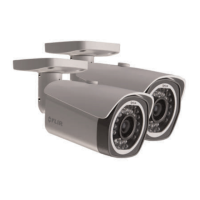
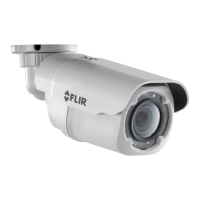
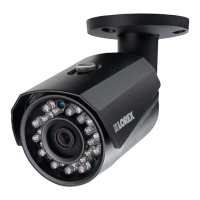
IR Bullet IP Camera*
Mounting Kit*
Mounting Template*
Cat5e UL Compliant (CM) Ethernet Extension Cable*
ATTENTION - It is recommended to connect the camera to the
NVR or an external PoE switch. If using a DC power adapter with
the camera, a REGULATED power supply is REQUIRED for use
with this camera. Use of a non-regulated, non-conforming power
supply can damage this product and voids the warranty.
Warning/Caution
Use the camera only with compatible Lorex NVRs
Read this guide carefully and keep it for future reference
Follow all instructions for safe use of the product and handle with care
Do not disassemble the camera
Do not point the camera directly towards the sun or a source of intense light
Periodic cleaning may be required. Use a damp cloth only. Do not use harsh cleaners or
aerosol cleaners
The supplied cable is rated for in-wall and surface mounting. Cables for floor-to-floor
installations are sold separately (CMR type). These and other cables are available at
www.lorextechnology.com
Installation Tips
Point the camera where there is the least amount of obstructions (i.e. tree branches)
Install the camera in a location that is difficult for vandals to reach
Secure cabling so that it is not exposed or easily cut
Camera rated for outdoor use. Installation in a sheltered location recommended
4 MP HD IR BULLET IP CAMERA
Quick Start Guide
English Version 1.0
* Per camera.
Dimensions
LNB4321 Series
© 2016 Lorex Corporation
As our product is subject to continuous improvement, Lorex Corporation & subsidiaries reserve the right to
modify product design, specifications & prices without notice and without incurring any obligation. E&OE.
Go to www.lorextechnology.com
Search the model number of your product
Click on your product in the search results
Click on the Downloads tab
1
2
3
4
Need Help?
Visit us online for up-to-date
software and complete instruction manuals
Resources
The following resources are always at your fingertips
Product Information
User Manuals
Quick Start Guides
Specification Sheets
Software Upgrades
Firmware Upgrades
LNB4321_SERIES_TRIFOLDQSG_EN_R1
172mm / 6.7”
72mm / 2.8”
75mm / 3.0”
Question and Answer IconNeed help?

Do you have a question about the FLIR LOREX LNB4321 Series and is the answer not in the manual?

Overview

This document describes the LNB4321 Series, an IR Bullet IP Camera designed for surveillance applications.

Function Description

The LNB4321 Series is an IR Bullet IP Camera that connects to an NVR (Network Video Recorder) or an external PoE switch. It is designed for both indoor and outdoor use, providing high-definition video surveillance. The camera features IR illumination for night vision, ensuring continuous monitoring even in low-light conditions. It supports Power over Ethernet (PoE), simplifying installation by allowing both power and data to be transmitted over a single Ethernet cable. The camera is part of a comprehensive surveillance system that can be managed through Lorex Home applications and web browsers.

Important Technical Specifications

  • Camera Type: IR Bullet IP Camera
  • Resolution: 4 MP (Megapixel)
  • Connectivity: IP (Internet Protocol) via Ethernet cable
  • Power: Power over Ethernet (PoE) or 12V DC adapter (optional)
  • Mounting: Ceiling or wall mountable, with a 360° adjustable base.
  • Cable Type: Cat5e UL Compliant (CM) Ethernet Extension Cable
  • Operating Temperature: Not explicitly stated, but designed for both indoor and outdoor use.
  • Dimensions:
    • Camera Body: Approximately 172mm x 6.7mm
    • Mounting Base: Approximately 72mm x 2.9mm
    • Mounting Template: 75mm x 3.0"
  • Video Compression: Not explicitly stated, but typical for IP cameras.
  • IR Illumination: Provides night vision capabilities.
  • Compatibility: Compatible with Lorex NVRs and external PoE switches.
  • Certifications: UL Compliant (CM) for Ethernet cable.

Usage Features

Installation and Setup: The camera can be installed on a wall or ceiling. A mounting template is provided for drilling pilot holes. The camera connects to an NVR or an external PoE switch using an Ethernet cable. For power, it can utilize PoE or an optional 12V DC power adapter.

  • Connecting to an NVR:
    1. Connect the Ethernet cable to the camera's Ethernet port.
    2. Connect the other end of the Ethernet cable to the NVR's PoE ports. The camera will power up automatically.
  • Connecting to a Local Area Network (LAN) via a PoE Switch:
    1. Connect the Ethernet cable to the camera's Ethernet port.
    2. Connect the other end of the Ethernet cable to a PoE switch or your network.
    3. Refer to the NVR Instruction Manual for details on connecting the camera to your NVR.
  • Adjusting the Camera Position:
    1. Rotate the camera base 360°.
    2. Twist the camera around the stand 360°.
    3. Tilt the camera on the stand up to 90°. These adjustments allow for flexible positioning and optimal viewing angles.

Cable Extension Options: Lorex offers certified extension cables up to 300m. Users can check the Lorex website for compatible cables. A RJ45 Coupler (not included) or switch (not included) can be used to extend the Ethernet cable further.

Automatic Day/Night Mode: The camera automatically switches between day and night modes. During the day, the camera provides color video. At night, the IR illuminators activate, and the camera switches to black and white video for optimal night vision.

Warning/Caution:

  • A REGULATED power supply is REQUIRED for use with this camera. Using a non-regulated, non-compliant power supply can damage the product and void the warranty.
  • Do not point the camera directly towards the sun or a source of intense light.
  • Periodic cleaning may be required. Use a damp cloth only. Do not use harsh cleaners or aerosol sprays.
  • The supplied cable is rated for in-wall and surface mounting. Cables for floor-to-floor installations (plenum rated, riser type) are available separately.
  • This camera includes an Auto Mechanical IR Cut Filter. When the camera changes between Day/Night viewing modes, an audible clicking noise may be heard. This is normal and indicates that the camera filter is working.

Troubleshooting: The manual provides a troubleshooting section for common issues:

  • Picture is not good / Signal problem: Ensure the camera is connected to a compatible NVR. Verify cable connections. Check for obstructions or dirt on the lens.
  • Picture is too bright: Adjust brightness and contrast settings in the NVR.
  • Picture is too dark: Adjust brightness and contrast settings in the NVR. Ensure IR illuminators are not blocked.
  • Night vision is not working: Check the NVR settings for night vision. Ensure IR illuminators are not blocked.
  • Picture is not clear: Clean the camera lens. Check for dirt, dust, spiderwebs. Ensure the camera is in focus. Make sure the cable run is within the limitations specified.
  • Bright spot in video when viewing camera at night: This is an image sensor characteristic. The camera is designed to switch to night mode, which may show a bright spot. This is considered normal behavior.

Maintenance Features

Cleaning: The camera may require periodic cleaning. Use a damp cloth only. Avoid using harsh cleaners or aerosol sprays, as these can damage the camera.

Firmware Updates: Firmware updates are available to improve camera performance and add new features. These updates can be downloaded from the Lorex website.

Documentation and Support: The manual provides links to the Lorex website for additional resources, including:

  • Product Information
  • Specification Sheets
  • User Manuals
  • Software Upgrades
  • Quick Start Guides
  • Firmware Upgrades
  • Installation manuals and videos

Lorex provides customer support through their website and contact information. Users are encouraged to register their product for warranty and support.

FLIR LOREX LNB4321 Series Specifications

General IconGeneral
BrandFLIR
ModelLOREX LNB4321 Series
CategorySecurity Camera
LanguageEnglish

Related product manuals