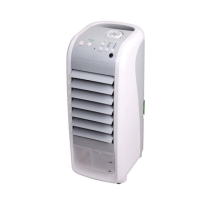
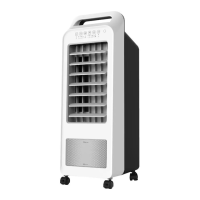
OUTER COVER
Clean with gentle detergent and soft cloth.
ATTENTION: ANY PART OF THE CONTROL PANEL SHOULD BE KEPT DRY AT ALL
TIMES.
POINTS FOR ATTENTION
When adding water and ice packs, do not overll above “MAX” water level.•
The cooler/humidier function works best in a room where there is a win-•
dow or door slightly open to release moisture. A closed room may become
humid.
For best cooling results, place the rear of the ECO AIR COOLER in front of an •
opened door or window.
When environmental humidity is too high, avoid using the cooler/humidi-•
er for extended periods - use the unit as a fan only.
To prevent water from overowing, do not tip or lean the unit.•
Do not put any objects on or in the unit.•
Disconnect power before cleaning, repairing, moving or adding water.•
If the machine tips over with water in it, disconnect power plug immedi-•
ately. Remove drain plug at the back of the water tank to remove water. Let
machine dry out for over 24 hours before using again. Please note, warranty
does not cover the situation in which the unit was tipped over and dam-
aged.
When moving the unit with water in the tank, please be careful not to let •
the water overow.
Do not place the wind outlet or wind inlet of the unit close to walls or cur-•
tains, otherwise air can be blocked, reducing the eectiveness.
After a period of time, the dust lter will become dusty and block the air-•
ow. It will be back to normal after cleaning the dust lter.
When not using the unit for an extended period of time, disconnect the •
power.
Do not attempt to service the unit by yourself.•
If the supplied cord is damaged, a qualied technician must replace it in •
order to avoid a re hazard.


 To Next Page