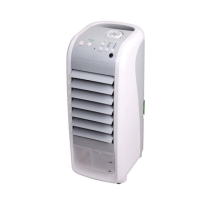
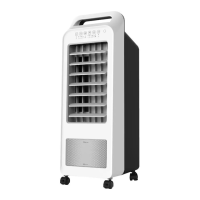
CONTROL PANEL OPERATION
ON/SPEED BUTTON:
On/Speed button is used for starting the unit and changing the wind speed.
Wind speed is started from medium speed and changed to low speed 3 seconds
later, then you can press the On/Speed button to set the speed you need. Wind
speed is divided into HIGH, MEDIUM and LOW by indicator lights.
COOLER/HUMIDIFIER BUTTON:
If the Cooler/Humidier function is not on, the ECO AIR COOLER acts like any
normal fan, without the evaporative cooling.
When the Cooler/Humidier button is selected, the water pump is engaged.
After a couple of minutes, the evaporative cooling process will begin.
This function will only operate when there is at least the minimum re-
quired amount of water in the water tank. If the Cooler/Humidier button
is pressed and there is not enough water in the tank or if the water level
falls below the minimum, a warning sound will emit from the unit for 10
seconds, and the Cooler/Humidier function will automatically shut o -
this is for the protection of the water pump.
TROUBLESHOOTING TIP
If the Cooler/Humidier function automatically shuts o even though there
is enough water in the tank, the oat switch that protects the water pump
is stuck. When the oat switch is stuck, the unit acts as if there is no water in
the tank. In order to dislodge the oat switch, please drain the unit of wa-
ter and ensure that it is dry. Grab the handles on the sides of the unit and
shake the unit from side to side and up and down vigorously. This will reset
the oat switch and the Cooler/Humidier function will work properly.
*


 To Next Page