OPERATION GUIDE
1. OPEN THE PACKAGE AND TAKE THE UNIT OUT.
Remove foam protection and plastic bag before connecting to power.
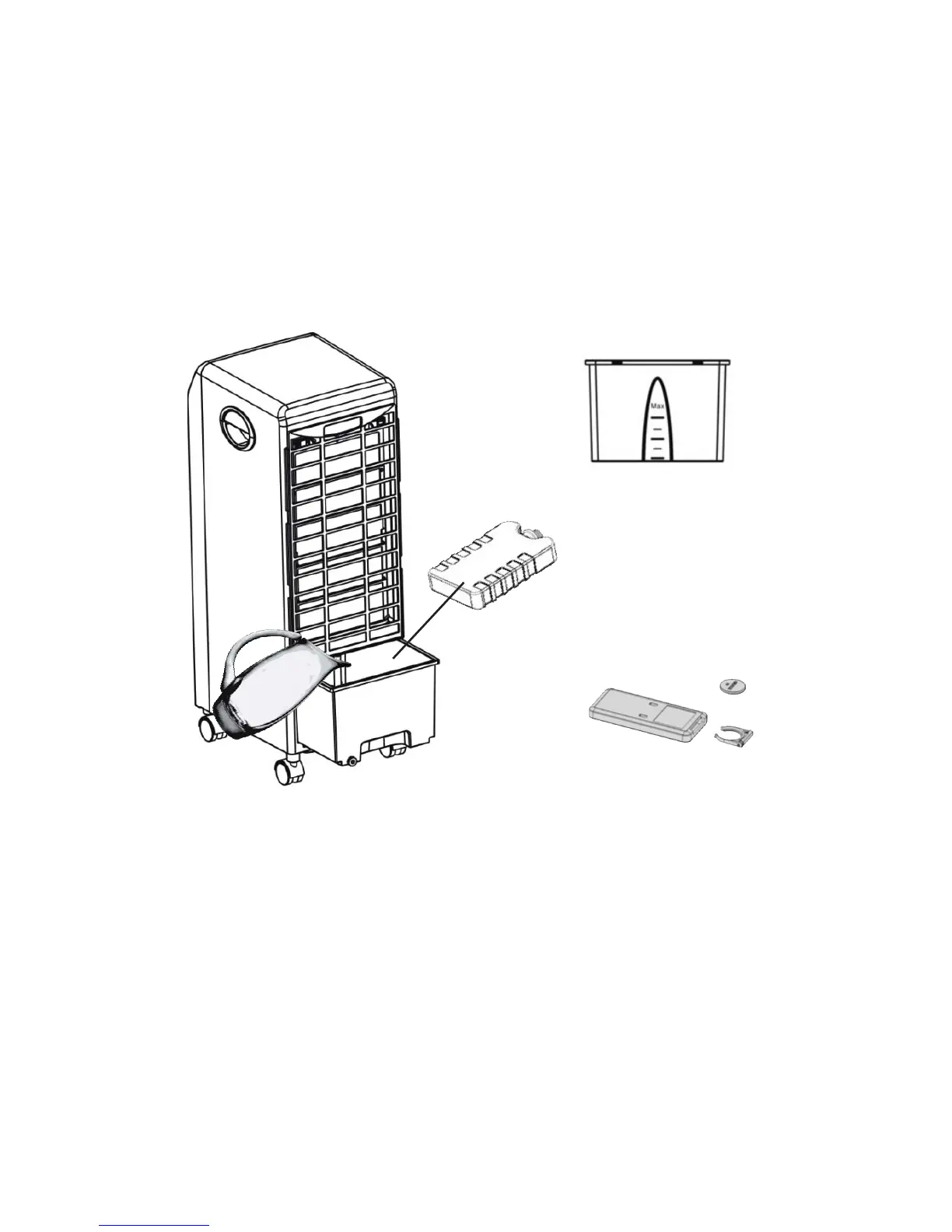
Figure 1
Figure 2
Figure 3
2. ADDING WATER:
Before connecting to power, unlock the Water Tank Lock on the back of the unit
and pull the water tank out as far as possible. Pour cold and clean water into the
water tank (Figure 1). Be mindful of the water level indicator when adding water
to control the quantity (Figure 2). DO NOT OVERFILL. If water is overlled, use
drain plug at the back of the water tank and DO NOT TIP UNIT TO DRAIN.
3. TO USE THE UNIT AS A ONLY A FAN, SELECT THE ON/
SPEED BUTTON. SET THE DESIRED FAN SPEED TO HIGH,
MEDIUM OR LOW.


 To Next Page