EasyManua.ls Logo

Floeter AirWave 1 - Operating instructions; Basic machine operation; Control panel settings; Control panel configuration steps

Default Icon
28 pages
Print Icon
To Next Page IconTo Next Page
To Previous Page IconTo Previous Page
Loading...
OPERATING INSTRUCTIONS
9
Operating instructions
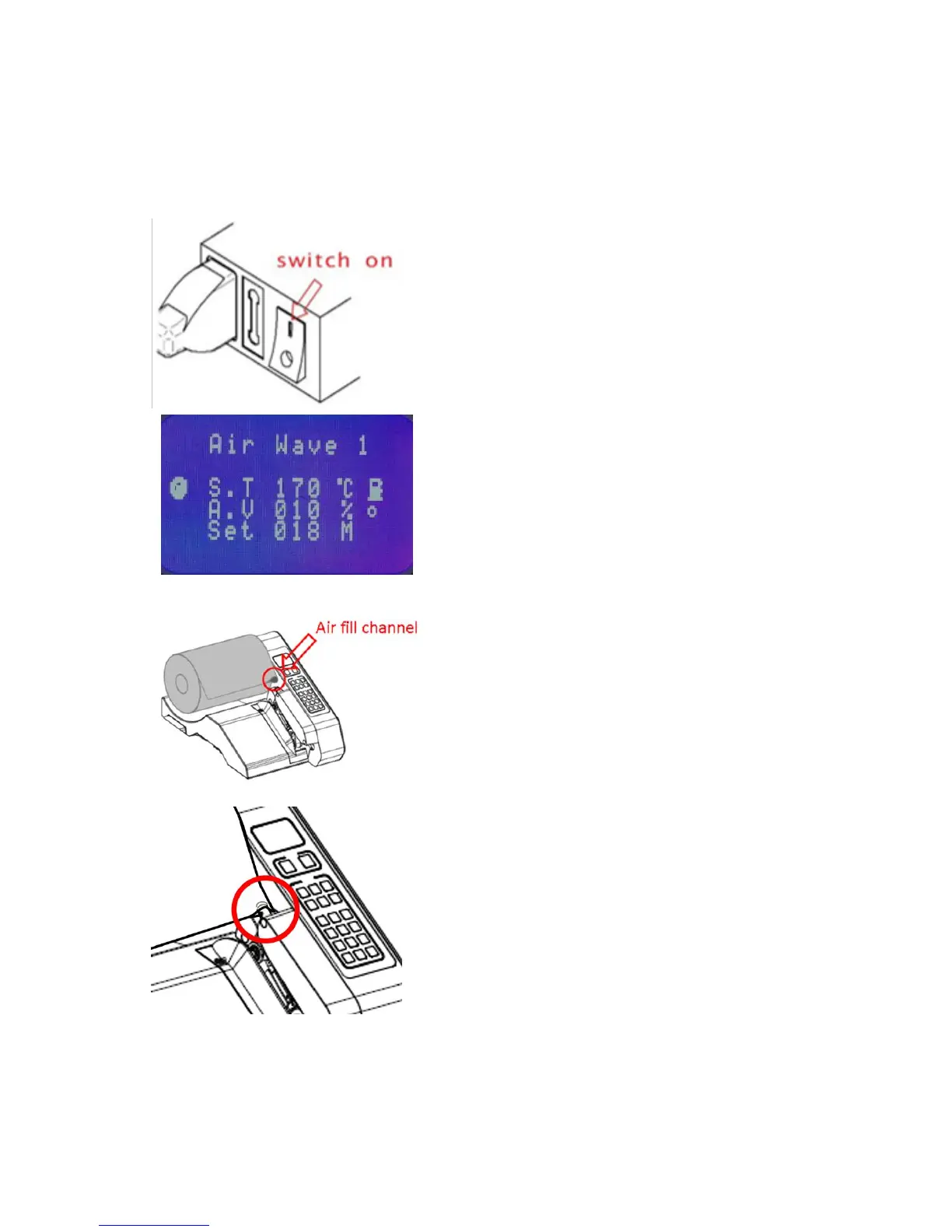
Connect power to the machine and switch on the
machine.
The start screen will appear automatically after
approximately 5 seconds on the control panel.
Insert film roll
Load the roll of film on to the film roll shaft.
Please note the side of air fill channel of the film.
The channel must be on the side closest to the
machine.
Guide the air fill channel of the film onto the air
nozzle. Slide the film on the air nozzle a few more
cm forward in direction of sealing unit.
That will simplify the next step.

Other manuals for Floeter AirWave 1