OPERATING INSTRUCTIONS
12
Preset and lock function
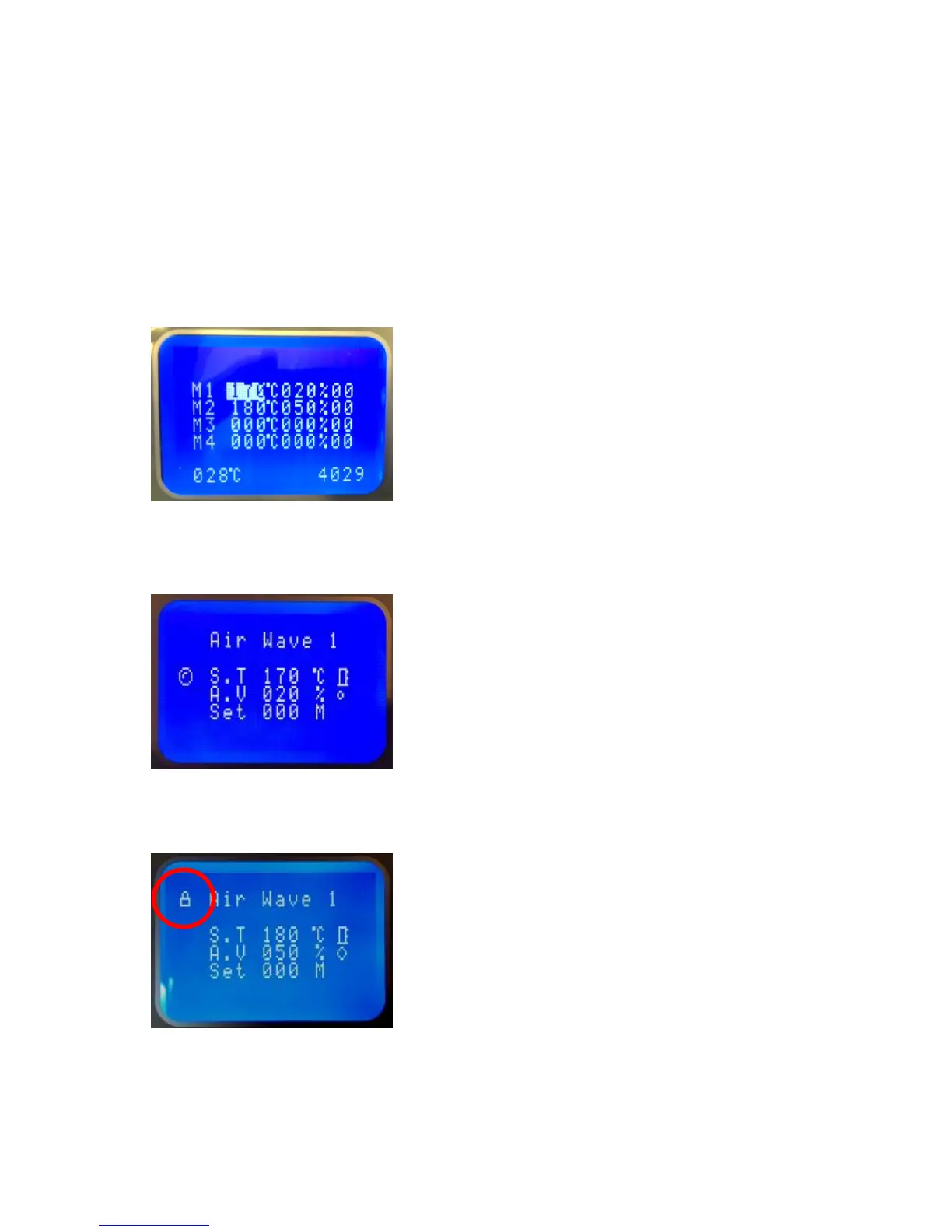
Four presets with temperature, air volume and blowing time are possible for a quick
selection. Programming the presetting can be done at programming level.
To program or change a preset press 2-3 sec.”0” and enter “4-5-6”. Press “SET” to get to
the requested value. Adjust setting and press “ENT” to continue and get to the next
setting. Press “ESC” to get back to foreman / control level.
Factory-adjusted: M1 for type 7.1 PE-Film 20µm; M2 for type 8.3 PE-Film 20µm
For quick selection you have to be at foreman / control level. Press long time the number
of requested program position and settings will be set. 1, 2, 3 or 4.
Control panel can be locked, to prevent setting changes by unauthorized person.
Please ask your foreman for the code to lock or unlock the control panel.



 To Next Page