13 / ENGLISH ENGLISH / 14
13. Cleaning of the Headset
• It is recommended to clean the headset and especially
the electrodes after each use.
• To clean the device, ensure the Micro-USB cable is not
connected, and remove the pads.
• Use an IPA (isopropanol) Wet Wipe (70% is a good
choice).
• Clean the electrodes using a circular motion.
• Charge the Headset if the LED indicator on the front of
the headset does not blink when pressing the button.
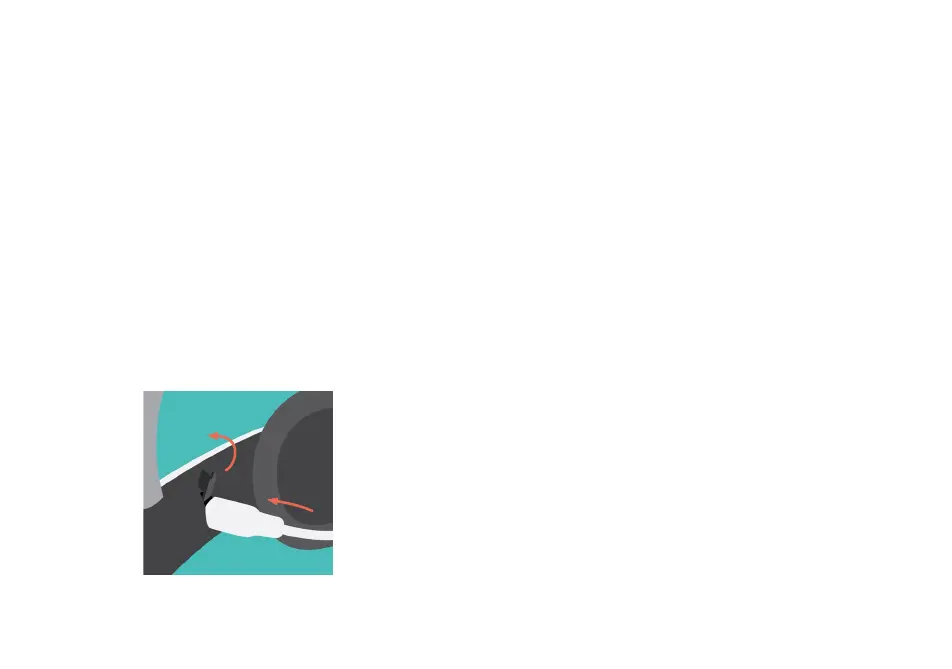
• Remove the charger port cover and charge using the
supplied Micro-USB charger and cable.
12. Charging the Headset
• Follow the instructions in the app during the rest of the
session. The session will last for 30 minutes.
• When the time is up the headset will automatically start
decreasing (ramp down) the current.
• Wait until the simulation has come to a complete stop
before removing the headset.
• After the session, dispose of the Flow pads and put the
Pad Holder Rings and headset back in the box.
• The LED indicator blinks during charging and shows a
steady light when the headset is fully charged.
• Recharging a fully flat battery takes approximately an
hour.
• Be sure to close the charger port cover again after
charging.


 To Next Page