EasyManua.ls Logo

FLTR TMP102EC - User Manual

FLTR TMP102EC
24 pages
Print Icon
To Next Page IconTo Next Page
Loading...
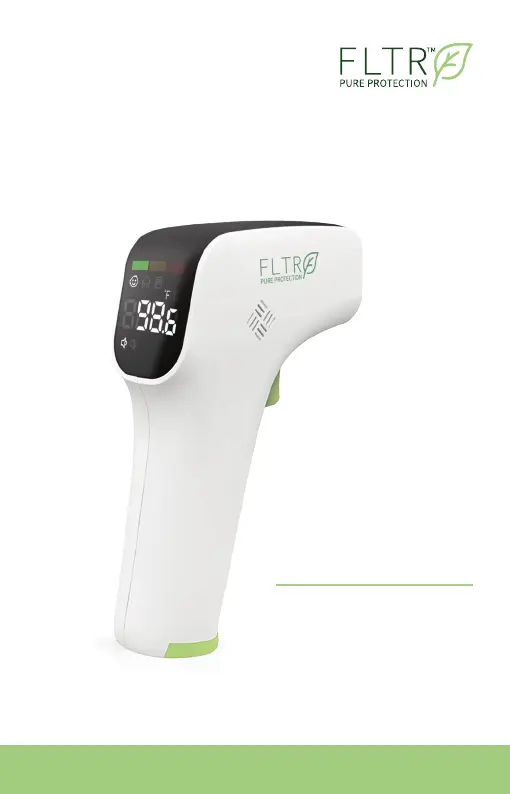
Please read this manual before use
INFRARED
Thermometer
USE
INSTRUCTIONS
TMP102EC / PC828

Questions and Answers

  • J
    Joseph PowellAug 5, 2025
    What to do if FLTR TMP102EC does not power on?
    • D
      David BergerAug 6, 2025
      If your FLTR Thermometer isn't turning on, the issue might be related to the batteries. First, try replacing the batteries, as the current battery level may be too low. If that doesn't work, double-check that the batteries are inserted correctly, paying attention to the polarities. If the thermometer still fails to power on after these steps, it may be damaged, and you should contact the manufacturer.
  • J
    Jose DownsAug 16, 2025
    Why FLTR TMP102EC reading is too high?
    • K
      Kimberly BishopAug 16, 2025
      If your FLTR Thermometer displays a reading that is too high, several factors could be the cause. First, if you've recently been in a hot environment, allow your body to adjust to a room temperature between 50.0 - 104.0°F (10.0 - 40.0°C) for at least 30 minutes before measuring your temperature. Also, exposure to hot air from heaters, air conditioners, or fireplaces can affect the reading; move away from these sources for 30 minutes before taking a measurement. Finally, low batteries can cause inaccurate readings, so try replacing the batteries.
  • A
    Alicia NguyenAug 25, 2025
    Why FLTR TMP102EC Thermometer reading is too low?
    • R
      Ronald DouglasAug 26, 2025
      If your FLTR Thermometer displays a reading that is too low, there might be a few reasons. Ensure the Infrared Temperature Sensor is clean, following the cleaning instructions. Maintain a distance of 1.2 - 2.0 inches (3 - 5cm) between the Infrared Temperature Sensor and the target. If you've just come from a cold environment, allow yourself to acclimate to a room temperature between 50.0 - 104.0°F (10.0 - 40.0°C) for at least 30 minutes before taking a temperature measurement.

Summary

USE INSTRUCTIONS

Product Description

Overview

Explains how the thermometer measures body temperature via infrared energy from the forehead.

Intended use

Describes the thermometer's purpose for non-contact measurement of human body temperature at home or in healthcare.

How it Works

Features

Lists key features like instant readings, medical-grade precision, and memory slots.

Product Overview

Digital Display Details

Warnings and Precautions

Directions for Use

Take your forehead temperature

Step-by-step guide on how to measure forehead temperature using the thermometer.

Take a room temperature

Recall Saved Readings

Fahrenheit (F) and Celsius (C) Conversion

Turn Sound On;Off

Set Threshold for Elevated Temperature Alert

Set Threshold for High Temperature Alert

Shut down

Replace batteries

Temperature Taking Tips

Cleaning and Disinfection

Cleaning

Procedures for cleaning the thermometer's outer surfaces and sensor.

Disinfection

Methods for disinfecting the thermometer's outer surfaces using isopropyl alcohol.

Troubleshooting

Specifications

Symbol Descriptions

Maintenance

Warranty

Declaration

Appendix A: EMC Information

Guidance for Electromagnetic Emissions

Guidance for Electromagnetic Immunity

Electromagnetic Immunity for Non-Life-Supporting Systems

Recommended Separation Distances for RF Equipment

Manufacturer Information

FLTR TMP102EC Specifications

General IconGeneral
Supply Voltage1.4 V to 3.6 V
InterfaceI2C
Operating Current10 µA (Typ)
PackageSOT-23-6
Resolution0.0625°C

Related product manuals