12
12
Operating Your Television
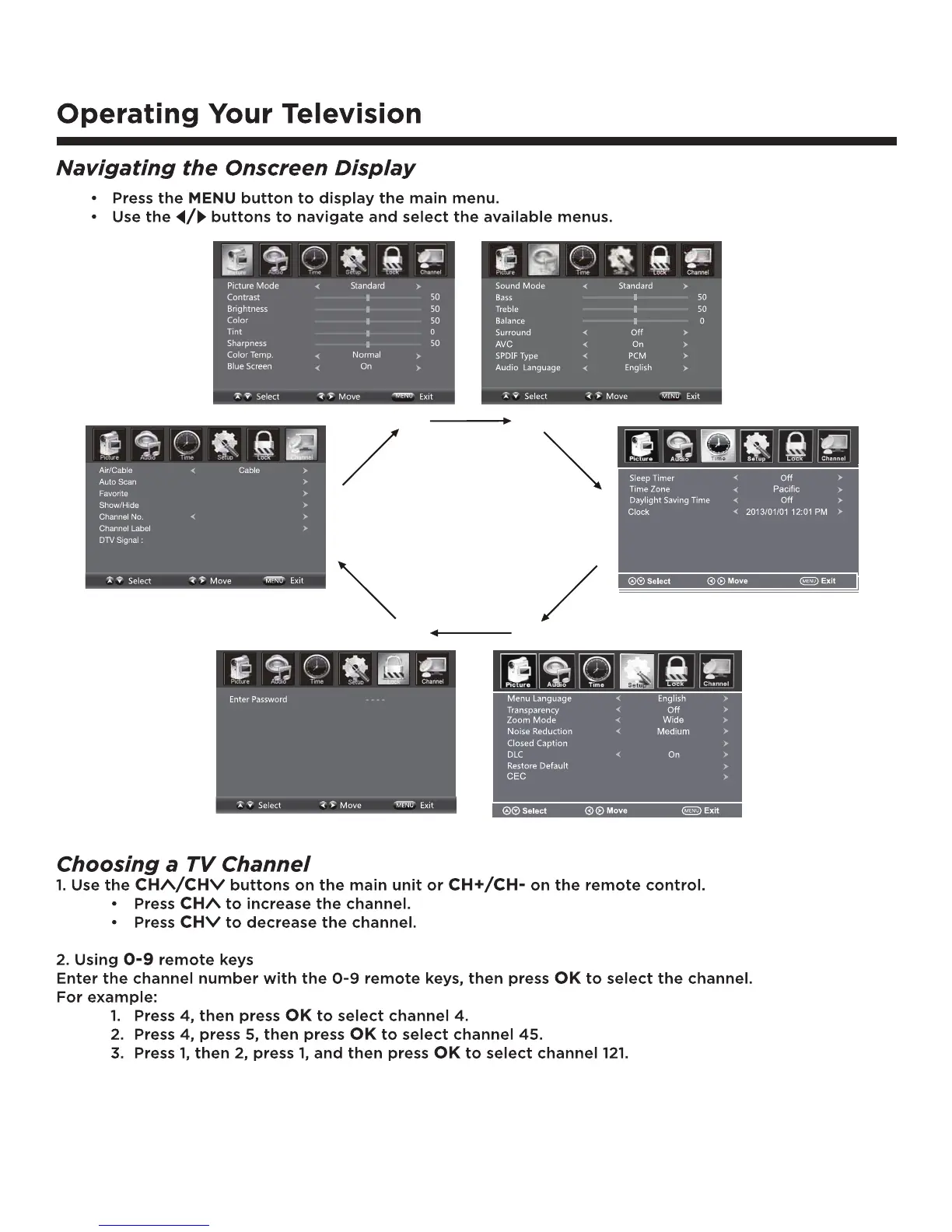
Navigating the Onscreen Display
• Press the MENU button to display the main menu.
• Use the
/ buttons to navigate and select the available menus.
Choosing a TV Channel
1. Use the CH /CH buttons on the side of the TV or CH+/CH- on the remote control.
• Press
CH+/CH to increase the channel.
• Press
CH-/CH to decrease the channel.
2. Using
0-9 remote keys
Enter the channel number with the 0-9 remote keys, then press “
OK” to select the channel.
For example:
1. Press 4, then press “
OK” to select channel 4.
2. Press 4, press 5, then press “
OK” to select channel 45.
3. Press 1, then 2, press 1, and then press “
OK” to select channel 121.
12
Operating Your Television
Navigating the Onscreen Display
• Press the MENU button to display the main menu.
• Use the
/ buttons to navigate and select the available menus.
Choosing a TV Channel
1. Use the CH /CH buttons on the side of the TV or CH+/CH- on the remote control.
• Press
CH+/CH to increase the channel.
• Press
CH-/CH to decrease the channel.
2. Using
0-9 remote keys
Enter the channel number with the 0-9 remote keys, then press “
OK” to select the channel.
For example:
1. Press 4, then press “
OK” to select channel 4.
2. Press 4, press 5, then press “
OK” to select channel 45.
3. Press 1, then 2, press 1, and then press “
OK” to select channel 121.


 To Next Page