EasyManua.ls Logo

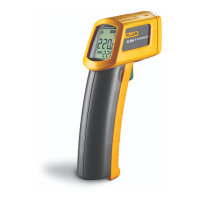
Fluke 63 - User Manual

Fluke 63
28 pages
Print Icon
To Next Page IconTo Next Page
Loading...
®
PN 2149032
September 2004 Rev. 3, 6/09
© 2004-2009 Fluke Corporation. All rights reserved. Printed in China.
Specifications are subject to change without notice.
All product names
are trademarks of their respective companies.
63/66/68
Infrared Thermometers
Users Manual

Other manuals for Fluke 63

Questions and Answers

  • J
    Joshua PayneJul 26, 2025
    What to do if the laser on my Fluke Thermometer doesn't work?
    • S
      shelbybrownJul 26, 2025
      If the laser on your Fluke Thermometer isn't working, it could be due to a low or dead battery. Try replacing the battery. Alternatively, the ambient temperature may be too high (above 40 °C or 104 °F). Try using the thermometer in an area with a lower ambient temperature.
  • R
    Robert WebsterAug 5, 2025
    Why is the display blank on my Fluke 63 Thermometer?
    • S
      shirley51Aug 5, 2025
      A blank display on your Fluke Thermometer could indicate a dead battery. Check the battery and replace it if necessary.
  • J
    Jason BeanAug 15, 2025
    What to do if the target temperature is out of range on my Fluke Thermometer?
    • C
      Cody HarringtonAug 15, 2025
      Select a target within the specified temperature range for your Fluke Thermometer.

Summary

Safety Information

Warning Guidelines

Conditions and actions that pose hazards to the user.

Cautionary Measures

To avoid damaging the thermometer or equipment under test.

Features

Model 66;68 Specific Features

Lists MAX/MIN/DIF/AVG displays, adjustable emissivity, alarms, data logging.

Infrared Thermometer Overview

Display Details

Display Elements Explained

Details numbered elements on the display, like symbols for SCAN, HOLD, LOG, alarms, and temperature units.

Display Information Interpretation

Explains what each numbered display element represents (e.g., °C/°F symbol, High/Low alarm symbol).

Model-Specific Display Operation

Buttons and Functions (66;68)

Navigation and Mode Selection Buttons

Explains Up/Down, FUNC, LOG, and Laser/Backlight buttons.

How the Thermometers Work

Basic Operation

Temperature Measurement Procedure

How to point the unit and pull the trigger to measure temperature.

Distance and Spot Size

Distance-to-Spot Ratio Explanation

Explains how distance affects spot size and the unit's focal point.

Field of View

Emissivity Basics

Emissivity Importance for Accuracy

Explains emissivity and its importance for accurate temperature readings.

Surface Emissivity Table

Switching Temperature Units

Specific Model Functions

Function Button Operations (66;68)

Details functions like MAX, MIN, DIF, AVG, HAL, LAL, EMS, PRB, LOG.

Selecting Measurement Modes (66;68)

Setting Alarms and Emissivity (66;68)

Alarm and Emissivity Configuration

How to set alarm values and emissivity on models 66/68.

Using the Contact Temperature Probe (66;68)

Data Storage and Recall (66;68)

Data Management and Maintenance

Troubleshooting

Common Problems and Solutions

Provides a table of common symptoms, problems, and actions.

Specifications - Temperature and Accuracy

Accuracy Specifications

Details the accuracy specifications for target temperature and resolution.

Specifications - Performance and Physical

Fluke 63 Specifications

General IconGeneral
Accuracy±1% of reading or ±1°C (±2°F), whichever is greater
Distance to Spot Ratio8:1
Power9V battery
Display Resolution0.2°C (0.5°F)
DisplayLCD
EmissivityPreset to 0.95
Weight227 g

Related product manuals