52 Running a Temperature Profile OVEN TRACKER XL2
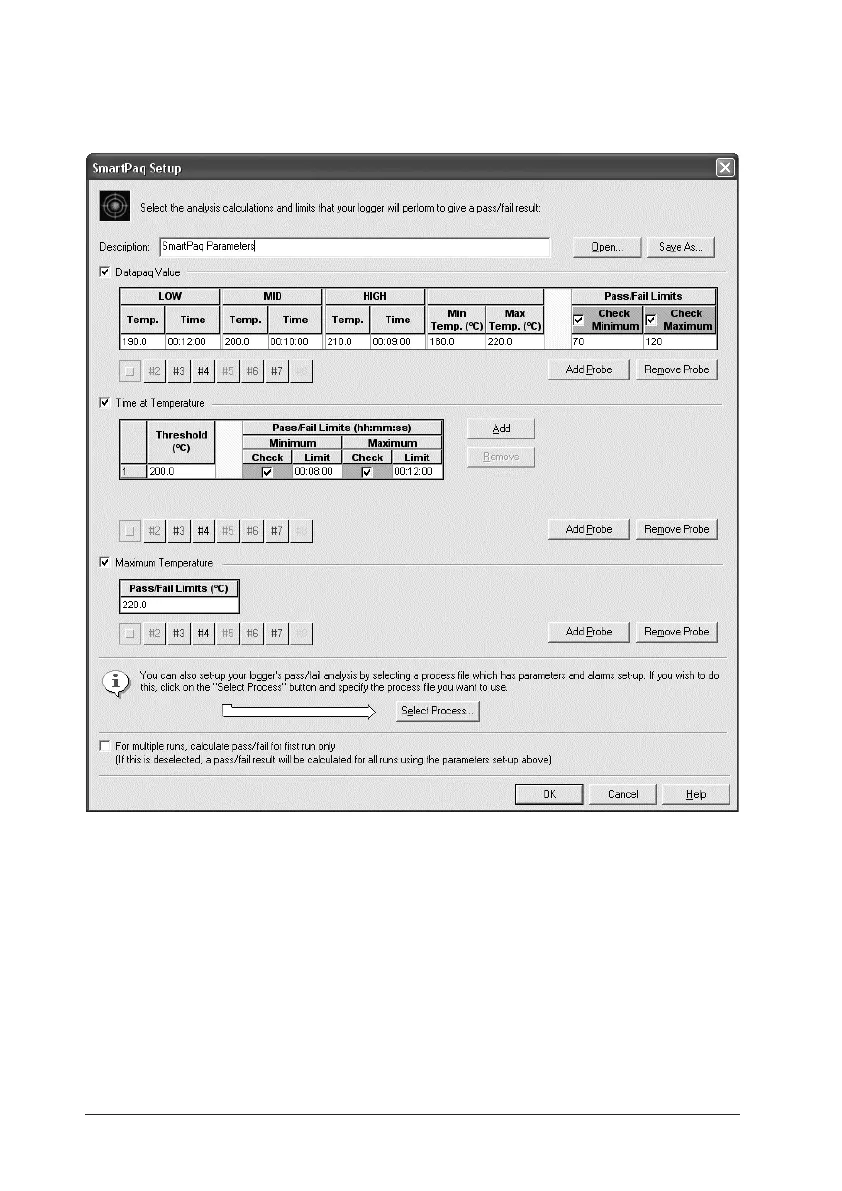
Select whether to test the calculated Datapaq Value against minimum and/or
maximum values, and enter those values (for guidance, see Data Analysis >
Datapaq Value in Insight’s online Help system). (See also ‘Process File’, below.)
The SmartPaq Setup dialog.
Time at Temperature
Enter data for temperature thresholds (up to three thresholds with Oven
Tracker Professional, one threshold with Over Tracker Basic) and whether to
test the times spent above those temperatures against minimum and/or
maximum permitted times. By default there will be one threshold
temperature, which will be the value setup for the mid cure option in Datapaq
Value. Click to add or remove thresholds from the list. (See also ‘Process
File’, below.)


 To Next Page