SUPER-DAQ Precision Temperature Scanner
Performance Tests
13
DC Current Verification
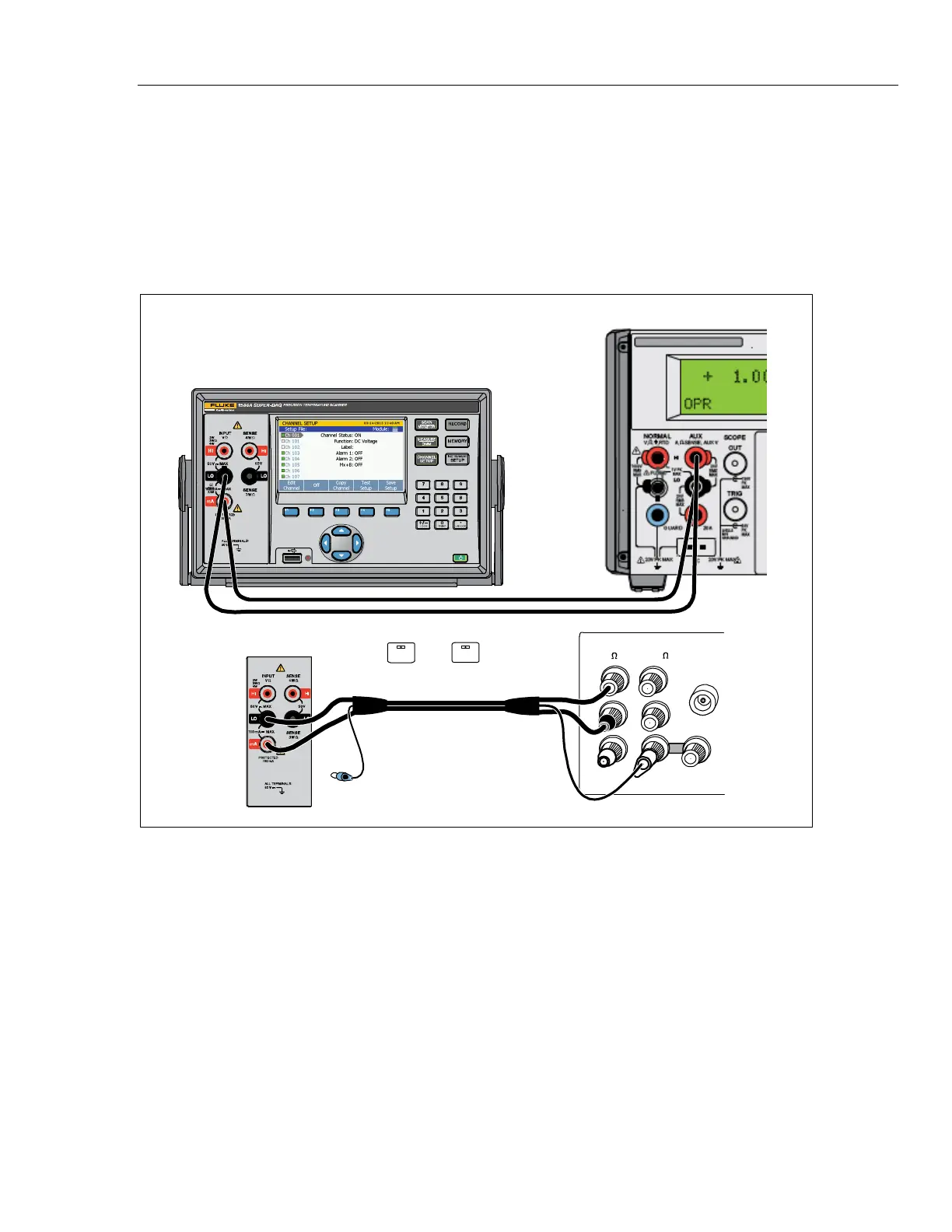
Connect the Product to the test equipment as shown in Figure 6 and apply the
values listed in Table 7.
Note
When use 5720A/5522A as source, connect Hi (source) to Lo
(Product) and Lo (source) to mA (Product). For the 0 A tests, open
Lo inputs.
X
1586A SUPER-DAQ
5522A Calibrator
UUT
HI
HI
LO
LO
HI
OUTPUT
VA
SENSE
V
AUX
CURRENT
GUARD GROUND
WIDEBAND
5720A Calibrator
NC
A.
EX SNS
: OFF
EX GRD
: OFF
hcn101.wmf
Figure 6. mA DC Current Equipment Setup



 To Next Page