13
Indoor unit address inquiry
● If match with MULTI-S outdoor unit, when units has malfunction and need to inquire the
address to maintainance, the step is as below:
Remote controller aims to the indoor display, press "Light" and "-" buttons at the same time
for 3s , then will display the indoor unit address(1~5) for 3s.
WARNING
■ Turn off the air conditioner and disconnect the power before cleaning the
air conditioner to avoid electric shock.
■ Do not wash the air conditioner with water to avoid electric shock.
■ Do not use volatile liquid to clean the air conditioner.
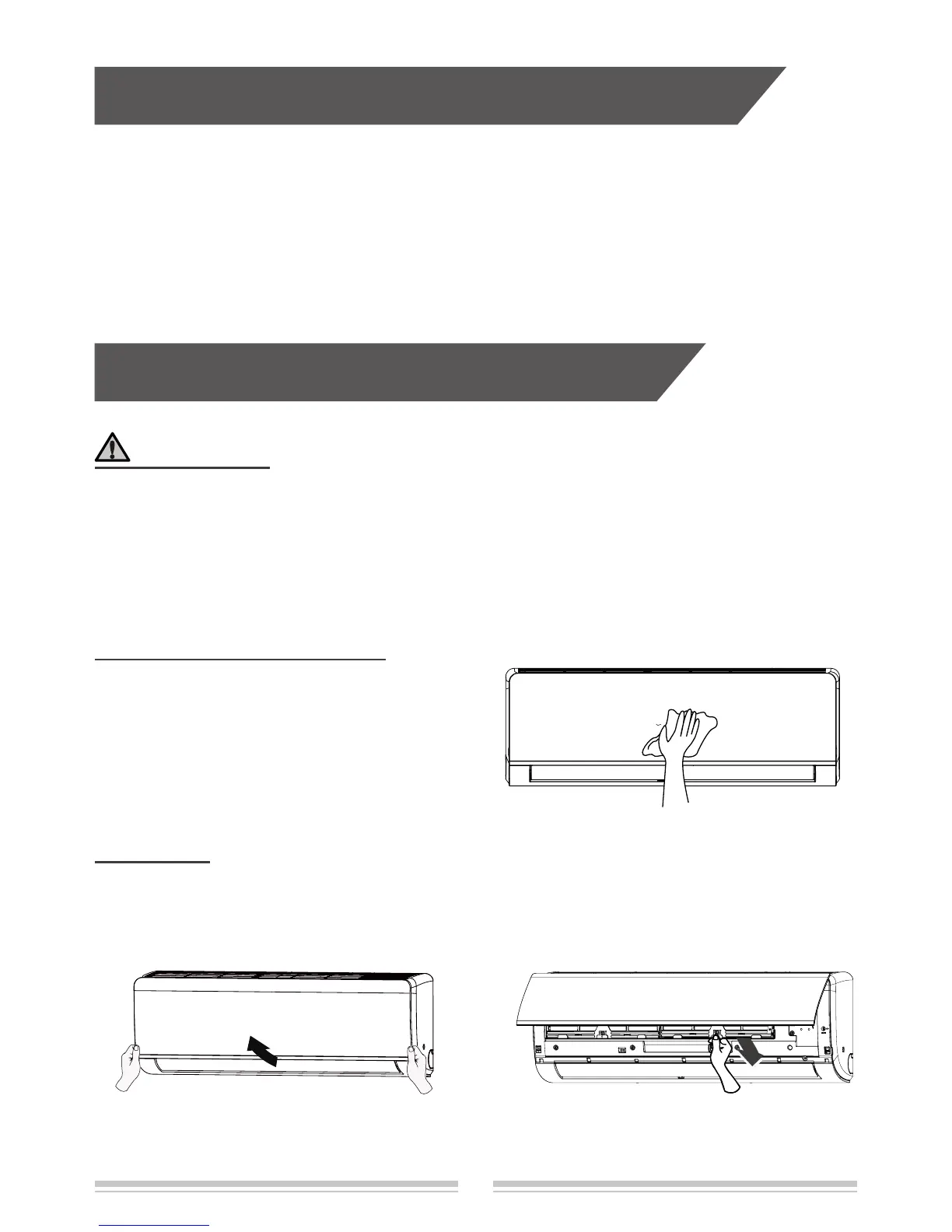
Clean surface of indoor unit
When the surface of indoor unit is dirty, it is
recommended to use a soft dry cloth or wet
cloth to wipe it.
Note:
Do not remove the panel when cleaning it.
Clean lter
Open panel Remove lter
Pull out the panel to a certain angle as
shown in the g.
Remove the lter as indicated in the g.
1 2
Clean and maintenance


 To Next Page