EasyManua.ls Logo

Flybar 1752490 - User Manual

Flybar 1752490
12 pages
Print Icon
To Next Page IconTo Next Page
Loading...
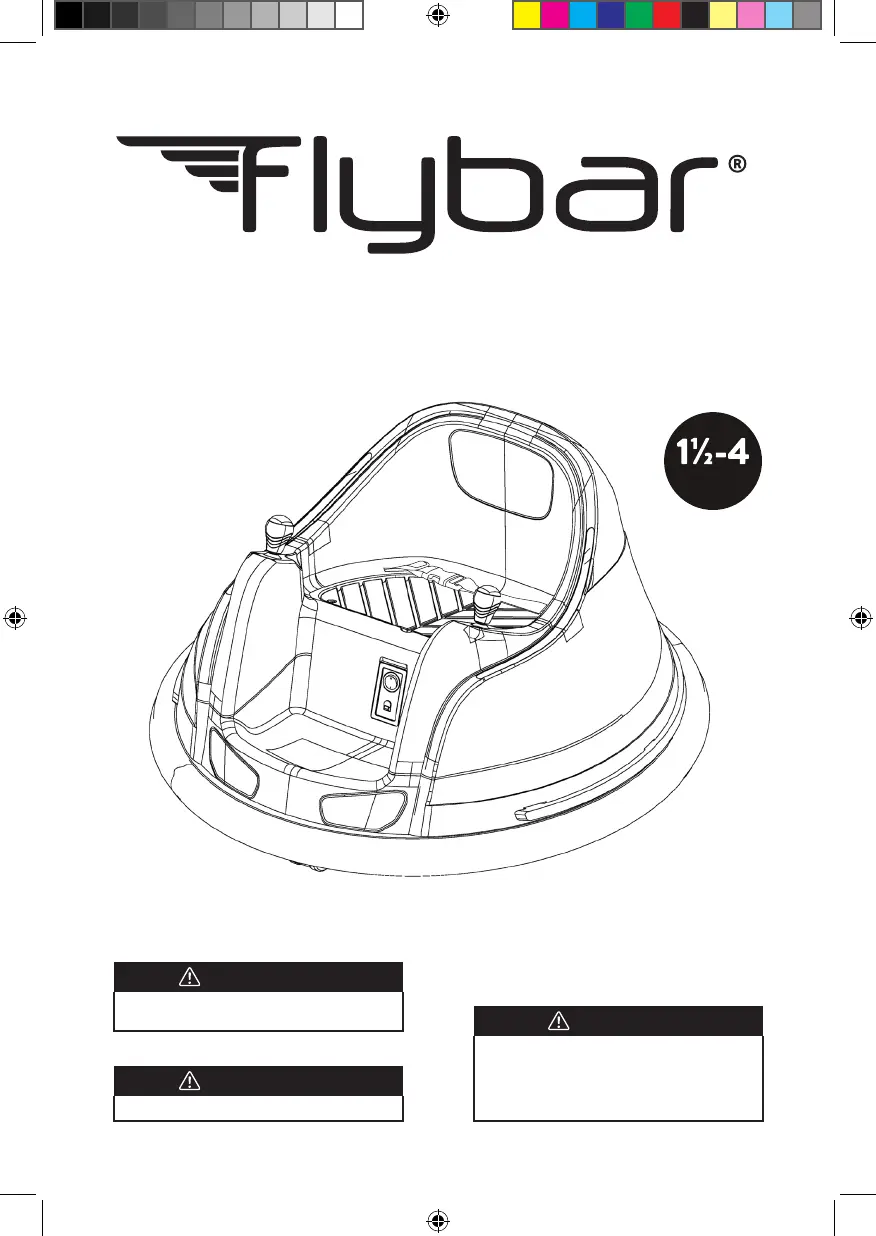
12V RIDE ON BUMPER CAR
ITEM #1752490
YEARS
ATTENTION
This product is packed with the battery
disconnected. Connect the battery before use.
ATTENTION
Adult asssembly required.
WARNING
This manual contains important safety and
use information. Keep this manual forfuture
reference.
• An adult must read this entire manual
• Adult supervision is required at all times
Flybar_V1_12V_Bumper_car_manual_Costco_USA.indd 1Flybar_V1_12V_Bumper_car_manual_Costco_USA.indd 1 7/13/23 10:35 AM7/13/23 10:35 AM

Questions and Answers

Summary

IMPORTANT SAFETY INFORMATION

DANGER (ELECTRICAL HAZARD)

Warning about electric shock, immersion in water, and cleaning.

WARNING (PREVENT FIRE)

Safety guidelines to prevent fire, including electrical system modification, battery/charger use, and component usage.

WARNING (PREVENT INJURIES AND DEATHS)

Safety guidelines for preventing injuries and deaths, including supervision, riding areas, and rules.

SAFETY INSTRUCTIONS

READ ALL INSTRUCTIONS BEFORE USE

General safety instructions covering electrical shock, charger use, age limits, supervision, battery disconnection, PPE, riding locations, surfaces, moving parts, weight limits, rider limits, modifications, and lighting.

PRODUCT SPECIFICATIONS

PARTS AND FEATURES

USER INSTRUCTIONS

BEFORE USE

Steps for initial setup, including seat cover removal, battery connection, and reassembly.

CHARGING THE BATTERY

Instructions on how to charge the battery, including duration and checks.

OPERATING THE VEHICLE

Guidance on turning the vehicle on/off, speed settings, and controlling movement with joysticks.

REMOTE CONTROL

REMOTE FUNCTIONS

Explanation of remote control layout and its functions like forward, reverse, brake, left, right, and speed regulation.

CONNECTING REMOTE TO BUMPER CAR

Steps to pair the remote control with the bumper car.

SPEED REGULATION

How to adjust the speed using the remote control's speed regulation button.

CONTROL

How the remote control and manual joysticks interact and override each other.

CARE AND MAINTENANCE

TROUBLESHOOTING

FCC INFORMATION

LIMITED WARRANTY TERMS

What does this Limited Warranty cover?

Specifies what aspects of the ride-on toy are covered by the warranty.

What is not covered by this Limited Warranty?

Lists damages and conditions that are excluded from warranty coverage.

This Warranty will be void if the ride-on product is ever:

Conditions that will invalidate the product's warranty.

How do you make a claim under this Limited Warranty?

Instructions on how to submit a warranty claim.

Limitation of Damages:

Legal limitations on damages, including incidental or consequential damages.

CONTACT INFORMATION

CONNECT WITH US

Summary

IMPORTANT SAFETY INFORMATION

DANGER (ELECTRICAL HAZARD)

Warning about electric shock, immersion in water, and cleaning.

WARNING (PREVENT FIRE)

Safety guidelines to prevent fire, including electrical system modification, battery/charger use, and component usage.

WARNING (PREVENT INJURIES AND DEATHS)

Safety guidelines for preventing injuries and deaths, including supervision, riding areas, and rules.

SAFETY INSTRUCTIONS

READ ALL INSTRUCTIONS BEFORE USE

General safety instructions covering electrical shock, charger use, age limits, supervision, battery disconnection, PPE, riding locations, surfaces, moving parts, weight limits, rider limits, modifications, and lighting.

PRODUCT SPECIFICATIONS

PARTS AND FEATURES

USER INSTRUCTIONS

BEFORE USE

Steps for initial setup, including seat cover removal, battery connection, and reassembly.

CHARGING THE BATTERY

Instructions on how to charge the battery, including duration and checks.

OPERATING THE VEHICLE

Guidance on turning the vehicle on/off, speed settings, and controlling movement with joysticks.

REMOTE CONTROL

REMOTE FUNCTIONS

Explanation of remote control layout and its functions like forward, reverse, brake, left, right, and speed regulation.

CONNECTING REMOTE TO BUMPER CAR

Steps to pair the remote control with the bumper car.

SPEED REGULATION

How to adjust the speed using the remote control's speed regulation button.

CONTROL

How the remote control and manual joysticks interact and override each other.

CARE AND MAINTENANCE

TROUBLESHOOTING

FCC INFORMATION

LIMITED WARRANTY TERMS

What does this Limited Warranty cover?

Specifies what aspects of the ride-on toy are covered by the warranty.

What is not covered by this Limited Warranty?

Lists damages and conditions that are excluded from warranty coverage.

This Warranty will be void if the ride-on product is ever:

Conditions that will invalidate the product's warranty.

How do you make a claim under this Limited Warranty?

Instructions on how to submit a warranty claim.

Limitation of Damages:

Legal limitations on damages, including incidental or consequential damages.

CONTACT INFORMATION

CONNECT WITH US

Flybar 1752490 Specifications

General IconGeneral
BrandFlybar
Model1752490
CategoryMotorized Toy Car
LanguageEnglish

Related product manuals