FLYCAM HD HANDHELD VIDEO STABILIZER 8
Remove top plate of FLYCAM and line up your camera so that its center of gravity is as
close to the center of the plate as possible (basically hold the camera in your hand unl it
feels balanced both le and right as well as forward and back).
Find hole in the plate that is as close to threaded tripod mount on your camera as possible
(while you are sll holding your camera's center of gravity to the center of the plate).
Aach your camera (or quick release mount if you have one). Tighten it down so it won't
accidentally rotate.
Re-aach top plate to the FLYCAM . Center it, but don't worry about geng it absolutely
perfect yet.
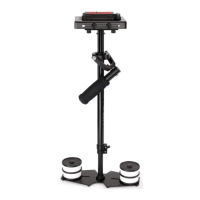
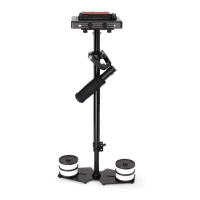
Remove most of the weights from Base Plaorm, but leave one on each side.
Insert the center post as far as it will go and ghten so it won't slide out.
Hold the handle normally and turn the FLYCAM so that it is horizontal to the ground. Let go
of the stalk while keeping a rm grip on the handle and count how long it takes to return to
vercal again. You should be able to count a good, "One-one thousand, two-one
thousand", before it rights itself. With only two lile weights it might take considerably
longer.
Add one pair of weights at a me and repeat the "horizontal to vercal" test unl it falls at
the correct rate. It will probably not be perfect.
You'll get one that's too slow and then you'll add a pair and it will fall too fast. When that
happens, take o the last pair of weights that you added.
Tighten down the weights so they don't slide around.
B A L A N C I N G R E V IE W
Proper system balance can only be achieved once your camera is set up with appropriate
accessories ready for shoong. This means baeries, lenses, media cards, LCD viewnder/
monitor, quick release plate, on-cam lights, and all the gear you will use for your recording
session.
A DROP TIME OF 2 - 2.5 SECONDS IS PREFERRED.
Note: Recheck the balance by looking at the sled. If necessary, use side screws and boom
plate screws to make required adjustments.
To get count perfect, slightly lower the center post that aaches the Base Plaorm with the
weights unl you get the "one-one thousand, two one thousand" count to the vercal
posion.
Fine-tune the le-right, forward-backward balance. You will have to go back and forth
between the two direcons to get the balance just right. Loosen the screw sets that allow
the sled to move le and right. Adjust the top plate so that it is centered and ghten down
the screws like you would a re slowly and alternang side to side.
Repeat for "forward-backward" balancing.


 To Next Page
 Loading...