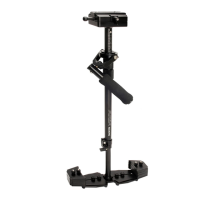
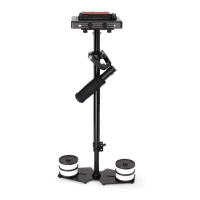
FLYCAM HD HANDHELD VIDEO STABILIZER 9
This will allow the “yoke” part of the gimbal to rotate without hing your hand or knuckles.
M A IN T E N A N C E
Bearing Maintenance
The main Bearing on your Flycam HD Handheld Stabilizer is aached to the Central Post about
two inches from the top. It is of metal construcon and parally enclosed by the Bearing
assembly.
If aer a period of me your bearings don’t turn smoothly, lubricate with a minimum of light
machine oil. Light lubricang oil can also be used on the Yoke and Handle Bearings.
Be sure to keep oil away from your camera, & clean up any over spill.
H O L D IN G Y O UR FL YC A M H D V I D E O S T A B IL I Z E R
When handling your Flycam HD Handheld video Stabilizer one hand holds onto the handle while
the other is used to gently guide the camera in the direcon you wish to shoot and frame the
shot. For normal shoong, hold the handle in the middle.
For shots that require framing the camera up, down or sideways, hold the handle rmly at the
boom.
Check to see if your camera is sing level. If not, repeat the necessary steps unl it does.
Pracce walking/movements ensuring your body moon is not transmied to your hands
and then the FLYCAM and camera.
Cleaning
Do not use solvents or harsh cleaners of any kind on your Flycam HD Hand held video stabilizer. If
the unit becomes dirty, use a damp so cloth or sponge and a mild detergent to gently clean
external parts.
NOTE: Flycam HD Handheld video Stabilizer doesn’t work under water, nor is it waterproof. Avoid
direct exposure to rain, water spray or any harsh environment. The bearings are not sand proof.
Avoid geng dirt or sand in them.


 To Next Page