Need help?
Do you have a question about the FlyDigi X8 Pro and is the answer not in the manual?
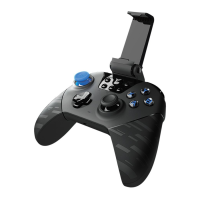
Identification of all buttons, joysticks, D-pad, and indicators on the controller's front and back.
Instructions for powering the controller on/off, waking from standby, and understanding charging/low power indicators.
Steps to download and install the companion Flydigi Gamepad Assistant application for Android.
Procedure for pairing the controller via Bluetooth with an Android device, including pairing modes.
Guide to Flydigi Utool and enabling USB Debugging via the Gamepad Assistant app for button mapping.
Step-by-step guide for connecting the Flydigi Utool and completing the USB debugging activation process.
Instructions for connecting the controller to a set-top box or smart TV for gaming.
Enabling and using the controller's Air Mouse feature for simulated mouse operations.
Procedure for connecting the controller to a PC in Xinput mode using the receiver.
Answers to frequently asked questions regarding controller light status, joystick drift, and Utool activation.
Details on platform support, wireless RF, usage distance, product size, operating current, and temperature.
 General
| Brand | FlyDigi |
|---|---|
| Model | X8 Pro |
| Category | Controller |
| Language | English |

 To Next Page