Web Configuration FIP16 User Manual
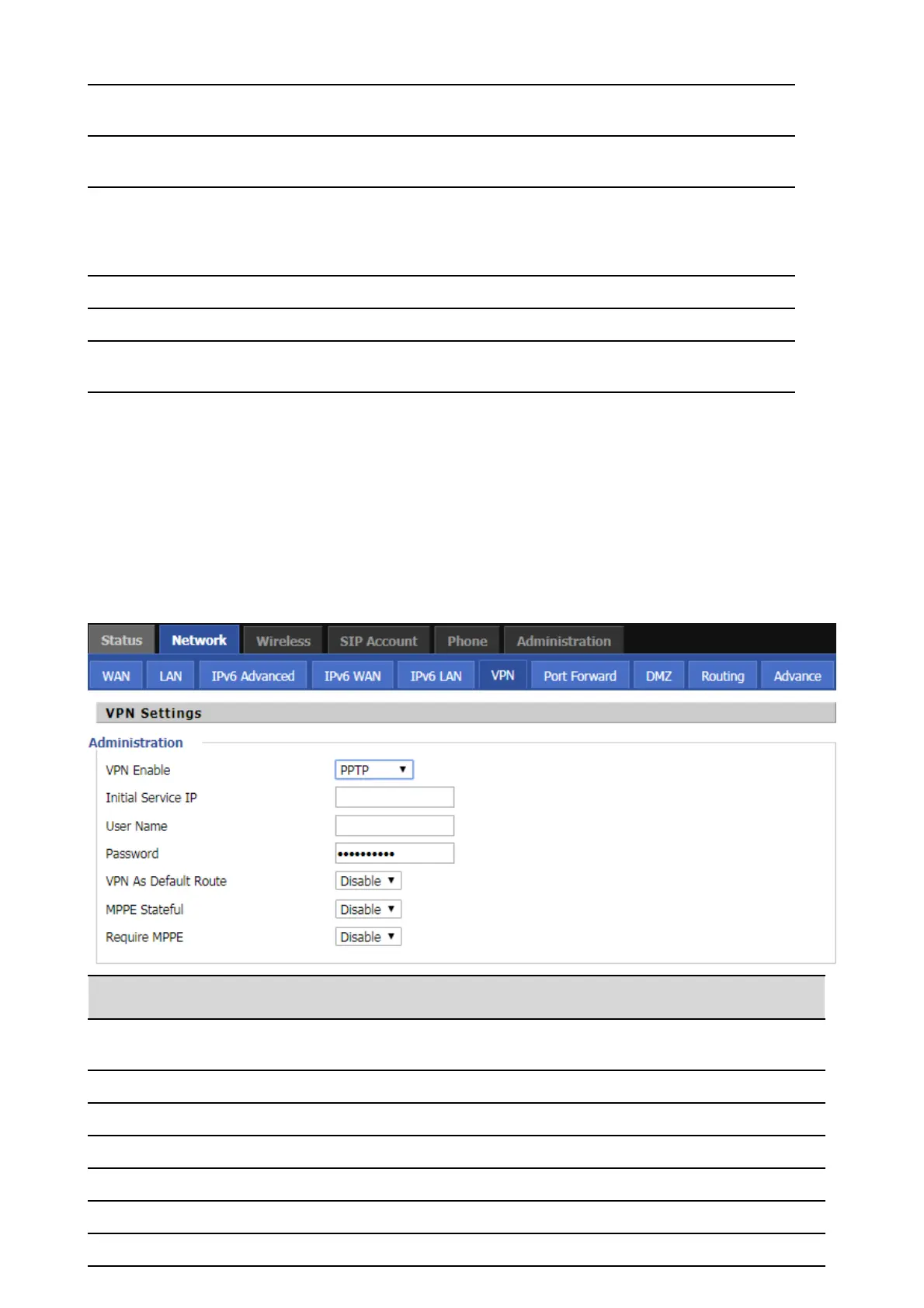
VPN
VPN is a technology that builds a private network on a public network. The connection between any
two nodes of the VPN network does not have the end-to-end physical link required by the traditional
private network, but rather the network platform provided by the public network service provider,
and the user data is transmitted in the logical link. With VPN technology, you can establish private
connections and transfer data between any two devices on the public network.
PPTP:
Start IP address, assign the address of the address to the DHCP
client.
End the IP address and assign the address of the address to the
DHCP client.
The DNS type is specified: the user should manually set the
preferred DNS and alternate DNS.
The DNS type is Automatic: The IP phone will automatically obtain
the preferred DNS and alternate DNS from the DHCP server.
The preferred DNS address for the Internet port.
Alternative DNS for Internet ports.
Client Lease
Time(0-86400s)
DHCP Client to obtain IP lease, in seconds, the default is 86400s.
Whether to enable VPN.
Select PPTP mode.
The IP address of the VPN server.
The user name required for authentication.
The password required for authentication.
Prohibited or open, the default is prohibited.
Enable or disable the MPPE Stateful
Enable or disable the Require MPPE



 To Next Page