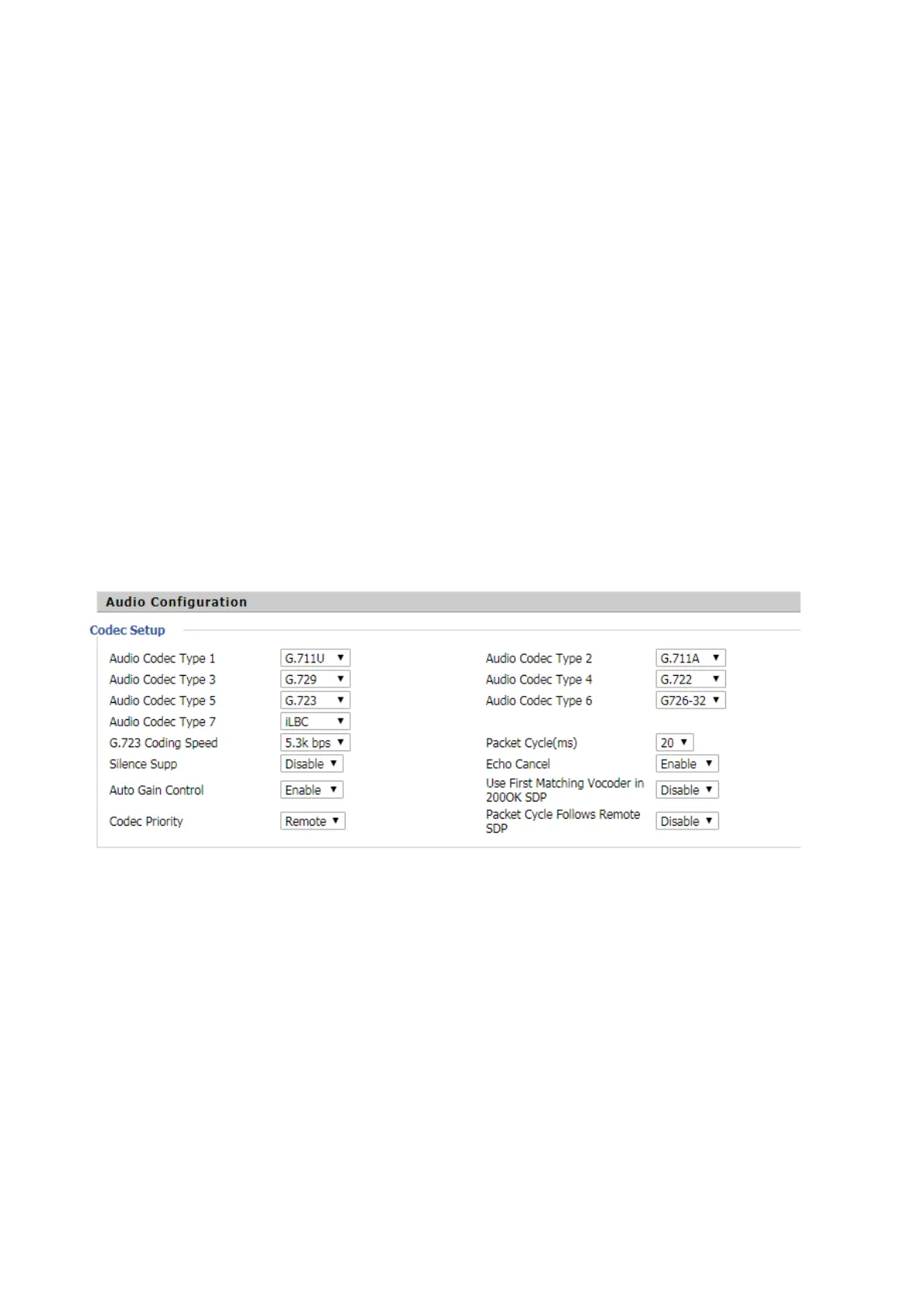
Can not make a call
solution:!
Check if the server supports the current audio codec type, or contact your administrator, vendor, or
ITSP for more information or assistance.
Can not receive phone calls
solution:
Check if the server supports the current audio codec type, or contact your administrator, vendor, or
ITSP for more information or assistance.
No sound in the call
solution:!
Check if the server supports the current audio codec type, or contact your administrator, vendor, or
ITSP for more information or assistance.
!
Can’t login Web page
solution:!
Check that the Ethernet cable is properly connected.
Check whether the URL is correct, URL format: http: // IP address.
Check if your firewall / NAT settings are correct.
If the IE version is checked by IE8, or use another browser such as Firefox or Mozilla, or contact your
administrator, vendor or ITSP for more information or assistance.
Forget password
The default password for the site and menu is admin.
If the user changes the password and then forget, you can not access the configuration site or menu
item that requires the password.!


 To Next Page