Web Configuration FIP16 User Manual
Match a sequence
For example:
[0-9]: matches one of the numbers 0 to 9
[23-5*]: Match character 2 or 3 or 4 or 5 or *
Matchx,xx,xxx,xxxx,xxxxx.....
For example:
“01. ”can match ”0”, “01”, “011”, ”0111”, ……. . , ”01111…”
Replace
For example:
<8:1650>123456:input “85551212”, output“16505551212”
Enter "x" will have a dial tone, enter "y" after the dial tone stops
For example:
"9,1xxxxxxxxxx": telephone input "9" after the dial tone, enter "1" after the
dial tone stop
"9,8,010x": telephone input "9" after the dial tone, enter "0" after the dial
tone stop
Set the delay time
For example:
"<9: 111> T2": the phone will broadcast a valid number "2"
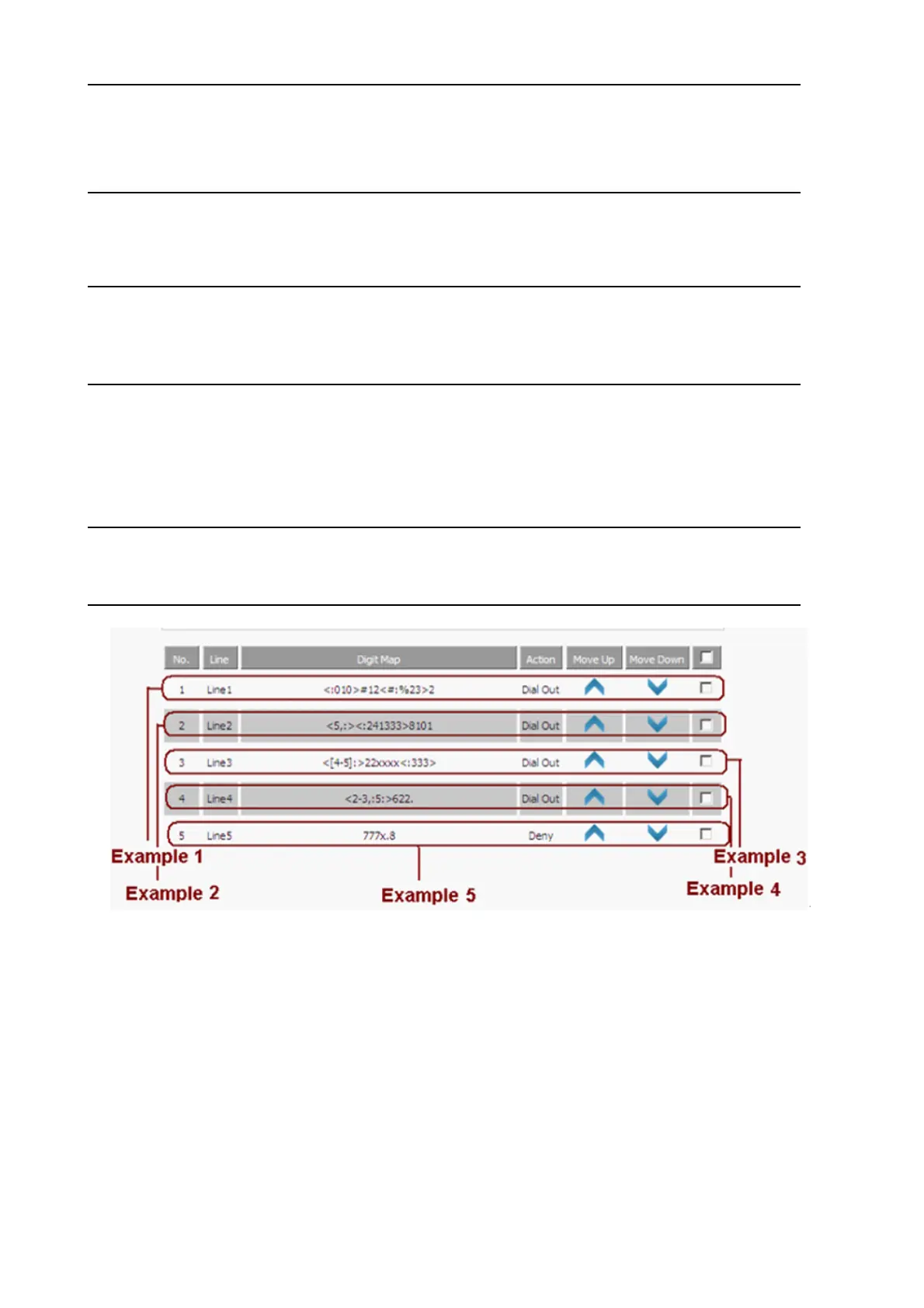
Example 1
If the user dials # 12 # 2, the call will call 010 # 12% 232.
Example 2
If the user dials 58101, the phone will call 2413338101.
The phone will press after 5 will play the sound, press 8 after dial tone stop.
Example 3
If the user dials 422xxxx or 522xxxx, the phone will dial 22xxxx333.
Example 4
If the user dials 2622 or 26222 or 262222 or 362222.
The phone will dial 5622 or 56222 or 562222.
The phone will have a dial tone after pressing 2 or 3, and the dial tone will stop after pressing 6.
Example 5
If the user dials 777xxx ... x8, the phone rejects the number to dial out.


 To Next Page