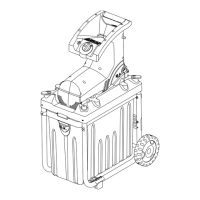
Adjustment
• Important:- Only adjust the Cutting Plate when the
product is running. Failure to do so may lead to seri-
ous damage to your product and result in your War-
ranty becoming void.
Adjusting the Cutting Plate
If branches and twigs are not being cut through cleanly,
then adjustment of the Cutting Plate against the Cutting
Blade is required.
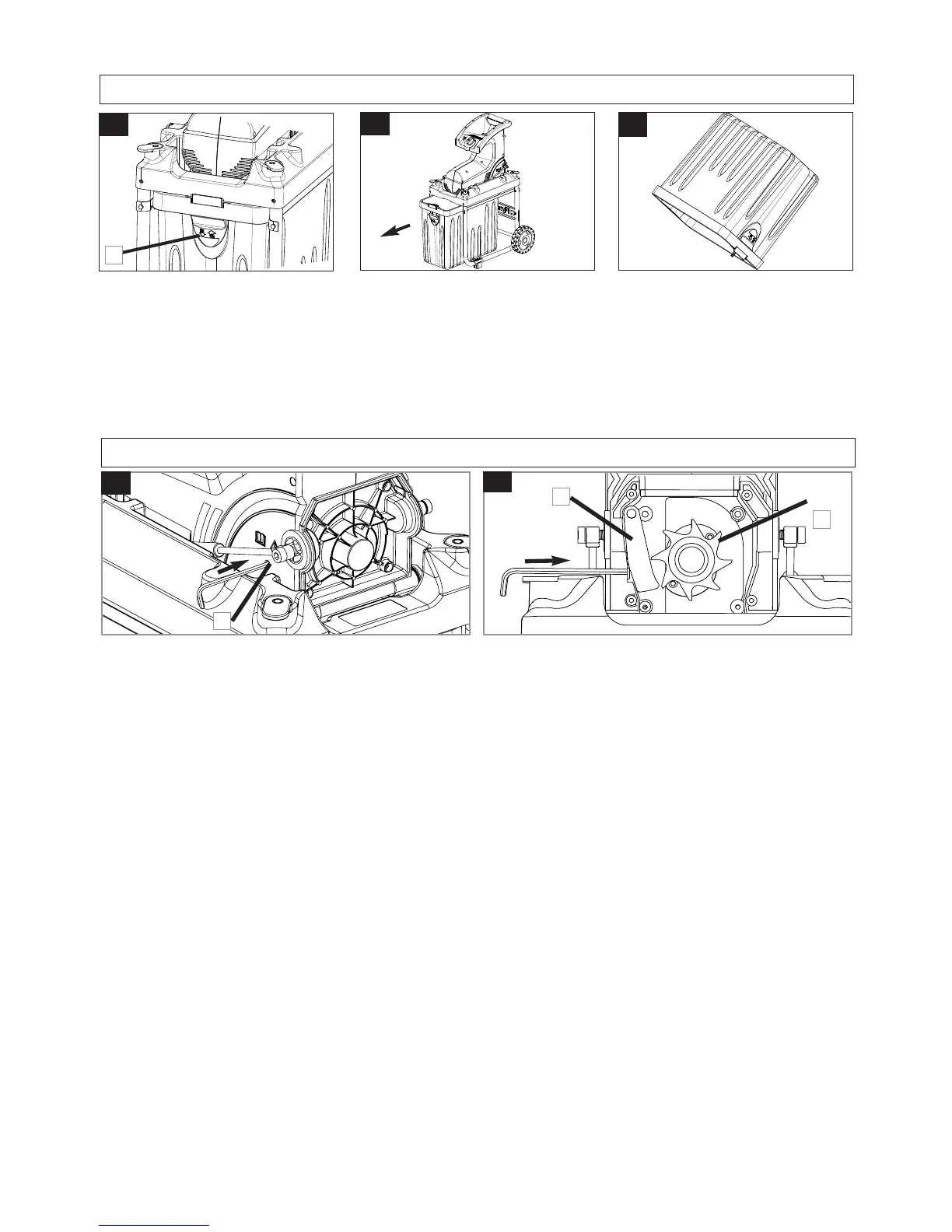
1. With the product running in the forward direction insert
the hex key supplied into the hole at the side of the
casing (N1).
2. With the product running in the forward direction turn
the hex key very slowly in a clockwise direction until
the Cutting Blade (P1) can be heard slightly touching
the Cutting Plate (P2) Do not over adjust, doing so
could cause serious damage to the Cutting Plate and
Cutting Blade and result in your Warranty becoming void.
3. Feed a branch into the Feed Inlet to check that it is cut
cleanly and that no further adjustment is required.
P
N
• Important
Switch off product before removing the Collection Box.
The Collection Box is a safety guard that prevents access
to the cutting blades. The product should never be used
without the Collection Box in place.
Removing the Collection Box
1. Pull down the Interlock Switch on the Collection Box
(K1). The product will not operate when this Interlock
Switch is open.
2. Hold the handle on the Collection Box and pull out
from under the shredding unit (L).
3. Empty the Collection Box.(M).
Fitting the Collection Box
1. Push the Collection Box under the shredding unit.
2. Push up the Interlock Switch on the Collection Box
(K1) until it clicks securely into position.
• IMPORTANT ! The Product will not operate if the Inter-
lock Switch on the Collection Box is not lifted upwards
into position.
L
M
K
Collection Box
1
1
1
2


 To Next Page