6
Install the Tail Section
❏
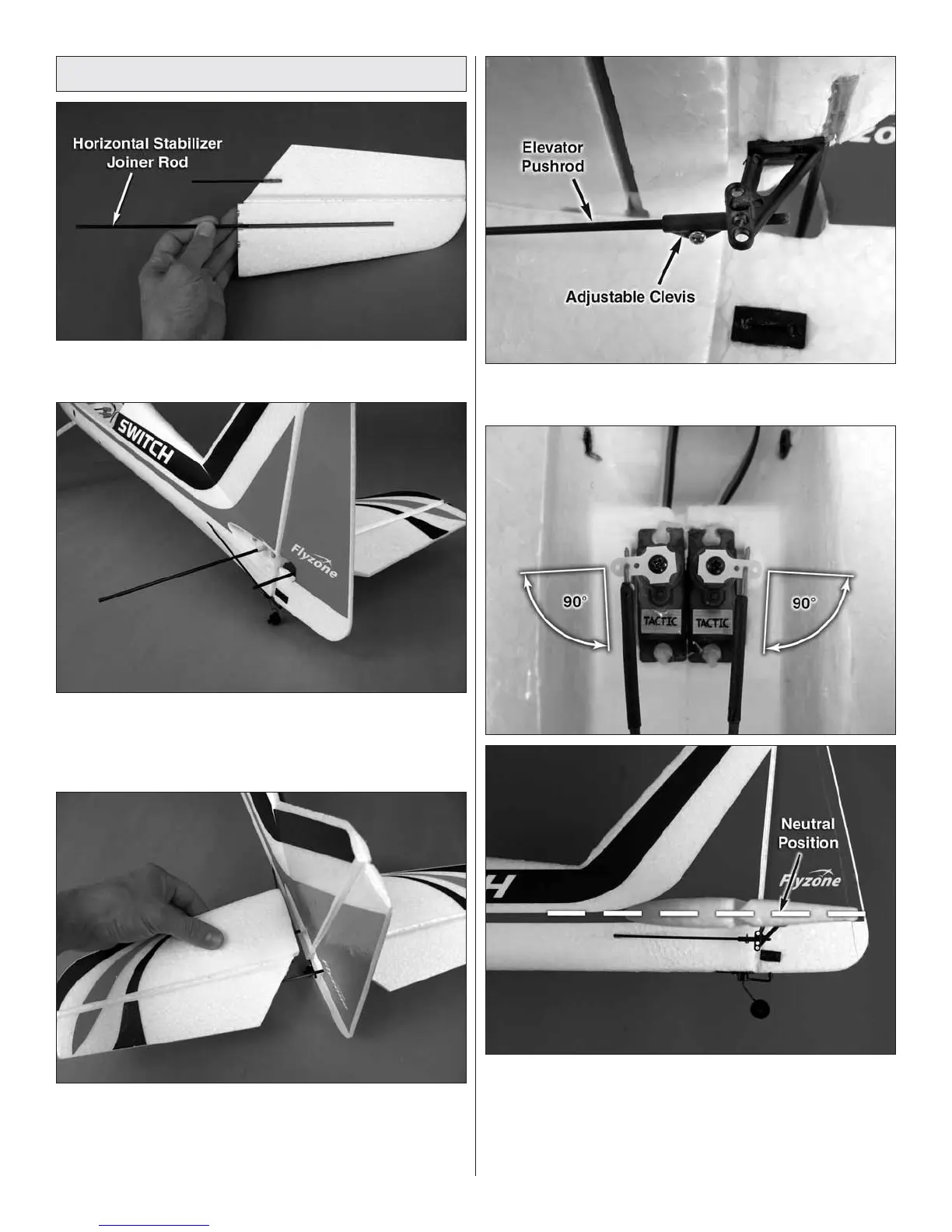
1. Insert the horizontal stabilizer joiner rod into the pocket
in the right stabilizer half.
❏
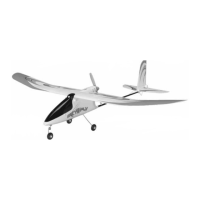
2. Fit the right stabilizer half to the fuselage by sliding
the joiner rod through the hole in the stabilizer mounting
plate. The magnets installed in the stabilizer half will hold it
in place.
❏
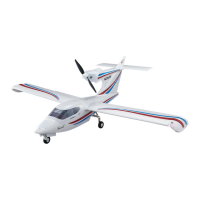
3. Install the left horizontal stabilizer half onto the joiner
rod in the same manner. The elevator joiner rod must also
fi t into the tube that is glued on the underside of the left
elevator half.
❏
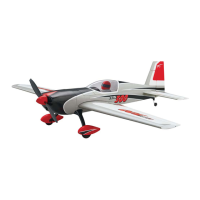
4. Insert the elevator pushrod into the adjustable clevis
on the elevator control horn as shown.
❏
5. If necessary, rotate the elevator and rudder servo arms
so they are perpendicular to the pushrods. Set the elevators
in the neutral position by adjusting the elevator pushrod in
the adjustable clevis. When satisfi ed, tighten the screw in the
adjustable clevis taking care not to over-tighten it.




 To Next Page