Issue/Rev. 0.0 (2/10)
MNFG003 • Page 3
Section II – Display and Controls
microFlow.net
™
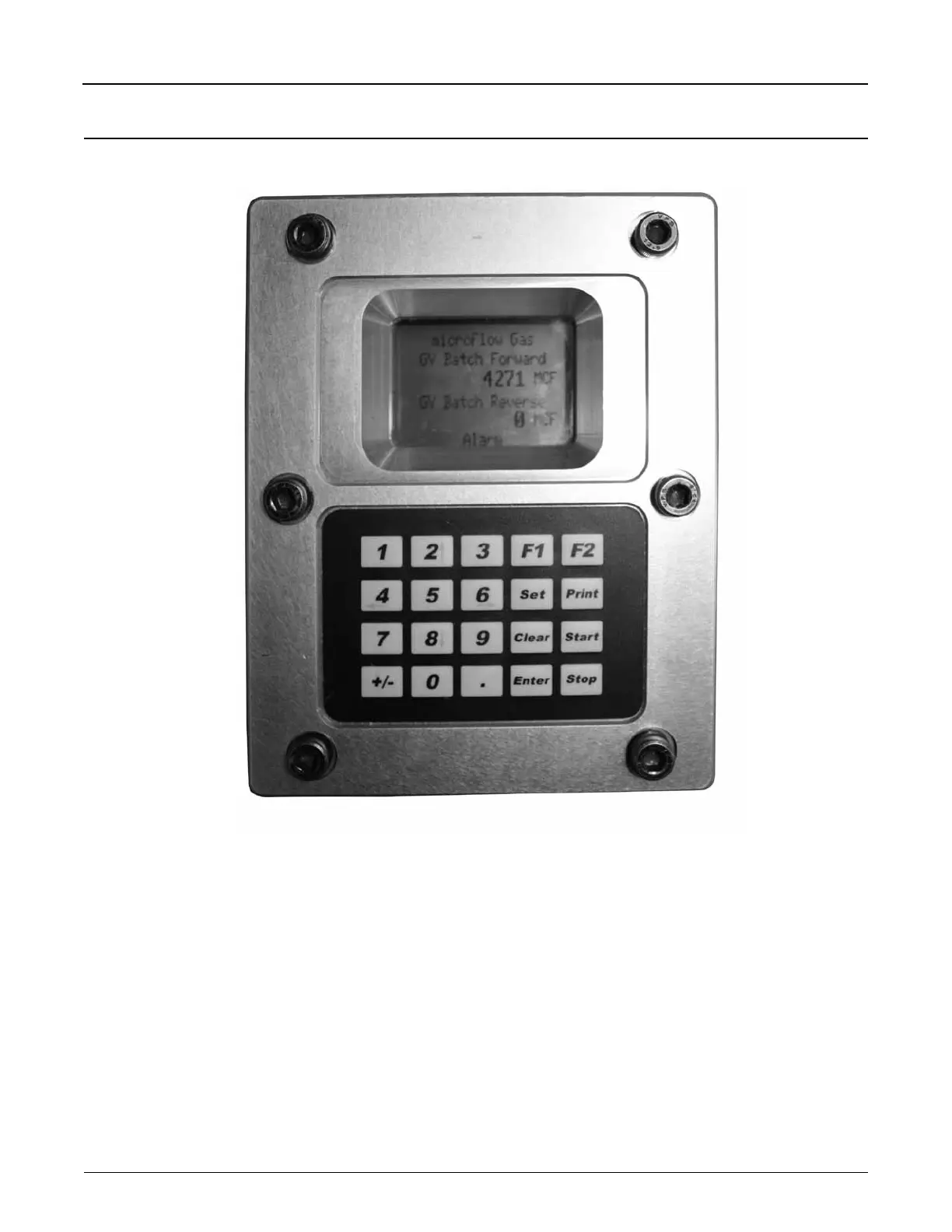
Gas Display and Controls
The user interfaces with the microFlow.net Gas through either through one of its several communications ports or
via the display and keypad found on the face of the instrument. The display and keypad alter the format and function
based upon the mode (Run Mode, Programming Mode…) that the instrument is currently operating in. The following
provides previews to the various screens as well as the keypad functions associated with the various modes.
Figure 1. microFlow.net Gas Display and Controls


 To Next Page