4-43
00-01 Motor’s Rotation Direction Default: 0
Range
【0】: Forward
【1】: Reverse
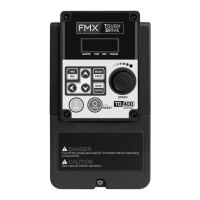
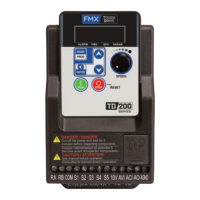
Use the FWD/REV key to change motor direction when Run Command (00-02 = 0) is set to keypad control.
Note: To switch the command source between the setting of main (00-02) and alternative (00-03) assign one of the
DI (S1 to S6) to be the “Run Command Switch Over” (03-00–03-05=12).
00-02/00-03=0: Keypad Control
Use the keypad to start and stop the AC Drive and set direction with the forward / reverse key. Refer to section 4-1
for details on the keypad.
00-02/00-03=1: External Terminal Control
External terminals are used to start and stop the AC Drive and select motor direction. There are three different types:
2-wire operation, 3-wire operation, and 2-wire self-holding (latching) mode. See instruction details for parameter
00-04 for more information.
00-02/00-03=2: Communication control
The AC Drive is controlled by the RS-485 port. Refer to parameter Group 9 for communication setup.
Example:
Command String in hexadecimal: 01 06 25 01 00 01 12 C6
00-02/00-03=3: PLC control
The AC Drive is controlled by the AC Drive built-in PLC logic. Refer to chapter 5.
00-03 Alternative Run Command Source Default: 2
Range
【0】: Keypad
【1】: External Terminal (Control Circuit)
【2】: Communication Control (RS-485)
【3】: PLC
00-02 Main Run Command Source Default: 2
Range
【0】: Keypad
【1】: External Terminal (Control Circuit)
【2】: Communication Control (RS-485)
【3】: PLC


 To Next Page
 Loading...