EasyManua.ls Logo

Focal Cub - User Manual

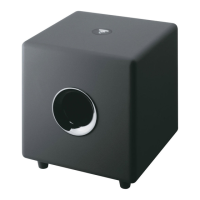
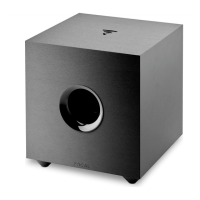
Focal Cub
6 pages
To Next Page IconTo Next Page
Loading...
7
User manual
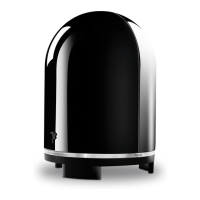
Thank you for purchasing the Cub active subwoofer
which has been designed to be used in a wide range of
audio system applications, stereo or multichannel.
It is ideally partnered with the matching Sib satellite
loudspeaker for a system that combines high performance
sound with elegance and discretion.
In order to gain the maximum performance from this
product it is essential that you read the following
instructions thoroughly. We advise you to keep this guide so that you can consult it
when needed.
Warning :
The active subwoofer should not be exposed to water or moisture.
Objects filled with water (such as fish tanks or plants pots) should not be placed
on the enclosure
Placement:
Position Cub close to the front main speakers, ideally in-between them.
Cub was designed to work with a wide range of compact loudspeakers. We strongly
recommend the Focal-JMlab Sib whose performance guarantees a high level of sound
quality in stereo and home cinema configurations.
Placement and connection:
THE FOCAL-JMLAB GUARANTEE ONLY
APPLIES IF PAGE 13 IS RETURNED TO US
WITHIN 10 DAYS OF PURCHASE.
Cub 14/02/03, 11:437
Question and Answer IconNeed help?

Do you have a question about the Focal Cub and is the answer not in the manual?

Focal Cub Specifications

General IconGeneral
TypeActive subwoofer
Frequency response35Hz - 150Hz
RCA InputYes
Crossover Frequency50Hz - 150Hz
Woofer size8 inches
Phase Adjustment0° / 180°

Summary

Placement and Connection

Placement

Position Cub close to front main speakers, ideally between them for optimal sound integration.

Connection Types

Hi-fi Configuration

Connecting the Cub subwoofer in a stereo Hi-Fi system via low-level or high-level inputs.

Home Theater Configuration

Connecting the Cub subwoofer to an audio video amplifier using low-level inputs (LFE/Subwoofer out).

Setup Guide

Operational Problems

No Sound Troubleshooting

Steps for no sound, checking connections, settings, and signal levels.

Indicator Light and Weak Signal

Troubleshooting indicator light issues and no sound due to weak amplifier signals or fuse checks.

Performance Issues

Subwoofer Cuts Out

Addressing subwoofer shutdown due to loud peaks, overload, or high input levels.

Fuse Blowing Repeatedly

Diagnosing and resolving issues with the fuse blowing repeatedly, including voltage change cautions.

Specifications

Guarantee Information

Related product manuals