FOCUS 4010/HT Dental Porcelain Furnace Page 12 Manual version 4.2.2013
- by pressing the arrow you will change to the different parameters and to update the
different value
If you want to change your program, press the “CLEAR” key and re-enter a different
program number (0-249).
3.6 View/Entering and Changing Parameter Data-Edit program
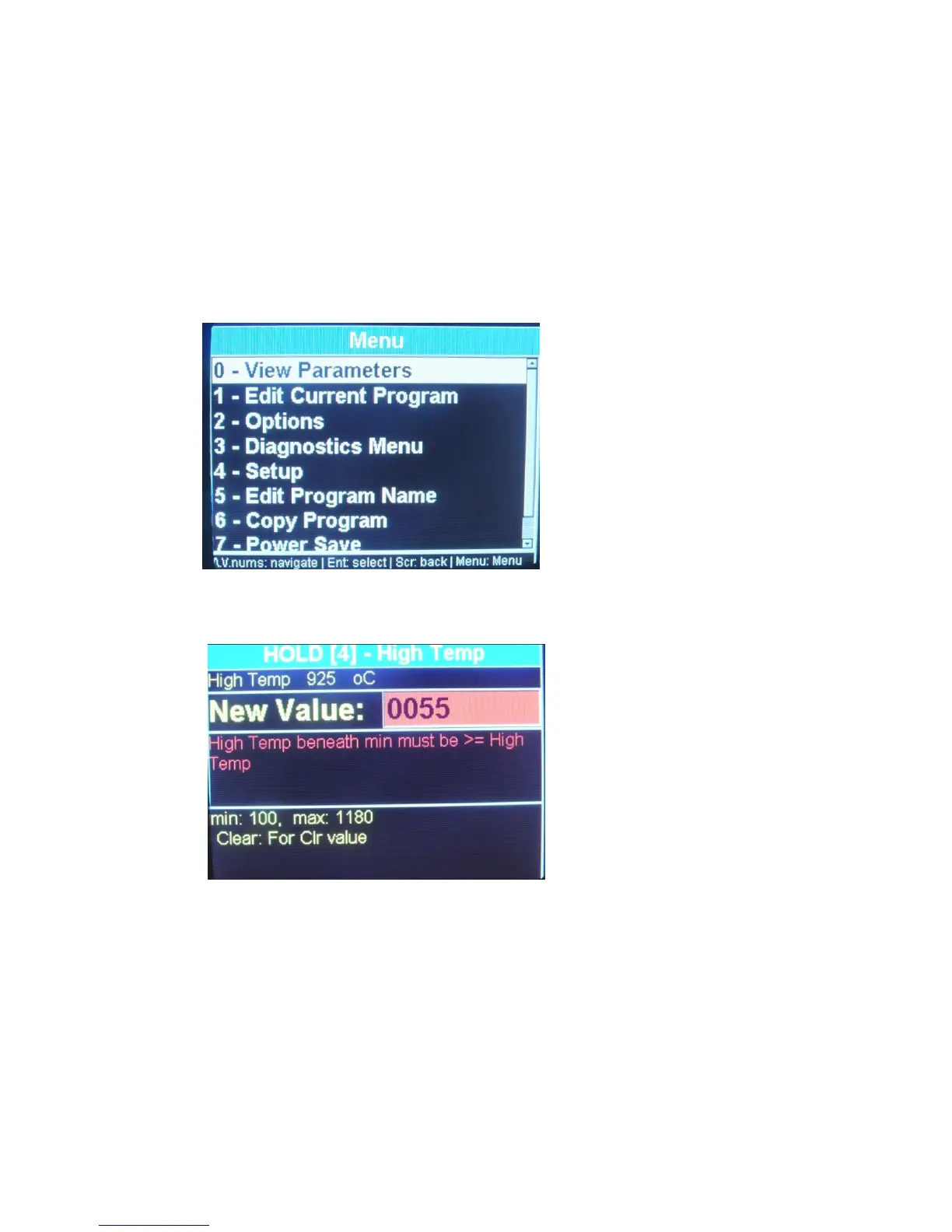
To view parameters of a program press the button Menu+ Enter
To edit parameter of a program Press the buttons Menu+ arrow down until reaching 1-edit
current program + enter/ all the parameters will appears one after the other with the limit of
the parameter. Continue to press on the up arrow to change the other parameters, the
change will be save by pressing ENT to save or MENU to go back to the main screen.
PIC: From this screens you can
neither view or edit parameters
By Pressing the Arrow key, you reach the desired parameter screen and you can read
the value on the data display or modified it to the edition one.
Using the data keys, enter the parameter data you require (for the programs 2-249).
Using this method continue to toggle through your parameters, checking or entering
data as required.
Press the “ENTER” key when finished to introduce or to change all the required
parameters. To run the cycle go back to the main screen by pressing the menu
button


 To Next Page