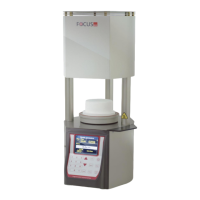
FOCUS 4010/HT Dental Porcelain Furnace Page 13 Manual version 4.2.2013
In case one or couple of the parameter fields are not in use, they should remain
blank and there is no need to introduce the “0” level or any value in the blank field.
EXAMPLE 1
Entering a START TEMP of 400C and HEAT RATE 55C/min .
1. Press the Arrow key until the [START TEMP] field will appear
2. Press the keys [4], [0], [0].
3. Press the Arrow UP key until the HEAT RATE display will be illuminated (do not
enter values in the UP TIME and DRY TIME fields if not needed).
4. Press the keys [5], [5] for the ramp.
5. Press ENTER key.
EXAMPLE 2
Entering a UP TIME and DRY TIME of 3.5 minutes each.
1. Press the arrow key until the [UP TIME] field will appear
2. Press the keys [3], [3], [0].
3. Press the up key.
4. Press the keys [3}, [3], [0].
5. Press the key [ENTER] or Arrow key again.
EXAMPLE 3
Entering a “VACUUM ON” TEMP of 420C, “VACUUM OFF” TEMP 820C and
“VACUUM LEVEL” of 720mmHg.
1. Press the up key until the Field "V on" will be displayed on the “VACUUM” field.
2. Press the keys [4], [2], [0]. For vacuum start
3. Press the up key until the field " vacuum off" will be displayed on the “V.off”
display. For the end of the vacuum
4. Press the keys [8], [2], [0].
5. The vacuum Level can be set here or by preset the Level in the option screen, if
the Level is chosen this possibility will not appear, if the fields in the option is
empty, you will be able to set the vacuum level
if the field is enable than
6. Press the keys [7], [2], [0].
7. Press the key [ENTER] or arrow key again.
1.


 To Next Page
 Loading...