10
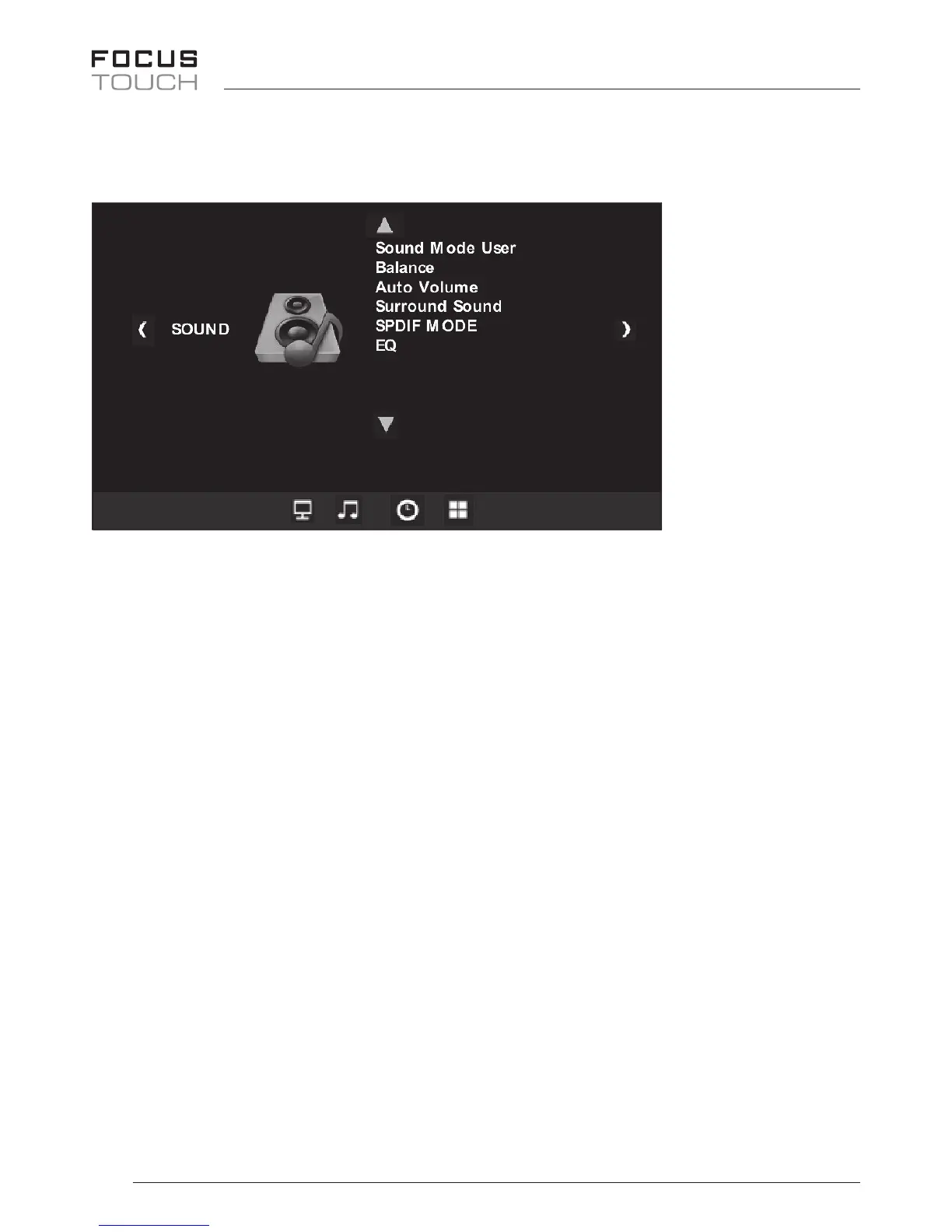
Audio Mode
• PressMENUbutton,opentheOSDMenumode
UP/DOWN/VOL+/VOL-buttonsallowyoutochangesettingaftermovingup/
down/left/right.
• Theremotecontrolusestheup/down/left/rightanduseselectbutton
• Soundmode-Music/Standard/User/Sports/Movie
YoucanadjustBassandTreble.
• Balance-50~+50
Youcanadjustleftandrightlevelofsoundoutput.
• AutoVolumeOn/O
• SurroundMode-O/Surround/SRSTruesurroundXT
• SPDIFMode-Auto/PCM
• EQ-120Hz/500Hz/1.5kHz/5kHz/10kHz
Youcanadjustthesoundofeachfrequencyrange.
Tonish,pressMenubutton


 To Next Page