EN
PAIR AND CONNECT
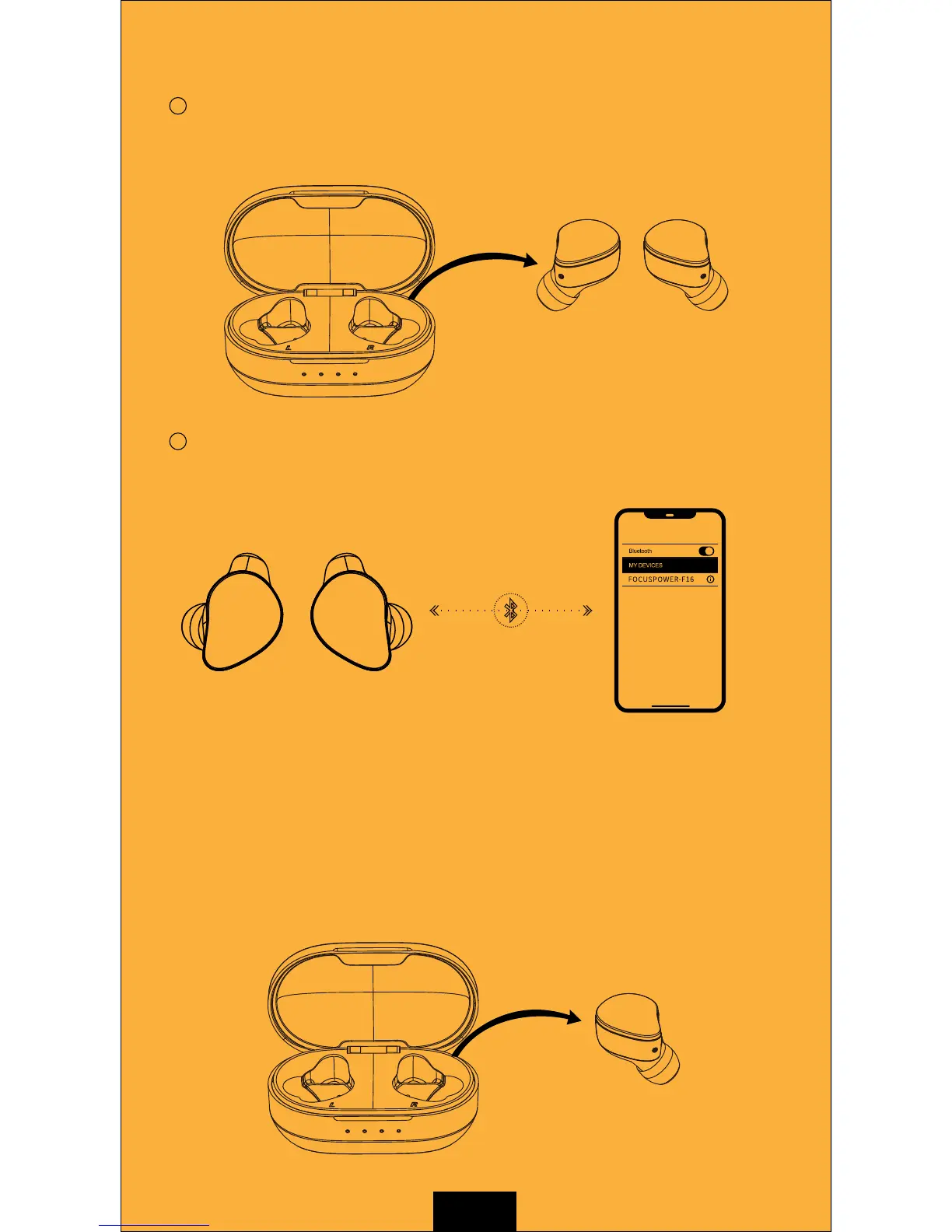
Take both of the earbuds out from the charging case. Then the
L & R earbuds will be automatically powered on and connected
as a pair.
1
2
Turn on the Bluetooth on your smartphone. Then the smartphone
will automatically search for Bluetooth device. At last select
"FOCUSPOWER-F16" to connect.
Setting Bluetooth
(Note: The second time you use this product you needn’t repeat the above steps.
Please take out the earbuds from the charging case and they will be automatically
connected with your smartphone. )
Mono mode:
If you want to use the product with only one earbud, please take one of the
earbuds out from the charging case. This earbud will be automatically powered
on and enter the pairing mode. Then turn on the Bluetooth on your smartphone
and search “FOCUSPOWER-F16” to connect.


 To Next Page