EN
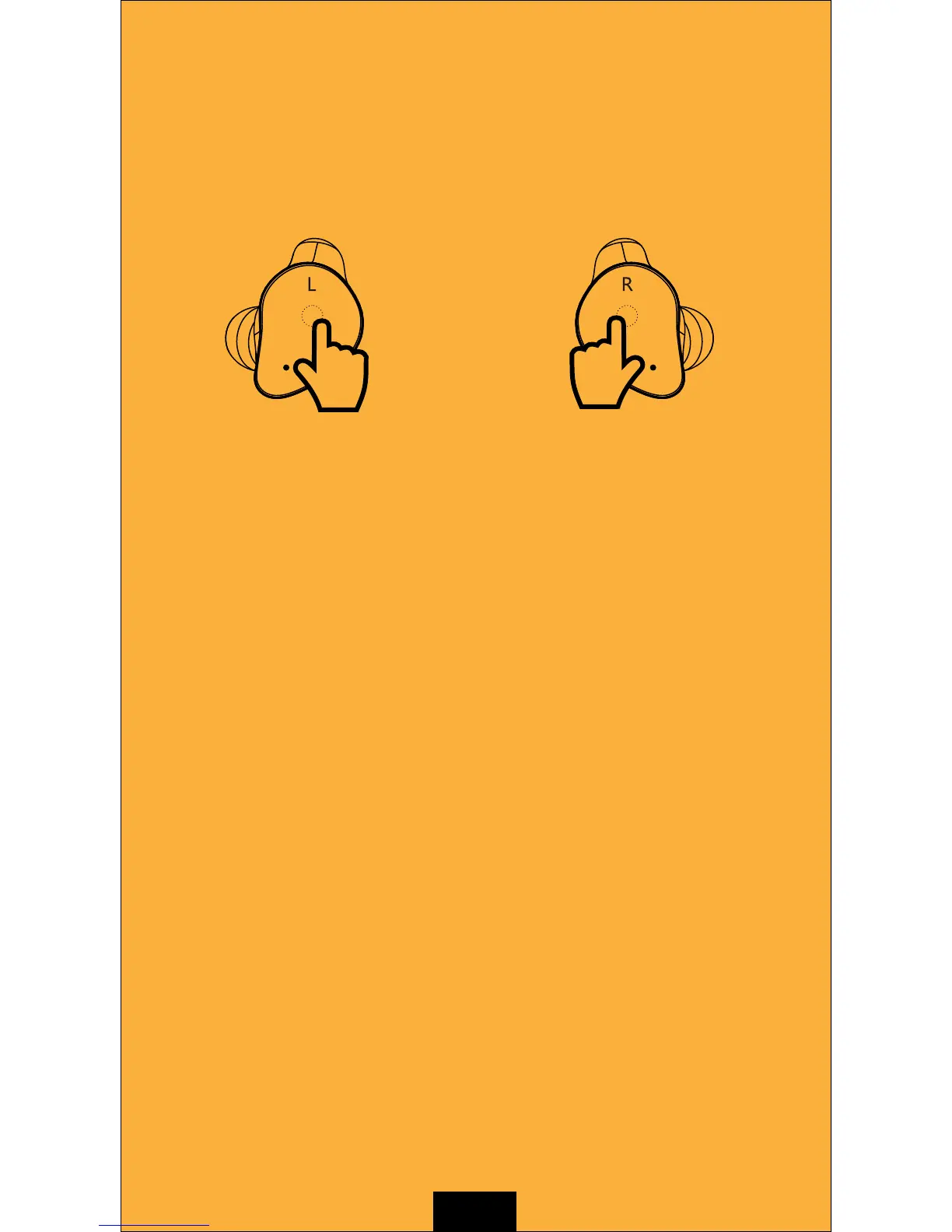
BUTTON FUNCTION
Left Earbud
Single tap: Play/Pause music/Answer
phone/Hang up phone
Double tap: Previous song
Triple tap: Redial
Hold for 2 seconds: Activate Siri/
Reject call
Hold for 3 seconds: Power on
Hold for 5 seconds: Power off
Right Earbud
Single tap: Play/Pause music/
Answer phone/Hang up phone
Double tap: Next song
Triple tap: Redial
Hold for 2 seconds: Activate Siri/
Reject call
Hold for 3 seconds: Power on
Hold for 5 seconds: Power off
Note: Left/Right earbud at power-off state: Hold for 5 seconds to enter single
earbud Bluetooth (Mono) mode
As we specially design an activation mechanism to prevent accidental
operation, the touch-control button is in non-activated state before
use. Please try to contact the touch-control area with your finger
repeatedly to activate the button.
Indicator
Power on : White light flashes
Power off : Orange light flashes
Standby mode : White light flashes once every five seconds
L & R earbuds are paired successfully : Left earbud white light
flashes fast but right earbud indicators don't light up.
Earphone connect with smartphone successfully : White light
flashes twice every 5 seconds.
Single earbud waiting for connection with smartphone : White
light flashes fast
Low battery indication : Orange light flashes once and earphone
emits "battery low" voice prompt


 To Next Page