17
Using the Scarlett 18i8 as a stand-alone mixer
The Scarlett 18i8 has the ability to store a mix configuration defined in Focusrite Control within the
hardware. This feature lets you configure it – for example, as an on-stage keyboard mixer – using your
computer, and then upload the configuration to the device itself. Then you can use the Scarlett 18i8
as a simple local mixer as part of your keyboard rig to control the overall mix of multiple keyboards.
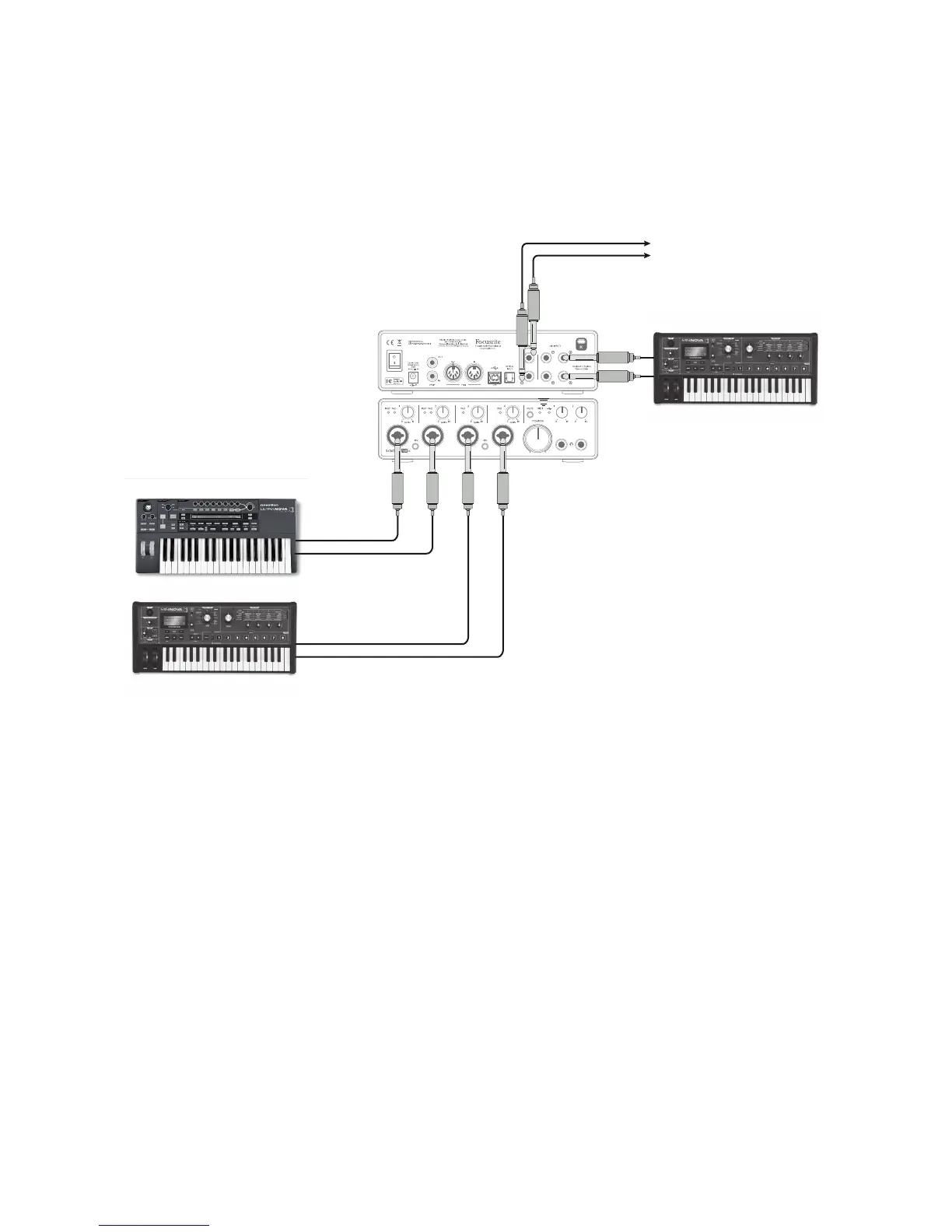
Stereo Keys
To FOH Mixer
Stereo Keys
Stereo Keys
In the example illustrated, three stereo keyboards are connected to the inputs of the Scarlett 18i8;
the Monitor Outputs go to the main PA system. The performer can adjust the volume of two of the
keyboards against the third from the front panel; he/she can also adjust the overall level of the
keyboard mix.
Greater flexibility of on-stage mixing could be achieved by connecting an OctoPre Mk II via the optical
ADAT port, as in the previous example; all keyboard sources could be connected directly to the
OctoPre Mk II, providing pre-input level control.















 To Next Page