30
Firewire Driver Latency
The Saffire PRO 26’s latency performance will be dictated by the Core Audio buffer size specified in your DAW (Mac), or as set in the
ASIO buffer size (Windows; see below).
The Firewire Driver Latency setting has an effect on the performance of the Core Audio or ASIO buffers. If you are experiencing
clicks and pops or audio dropouts, this may be due to hardware in your computer affecting the performance of FireWire-connected
audio devices. Rather than removing and replacing hardware (e.g., your graphics card or wireless internet card), changing the
Firewire Driver Latency to a longer setting may solve the problem.
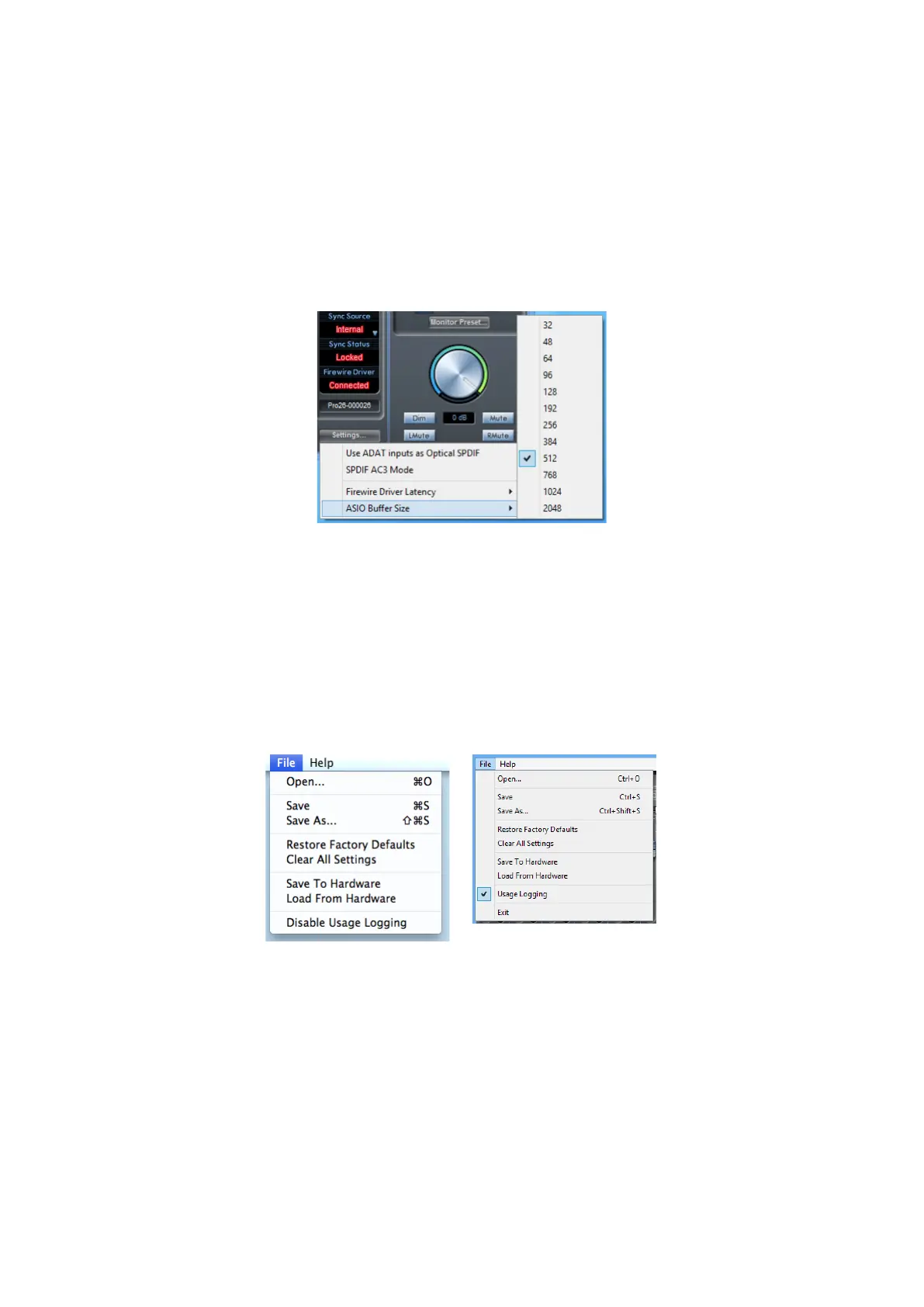
ASIO Buffer Size
This option is only available on the Windows version of Saffire MixControl.
This option lets you set the buffer size of your ASIO driver. A small buffer size will in result in lower latency, but at the expense of
increased CPU usage. A high buffer size will result in higher latency, but lower CPU usage.
If you are using lots of virtual instruments and effects processing in your DAW project, and the CPU usage is high, then increase the
buffer size.
File Menu
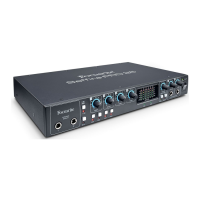
The File menus differ slightly between Mac and Windows versions of Saffire MixControl.
Open - opens a File Open dialogue box, allowing selection of any previously saved Saffire MixControl mix data.
Save - opens a File Save dialogue box, allowing selection of a location to which your Saffire MixControl mix data can be saved.
Subsequent Saves overwrite the original file.
Save As - opens a File Save As dialogue box. Use this option if you want to keep your original saved mix data but save the current mix
data under a different filename.




 To Next Page