6
Introduction
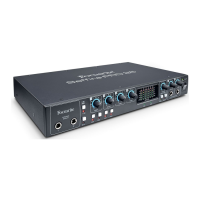
Thank you for purchasing this Saffire PRO 26, one of the Focusrite family of professional, multi-channel FireWire interfaces
incorporating high quality Focusrite analogue pre-amplifiers. You now have a complete solution for routing high quality audio to and
from your computer. You can also use the Saffire PRO 26 as a “stand-alone” interface to any other type of recording device, once you
have configured it using Saffire MixControl software.
This Guide provides a detailed explanation of both the hardware and its accompanying Saffire MixControl software to help you
achieve a thorough understanding of the product’s operational features. We recommend that both users who are new to computer
recording, as well as more experienced users, take the time to read through the user guide so that you are fully aware of all the
possibilities that the Saffire PRO 26 and accompanying software has to offer.
If the main User Guide sections do not provide the information you need, be sure to consult http://www.focusrite.com/answerbase,
which contains a comprehensive list of common technical support queries regarding the product to date.
Basics
The Saffire PRO 26 hardware interface provides the means for connecting microphones, musical instruments, line level signals and
digital audio signals to your computer via FireWire, which are then routed to your audio recording software/digital audio workstation
(referred to throughout this user guide as the “DAW”) at up to 24-bit, 96 kHz resolution.
All audio signals connected to the inputs, plus the audio output from your DAW and other audio software applications can be
routed to the Saffire PRO 26’s physical outputs, for you to connect to an amplifier and speakers, or powered monitors, headphones,
analogue or digital mixer, and any other studio equipment that you wish to use.
The Saffire PRO 26 is also fitted with MIDI connectors; this lets you use it as a MIDI “hub” between your computer’s FireWire port
and other items of MIDI equipment in your system.
The accompanying software application, Saffire MixControl provides an extensive set of recording, routing and monitoring options,
as well as allowing global hardware setup options such as sample rate and synchronisation source. Saffire MixControl provides
mixing and routing to and from the DAW, allowing control over how the signals from each track are routed to the physical outputs.
All the inputs on the Saffire PRO 26 are routed directly to your DAW software for recording, but Saffire MixControl also allows you to
route these signals to your monitors so that you can listen to the audio you’re recording with near-zero latency - before it arrives at
your DAW.
Box Contents
Along with your Saffire PRO 26 you should have:
• 12 V AC adaptor (PSU)
• 1.6 m 6-pin to 9-pin FireWire cable (also known as a IEEE1394 cable)
• A5 Getting Started booklet
• Important Safety Information document
• Product Registration card, allowing download of the following software:
• Saffire MixControl
• Ableton Live Lite
• Novation Bass Station Plug-in
• Focusrite Scarlett Plug-in Suite
• 1GB of Loopmasters Sample Content




 To Next Page