EasyManua.ls Logo

Fomotech Alpha 500 - User Manual

Fomotech Alpha 500
35 pages
Print Icon
To Next Page IconTo Next Page
Loading...
1
T
T
A
A
B
B
L
L
E
E
O
O
F
F
C
C
O
O
N
N
T
T
E
E
N
N
T
T
S
S
Page
1. INTRODUCTION ....................................................................................................... 2
2. SAFETY INSTRUCTION ............................................................................................. 3
3. PUSHBUTTON CONFIGURATION
3.1 Alpha 500 & 520 Models ..................................................................................... 4
3.2 Alpha 540 & 560 Models ..................................................................................... 5
3.3 Alpha 580 Models ............................................................................................... 6
4. TRANSMITTER OUTLINE
4.1 Alpha 500 & 520 Models ..................................................................................... 7
4.2 Alpha 540 & 560 Models ..................................................................................... 8
4.3 Alpha 580 Models ............................................................................................... 9
5. RECEIVER OUTLINE
5.1 Alpha 500 ~ 560 Models External Assembly ....................................................... 10
5.2 Alpha 500 & 520 Models Internal Assembly ....................................................... 11
5.3 Alpha 540 & 560 Models Internal Assembly ....................................................... 12
5.4 Alpha 580 Models External Assembly ................................................................. 13
5.5 Alpha 580 Models Internal Assembly ................................................................. 14
6. OUTPUT CONTACT DIAGRAMS
6.1 Alpha 500 & 520 Models ..................................................................................... 15
6.2 Alpha 540 Models ................................................................................................. 16
6.3 Alpha 560 Models ................................................................................................. 17
6.4 Alpha 580 Models ................................................................................................. 18~20
7. SYSTEM CONFIGURATIONS
7.1 How to Set Jumper Functions ............................................................................. 21~22
7.2 How to Set ID Codes ............................................................................................. 22
7.3 Receiver RF Channel Setting ............................................................................. 23
7.4 How to Remove the Transmitter RF Board ......................................................... 23
7.5 Alpha 580 Pushbutton Function Settings ............................................................. 24~25
7.6 Frequency (RF) Channel Table ............................................................................. 26
8. RECEIVER INSTALLATION
8.1 Preparation For Installation ................................................................................... 27
8.2 Step-By-Step Installation ....................................................................................... 27
8.3 System Testing ....................................................................................................... 28
9. TRANSMITTER OPERATION ................................................................................... 29~31
10. TROUBLE SHOOTING ............................................................................................... 32
11. SYSTEM SPECIFICATION ......................................................................................... 33
12. PARTS LIST ................................................................................................................. 34~35

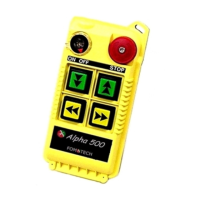
Other manuals for Fomotech Alpha 500

Questions and Answers

  • P
    patricia39Aug 3, 2025
    What to do if my Fomotech Remote Control transmitter doesn't communicate with the receiver?
    • A
      Alexa KaneAug 3, 2025
      If the Fomotech Remote Control transmitter isn't communicating with the receiver, it could be due to several reasons. First, ensure you are using the correct transmitter, verifying that the RF channel and ID code match those on the receiver labels. If the status LED on the transmitter blinks red or doesn't light up, turn the transmitter off and replace the two AA batteries. Also, make sure the transmitter is not turned on while the EMS is activated (pressed down); elevate the EMS first, then cycle the power switch.
  • B
    bruceavilaAug 10, 2025
    How to troubleshoot no power to the Fomotech Alpha 500 Remote Control receiver?
    • N
      Nicolas CampbellAug 10, 2025
      If there is no power to the Fomotech Remote Control receiver and the AC power indicator is off, ensure that the power input to the receiver unit is correct. If the power indicator remains unlit, check the receiver for any blown fuses.
  • A
    Austin BrayAug 17, 2025
    Why is my Fomotech Remote Control showing a constant red light?
    • G
      garciasarahAug 17, 2025
      A constant red light on the Fomotech Remote Control indicates an EEPROM error, which requires reprogramming, or an incorrect receiver ID code setting.
  • A
    Austin Gonzalez DVMAug 26, 2025
    What to do if Fomotech Alpha 500 outputs do not operate correctly?
    • J
      Jacqueline SandersAug 26, 2025
      If the outputs of your Fomotech Remote Control are not operating correctly, ensure the receiver is correctly wired and configured for your specific application.

Summary

Introduction to Alpha 500 Series

Safety Instructions for Alpha 500 Series

Pushbutton Configuration

Alpha 500 & 520 Models Pushbutton Configuration

Describes pushbutton configurations for Alpha 500 and 520 models.

Alpha 540 & 560 Models Pushbutton Configuration

Details pushbutton configurations for Alpha 540 and 560 models.

Alpha 580 Models Pushbutton Configuration

Explains pushbutton configurations for various Alpha 580 models.

Transmitter Outline and Components

Alpha 500 & 520 Models Transmitter Outline

Provides a front and back view with labels for Alpha 500/520 transmitter parts.

Alpha 540 & 560 Models Transmitter Outline

Illustrates and labels the external parts of Alpha 540/560 transmitters.

Alpha 580 Models Transmitter Outline

Shows front and back views of Alpha 580 transmitters with labeled components.

Receiver Outline and Components

Alpha 500-560 Models External Receiver Outline

Details the external components and features of Alpha 500-560 receivers.

Alpha 500 & 520 Models Internal Receiver Assembly

Illustrates the internal parts of Alpha 500/520 receivers with labels.

Alpha 540 & 560 Models Internal Receiver Assembly

Shows the internal components of Alpha 540/560 receivers and their labels.

Alpha 580 Models External Receiver Outline

Displays an external view of the Alpha 580 receiver with labeled parts.

Alpha 580 Models Internal Receiver Assembly

Details the internal components of Alpha 580 receivers with labels.

Output Contact Diagrams

Alpha 500 & 520 Models Output Contact Diagrams

Provides wiring diagrams for output contacts of Alpha 500/520 models.

Alpha 540 Models Output Contact Diagrams

Shows output contact wiring diagrams for Alpha 540S and 540A models.

Alpha 560 Models Output Contact Diagrams

Presents output contact wiring diagrams for Alpha 560S and 560A models.

Alpha 580 Models Output Contact Diagrams

Details output contact diagrams for Alpha 580A-1, 580A-2, and 580B models.

System Configurations and Settings

How to Set Jumper Functions

Explains how to set jumper functions for Alpha 500/560 and Alpha 580 models.

How to Set ID Codes

Details how to set the system's ID codes using dip-switches.

Receiver RF Channel Setting

Explains how to set the receiver RF channel using a dip-switch.

Transmitting RF Board Removal

Describes the procedure for replacing the transmitter RF board.

Alpha 580 Models Pushbutton Function Settings

Details how to set pushbutton functions for Alpha 580 models using dip-switches.

Frequency (RF) Channels Table

Provides a table mapping RF frequencies to dip-switch settings and RF channels.

Receiver Installation Procedures

Receiver Installation Preparation

Lists required tools and preparation steps before installing the receiver.

Step-By-Step Receiver Installation

Provides a step-by-step guide for installing the receiver unit.

Receiver System Testing

Outlines procedures for testing the installed receiver system.

Transmitter Operation Guide

Transmitter Startup Procedure

Explains the startup procedure for the transmitter, including key-switch operation.

Transmitter Status Lights Interpretation

Describes the meaning of different transmitter status LED indications.

Emergency Stop (EMS) and System Restarting

Explains how to use the Emergency Stop button and restart the system.

Shutting Off the Transmitter

Details how to properly turn off the transmitter and deactivate the receiver.

3-Stage Select Function Operation

Explains the 3-stage select function for auxiliary hoist/trolley operations.

Interlocking Pushbuttons Functionality

Explains how pushbutton sets are interlocked to prevent conflicting commands.

Transmitter Battery Changing

Provides instructions for changing batteries in the transmitter handset.

Transmitter Transmission Data and Safety

Describes the power-saving transmission method and safety features.

Troubleshooting Guide

System Specifications

Parts List

Fomotech Alpha 500 Specifications

General IconGeneral
BrandFomotech
ModelAlpha 500
CategoryRemote Control
LanguageEnglish

Related product manuals