7
14
15
16
O
n
1
2
3
4
7
5
6
8
17
4
4
.
.
T
T
R
R
A
A
N
N
S
S
M
M
I
I
T
T
T
T
E
E
R
R
O
O
U
U
T
T
L
L
I
I
N
N
E
E
4
4
.
.
1
1
A
A
l
l
p
p
h
h
a
a
5
5
0
0
0
0
&
&
5
5
2
2
0
0
M
M
o
o
d
d
e
e
l
l
s
s
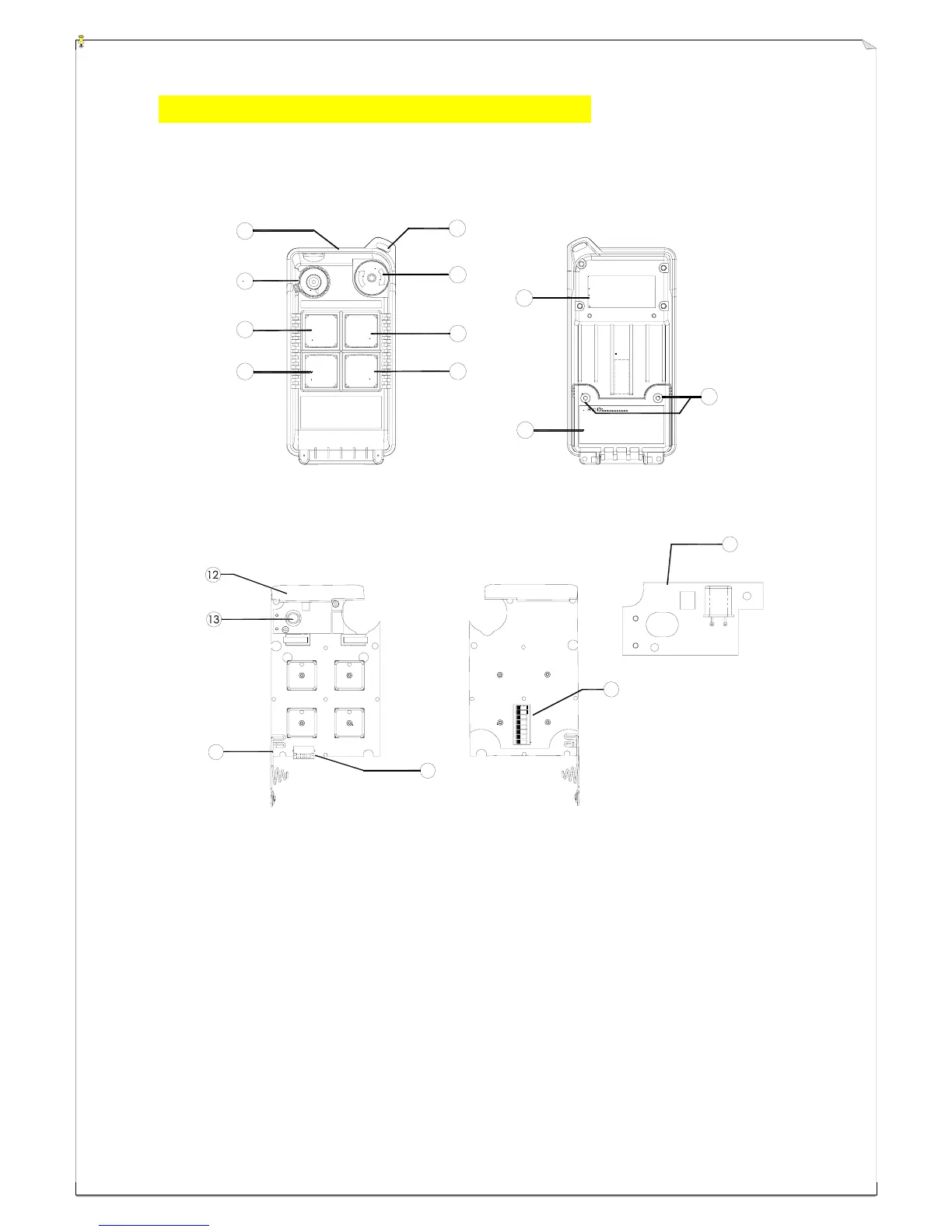
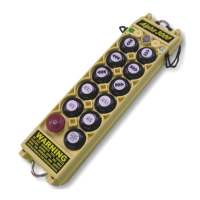
(Fig. 1) Front View (Fig. 2) Back View
(Fig. 3) Front View (Fig. 4) Back View
1) Transmitter enclosure 8) Pushbutton # 3 (→ / East) 15) Programming port
2) Power switch (ON/OFF) 9) System information 16) ID code dip-switch
3) Pushbutton #2 (↓ / Down ) 10) Battery cover 17) Transmitting RF Board
4) Pushbutton #4 (← / West) 11) Battery cover screws
5) Wrist strap attachment 12) Internal antenna
6) Emergency stop (EMS) 13) Status LED display
7) Pushbutton #1 (↑ / Up) 14) Battery contact
1
2
3
4
5
6
7
8
9
10
11
ON OFF
STOP





 To Next Page