- 29 -
6
6
.
.
T
T
R
R
A
A
N
N
S
S
M
M
I
I
T
T
T
T
E
E
R
R
S
S
E
E
T
T
T
T
I
I
N
N
G
G
S
S
6
6
.
.
1
1
H
H
o
o
w
w
t
t
o
o
S
S
e
e
t
t
I
I
D
D
C
C
o
o
d
d
e
e
s
s
6.1.1 Set by programming tool
6.1.2 Set by encoder board JP1, 1
st
/ 2
nd
pin and dip-switch
Setting Steps:
(1) Rotate the transmitter power to OFF position
(2) Disassemble shock-absorbing rubber
(3) Put the transmitter pushbutton downward and disassemble transmitter bottom casing.
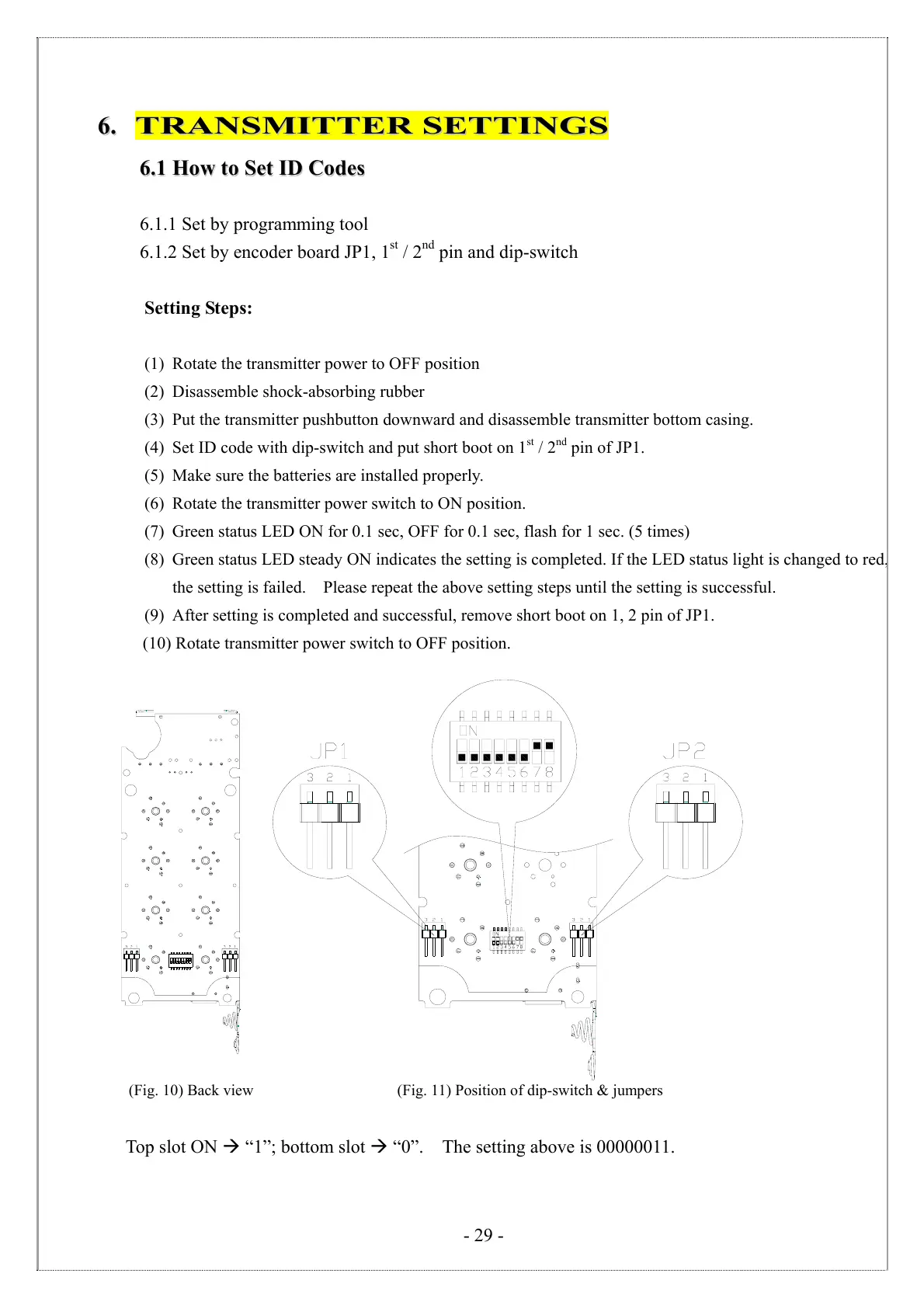
(4) Set ID code with dip-switch and put short boot on 1
st
/ 2
nd
pin of JP1.
(5) Make sure the batteries are installed properly.
(6) Rotate the transmitter power switch to ON position.
(7) Green status LED ON for 0.1 sec, OFF for 0.1 sec, flash for 1 sec. (5 times)
(8) Green status LED steady ON indicates the setting is completed. If the LED status light is changed to red,
the setting is failed. Please repeat the above setting steps until the setting is successful.
(9) After setting is completed and successful, remove short boot on 1, 2 pin of JP1.
(10) Rotate transmitter power switch to OFF position.
編碼板
(Fig. 10) Back view (Fig. 11) Position of dip-switch & jumpers
Top slot ON “1”; bottom slot “0”. The setting above is 00000011.



 To Next Page