EasyManua.ls Logo

FoodSaver FM5400 - User Manual

FoodSaver FM5400
20 pages
Print Icon
To Next Page IconTo Next Page
Loading...
Owners
Manual
FM5400 Series
Question and Answer IconNeed help?

Do you have a question about the FoodSaver FM5400 and is the answer not in the manual?

Summary

Important Safeguards and Tips

Important Safeguards

Essential safety precautions to follow when using electrical appliances to reduce risks of fire, shock, or injury.

Important Tips

Key recommendations for optimal use, including not substituting canning, using specific bags, and handling liquids.

Product Features

Controls and Indicator Lights

Indicate current setting and vacuum progress for added control.

Retractable Handheld Sealer

Works with FoodSaver® zipper bags, containers, canisters* and marinators*.

Vacuum Channel

Insert bag and press Vacuum and Seal Activation Bar to start the vacuuming sealing process.

Unlock;Seal Lever

Seals bags or unlocks bag material for access.

Vacuum and Seal Bar

Press to vacuum and seal. Automatically closes and grasps bag.

Removable Drip Tray

Catches overflow liquids and is dishwasher-safe.

Control Panel Overview

Power Button

Initiates and turns off the appliance.

Seal Button

Stops vacuum process or creates a seal on multilayer bags.

Seal Indicator Light

Indicates sealing process or error status.

Vacuum Indicator Light

Illuminates when vacuum process is engaged.

PulseVac Button

Manually controls vacuum process to avoid crushing delicate items.

Adjustable Food Settings Button

For optimal vacuuming and sealing of moist or juicy foods.

Cancel Button

Immediately halts the current function.

Accessory Button

Used with FoodSaver® accessories like the Retractable Handheld Sealer.

Marinate Button

Initiates a sequence for optimal flavor infusion in food.

Retractable Handheld Sealer

Works with FoodSaver® zipper bags, containers, canisters* and marinators*.

Quick Start Guide: How to Install a Roll

Quick Start Guide: How to Make a Bag

Quick Start Guide: How to Vacuum and Seal a Bag

Using PulseVac Control Feature

Manually control the vacuum process and avoid crushing delicate items.

Quick Start Guide: How to Use the Retractable Handheld Sealer

Care and Cleaning

Appliance Care

Instructions for cleaning the main appliance, including gaskets and drip tray.

Retractable Handheld Sealer Reservoir Care

Instructions for emptying and cleaning the reservoir of the handheld sealer.

Guidelines for Successful Vacuum Sealing

Vacuum Sealing and Food Safety

Explains how vacuum sealing extends food life and inhibits microorganism growth.

Food Preparation and Reheating Tips

Thawing and Reheating Vacuum-Sealed Foods

Guidelines for safely thawing and reheating foods stored in vacuum-sealed bags.

Preparation Guidelines for Hard Cheeses

Instructions for vacuum sealing hard cheeses to maintain freshness.

Preparation Guidelines for Meat and Fish

Tips for pre-freezing and sealing meat and fish for best results.

Preparation Guidelines for Vegetables

Recommends blanching vegetables before vacuum sealing to preserve quality.

Food Preparation and Reheating Tips (cont.)

Preparation Guidelines for Baked Goods

Advice on vacuum sealing baked goods, suggesting canisters or pre-freezing.

Preparation Guidelines for Leafy Vegetables

Recommends using canisters for storing leafy vegetables after washing and drying.

Preparation Guidelines for Coffee and Powdery Foods

Tips to prevent particles from entering the vacuum pump.

Preparation Guidelines for Fruits

Guidance on pre-freezing and vacuum sealing fruits and berries.

Preparation Guidelines for Liquids

Methods for vacuum sealing liquids, including pre-freezing and using bottle stoppers.

Food Preparation and Reheating Tips (cont.)

Preparation Guidelines for Make-ahead Meals, Leftovers and Sandwiches

Efficient storage of meals and sandwiches using stackable containers.

Preparation Guidelines for Snack Foods

Tips for maintaining snack food freshness, recommending canisters for crushable items.

Vacuum Sealing Non-Food Items

Information on protecting non-food items from oxidation, corrosion, and moisture.

Troubleshooting

Red Seal LED Flashing

Addresses issues related to overheating or prolonged vacuum pump operation.

Vacuum Pump Running, Bag Not Evacuating

Solutions for bags not evacuating properly, including seal checks and wrinkles.

Upper Gasket Issues

Guidance for a loose or torn upper gasket, including cleaning and replacement.

Bag Not Sealing Properly

Troubleshooting steps for sealing failures, such as moisture, debris, or wrinkles.

No Lights on Control Panel

Checks for power connection, outlet functionality, and unit status.

Nothing Happens When Vacuum View Window is Closed

Steps to ensure the unit is powered, plugged in, and the seal bar is activated.

Troubleshooting (cont.)

Cannot Insert Bag into Machine

Ensuring sufficient bag material and proper insertion technique.

Air Re-enters Bag

Diagnosing and fixing causes of air re-entry, like seal wrinkles or punctures.

Bag Melts

Addresses issues of bag melting, suggesting cooldown periods and using specific bags.

Container Does Not Vacuum

Ensures correct lid placement and accessory button usage for containers.

Roll Not Dispensing

Instruction on how to properly pull the roll from the bag dispenser.

Replacement Parts

5-Year Limited Warranty

Warranty Terms and Conditions

Details the five-year limited warranty coverage, exclusions, and limitations.

How to Obtain Warranty Service

Provides contact information and procedures for obtaining warranty service.

Summary

Important Safeguards and Tips

Important Safeguards

Essential safety precautions to follow when using electrical appliances to reduce risks of fire, shock, or injury.

Important Tips

Key recommendations for optimal use, including not substituting canning, using specific bags, and handling liquids.

Product Features

Controls and Indicator Lights

Indicate current setting and vacuum progress for added control.

Retractable Handheld Sealer

Works with FoodSaver® zipper bags, containers, canisters* and marinators*.

Vacuum Channel

Insert bag and press Vacuum and Seal Activation Bar to start the vacuuming sealing process.

Unlock;Seal Lever

Seals bags or unlocks bag material for access.

Vacuum and Seal Bar

Press to vacuum and seal. Automatically closes and grasps bag.

Removable Drip Tray

Catches overflow liquids and is dishwasher-safe.

Control Panel Overview

Power Button

Initiates and turns off the appliance.

Seal Button

Stops vacuum process or creates a seal on multilayer bags.

Seal Indicator Light

Indicates sealing process or error status.

Vacuum Indicator Light

Illuminates when vacuum process is engaged.

PulseVac Button

Manually controls vacuum process to avoid crushing delicate items.

Adjustable Food Settings Button

For optimal vacuuming and sealing of moist or juicy foods.

Cancel Button

Immediately halts the current function.

Accessory Button

Used with FoodSaver® accessories like the Retractable Handheld Sealer.

Marinate Button

Initiates a sequence for optimal flavor infusion in food.

Retractable Handheld Sealer

Works with FoodSaver® zipper bags, containers, canisters* and marinators*.

Quick Start Guide: How to Install a Roll

Quick Start Guide: How to Make a Bag

Quick Start Guide: How to Vacuum and Seal a Bag

Using PulseVac Control Feature

Manually control the vacuum process and avoid crushing delicate items.

Quick Start Guide: How to Use the Retractable Handheld Sealer

Care and Cleaning

Appliance Care

Instructions for cleaning the main appliance, including gaskets and drip tray.

Retractable Handheld Sealer Reservoir Care

Instructions for emptying and cleaning the reservoir of the handheld sealer.

Guidelines for Successful Vacuum Sealing

Vacuum Sealing and Food Safety

Explains how vacuum sealing extends food life and inhibits microorganism growth.

Food Preparation and Reheating Tips

Thawing and Reheating Vacuum-Sealed Foods

Guidelines for safely thawing and reheating foods stored in vacuum-sealed bags.

Preparation Guidelines for Hard Cheeses

Instructions for vacuum sealing hard cheeses to maintain freshness.

Preparation Guidelines for Meat and Fish

Tips for pre-freezing and sealing meat and fish for best results.

Preparation Guidelines for Vegetables

Recommends blanching vegetables before vacuum sealing to preserve quality.

Food Preparation and Reheating Tips (cont.)

Preparation Guidelines for Baked Goods

Advice on vacuum sealing baked goods, suggesting canisters or pre-freezing.

Preparation Guidelines for Leafy Vegetables

Recommends using canisters for storing leafy vegetables after washing and drying.

Preparation Guidelines for Coffee and Powdery Foods

Tips to prevent particles from entering the vacuum pump.

Preparation Guidelines for Fruits

Guidance on pre-freezing and vacuum sealing fruits and berries.

Preparation Guidelines for Liquids

Methods for vacuum sealing liquids, including pre-freezing and using bottle stoppers.

Food Preparation and Reheating Tips (cont.)

Preparation Guidelines for Make-ahead Meals, Leftovers and Sandwiches

Efficient storage of meals and sandwiches using stackable containers.

Preparation Guidelines for Snack Foods

Tips for maintaining snack food freshness, recommending canisters for crushable items.

Vacuum Sealing Non-Food Items

Information on protecting non-food items from oxidation, corrosion, and moisture.

Troubleshooting

Red Seal LED Flashing

Addresses issues related to overheating or prolonged vacuum pump operation.

Vacuum Pump Running, Bag Not Evacuating

Solutions for bags not evacuating properly, including seal checks and wrinkles.

Upper Gasket Issues

Guidance for a loose or torn upper gasket, including cleaning and replacement.

Bag Not Sealing Properly

Troubleshooting steps for sealing failures, such as moisture, debris, or wrinkles.

No Lights on Control Panel

Checks for power connection, outlet functionality, and unit status.

Nothing Happens When Vacuum View Window is Closed

Steps to ensure the unit is powered, plugged in, and the seal bar is activated.

Troubleshooting (cont.)

Cannot Insert Bag into Machine

Ensuring sufficient bag material and proper insertion technique.

Air Re-enters Bag

Diagnosing and fixing causes of air re-entry, like seal wrinkles or punctures.

Bag Melts

Addresses issues of bag melting, suggesting cooldown periods and using specific bags.

Container Does Not Vacuum

Ensures correct lid placement and accessory button usage for containers.

Roll Not Dispensing

Instruction on how to properly pull the roll from the bag dispenser.

Replacement Parts

5-Year Limited Warranty

Warranty Terms and Conditions

Details the five-year limited warranty coverage, exclusions, and limitations.

How to Obtain Warranty Service

Provides contact information and procedures for obtaining warranty service.

Overview

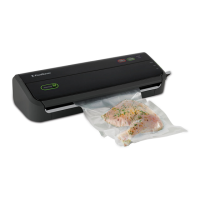
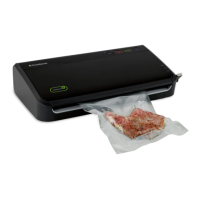
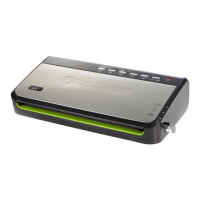
The FoodSaver FM5400 Series is a vacuum sealing system designed to extend the life of foods by removing air from sealed containers, thereby reducing oxidation and inhibiting the growth of microorganisms. This process helps to preserve nutritional value, flavor, and overall quality of food. The system is intended for household use and is not a substitute for refrigeration or freezing for perishable foods.

Function Description:

The core function of the FoodSaver FM5400 Series is to vacuum seal food in specially designed bags, rolls, and accessories. This involves creating an airtight seal after removing air from the container. The appliance features a Power Button to initiate operation, a Seal Button for immediate sealing or creating seals on multilayer film bags, and a PulseVac™ Button for manual control over the vacuum process, which is particularly useful for delicate items. An Adjustable Food Settings Button allows for optimal vacuuming and sealing of moist or juicy foods, with a Moist Indicator Light that flashes when moisture is detected in the drip tray. The Accessory Button is used for vacuum sealing with FoodSaver® accessories like zipper bags, containers, canisters, and marinators, utilizing the Retractable Handheld Sealer. A Marinate Button provides a ten-minute sequence of vacuum pulses and rests to infuse flavor into foods.

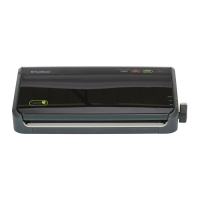
The device incorporates a Vacuum View Window, which provides visibility into the vacuum channel, drip tray, and sealing strip, making it easier to insert bags correctly. The Vacuum Channel is where the open end of the bag is inserted to begin the vacuuming and sealing process. The Vacuum and Seal Bar, when pressed, automatically closes the Vacuum View Window and grasps the bag to start the vacuum and seal cycle.

For making custom-sized bags from a roll, the appliance includes an Express Bag Maker Lower Seal and Cut Bar, a Bag Cutter, and a Bag Dispenser. The Unlock/Seal Lever is used to switch between seal mode (to make a seal) and unlock mode (to release bag material).

Usage Features:

  • Installing a FoodSaver® Roll: The process begins by pressing the Power Button. The Express Bag Maker Lower Seal and Cut Bar is opened, and the roll is inserted into the notched-out area. Bag material is then pulled forward to a white line, and the Unlock/Seal Lever is turned to the seal position to create the first seal.
  • Making a Bag from a FoodSaver® Roll: To make a bag, the lever is turned to the unlock position, and bag material is pulled from the Bag Dispenser Area to the desired length, ensuring at least three inches of space between food contents and the top of the bag. The Unlock/Seal Lever is then turned to the seal position to create the first seal of the next bag. The Bag Cutter is slid across to cut the current bag.
  • Vacuuming and Sealing a Bag: With both hands, the open end of the bag is inserted through the bottom of the Vacuum View Window into the Drip Tray. The Vacuum and Seal Bar is then pushed and released. The Vacuum View Window automatically closes and grasps the bag, initiating the vacuum and seal process. The Red Seal light indicates the sealing process, and once it turns off, the bag is sealed and ready for storage.
  • PulseVac™ Control Feature: This feature allows manual control of the vacuum process, preventing delicate items from being crushed. After placing items in the bag with adequate space, the PulseVac™ button is pressed, illuminating the "Vacuum" light. The bag is inserted into the Vacuum View Window, and the Seal activation bar is pressed to close the window. Holding down the PulseVac™ Button runs the vacuum pump, and releasing it stops the process. This allows for adjusting the vacuum level. Once the desired amount of air is removed, the Seal Button is pressed to seal the bag.
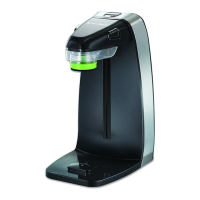
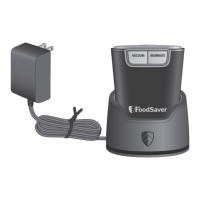
  • Retractable Handheld Sealer: This feature is used with FoodSaver® zipper bags, containers, canisters, and marinators. The handheld sealer is pulled from the appliance and placed over the valve on the accessory. For vacuuming, the Accessory button is pressed. For canisters and marinators, the clear bottom portion of the handheld sealer may need to be removed, and the tip inserted into the port. For marinating, the Marinate button is pressed.
  • Food Preparation and Reheating Tips: The manual provides guidelines for various food types, including thawing and reheating vacuum-sealed foods (e.g., cutting a corner of the bag for microwave reheating), hard cheeses (leaving extra bag material for resealing), meat and fish (pre-freezing or using a paper towel to absorb moisture), vegetables (blanching before sealing), baked goods (using a canister or pre-freezing), leafy vegetables (using a canister), coffee and powdery foods (using a coffee filter to prevent particles from entering the pump), and liquids (pre-freezing into solid blocks).
  • Vacuum Sealing Non-Food Items: The system can also protect non-food items from oxidation, corrosion, and moisture, such as silver (wrapped in cushioning material), emergency kits (flares, batteries, flashlights), and items for outdoor excursions (matches, maps, food).

Maintenance Features:

  • Appliance Cleaning: The appliance should be unplugged and allowed to cool before cleaning. It should never be immersed in water or other liquids. Gaskets and the area around the Drip Tray should be checked for food materials and wiped with a warm soapy cloth if needed. The Upper Gasket is non-removable.
  • Removable Drip Tray: This tray catches overflow liquids and is dishwasher-safe. It should be emptied and washed in warm soapy water or placed on the top rack of a dishwasher after each use, then thoroughly dried before re-inserting.
  • Retractable Handheld Sealer Reservoir: The reservoir should be emptied and washed in warm soapy water after each use, then air-dried before replacing. To remove it, the top portion (black upper piece) is held firmly, and the lower reservoir is pulled down and off. Cleaning is especially important when fluid is visible.
  • General Tip: Always leave the Unlock/Seal lever in the Unlock position when done using the appliance.
  • Troubleshooting: The manual includes a comprehensive troubleshooting section to address common issues such as the Red Seal LED flashing (indicating overheating or prolonged vacuum pump operation), the vacuum pump running but the bag not evacuating (due to improper bag insertion, wrinkles, or gasket issues), the upper gasket being loose or torn (requiring cleaning or replacement), bags not sealing properly (due to liquid, food debris, wrinkles, or overheating), no lights on the control panel, and nothing happening when the Vacuum View Window is closed.
  • Replacement Parts: Information on purchasing replacement parts like the Upper Seal Profile, Lower Seal Profile, Reservoir Accessory, Cutter Accessory, and Drip Tray Accessory is provided, along with contact details for customer service.

FoodSaver FM5400 Specifications

General IconGeneral
TypeVacuum Sealer
Power120 watts
Seal TypeHeat Seal
Bag Roll StorageYes
Built-in CutterYes
Marinate ModeYes
Moist/Dry Food SettingsYes
Pulse FunctionNo
Accessory PortYes
Vacuum Settings2
Included Accessories1 roll of vacuum seal bags

Related product manuals