XQ-48DSP Special DSP amplifier
Connection Status
1、【 】Red means not connected;【 】 gray
means connected.
When the mobile phone is connected to
Bluetooth, open the mobile phone software and
it will be connected automatically. The Bluetooth
symbol turns green. The software can control
the host playback and data adjustment.
2、User mode click [ ] to enter the [Exit]
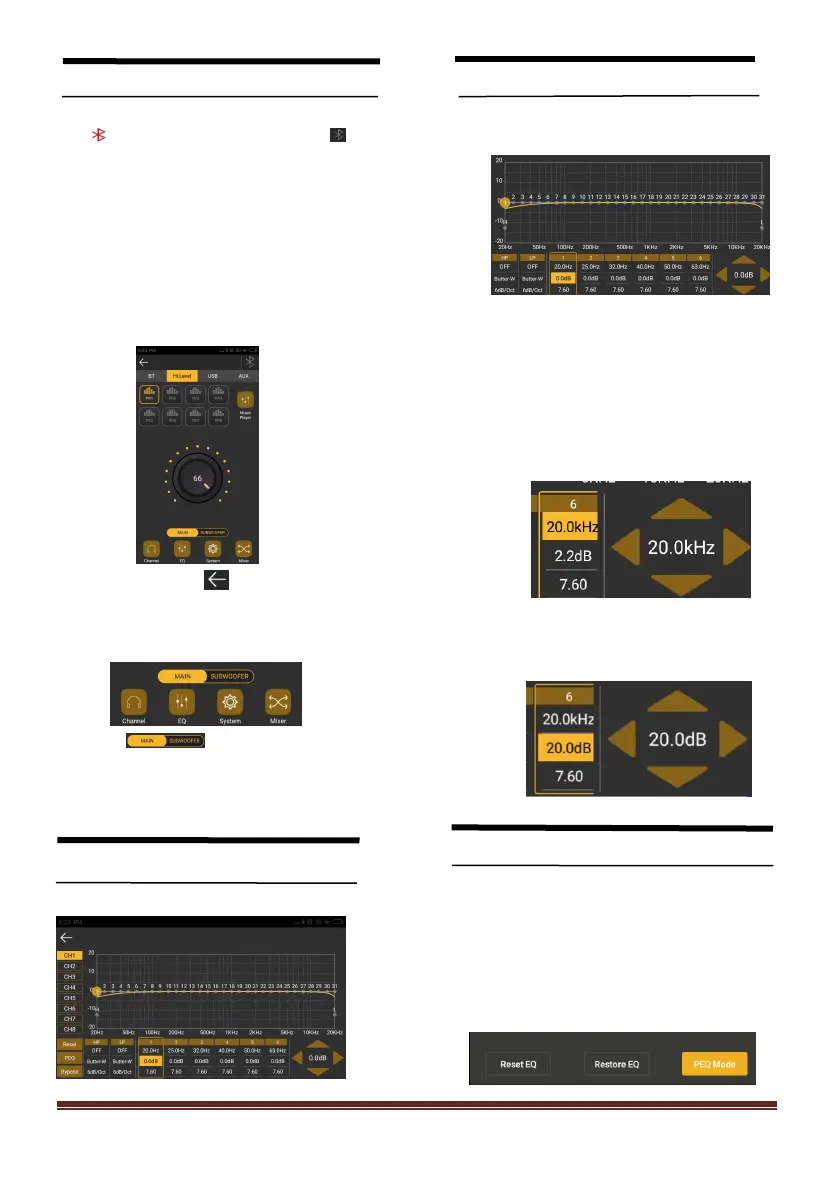
3、Click to enter the main interface. The main
menu is at the bottom of the interface.
4、Slide [ ] to adjust the main /
subwoofer volume. The main volume is
0-60,subwoofer volume is 0-66.
Click【EQ】to enter EQ interface
Setting EQ Output channel
1、EQ curve(gain, Q value and frequency)
2、Output EQ gain setting: A total of 31 EQ,
left.
and right sliding screen can select EQ, you
can drag the slider up and down. PEQ
mode (the equalizer frequency,Q value
and gain are restored to their initial
values).
3、Click each channel Freq in the pop-up
dialog box to adjust the adjustment range:
-20dB~+20dB.
Equalization settings
1、Click 【 Reset EQ 】 to restore the
parameters of the 31-band equalizer to the
original.
pass-through mode (the equalizer frequency,
Q value and gain are restored to their initial
values).


 To Next Page
 Loading...